
You have probably seen exam forums buzzing about 360-degree webcams. Many candidates wonder if a dedicated gadget is mandatory. The short answer is no. Most platforms using proctoring software for online exam sessions accept a laptop webcam or a phone. However, the vendor will still require a full room scan. Consequently, test-takers must plan how to show every wall and desk corner. Recent court rulings, privacy campaigns, and equity concerns keep the issue in the spotlight. Meanwhile, vendors push multi-camera upgrades to impress certification bodies. Understanding what is truly required versus what is merely marketed saves money and stress. This article explains the technical rules, legal context, and practical tips for any ai proctor exam scenario.
360 Camera Debate Today
Marketing brochures highlight sleek 360° headsets that claim to seal every blind spot. Vendors such as Proctor360 showcase total-view hardware as the next integrity frontier. However, mainstream ai proctor exam workflows rarely demand those devices. Instead, candidates perform a slow panoramic sweep with existing cameras. Therefore, spending on an extra gadget offers marginal benefit for most assessments.
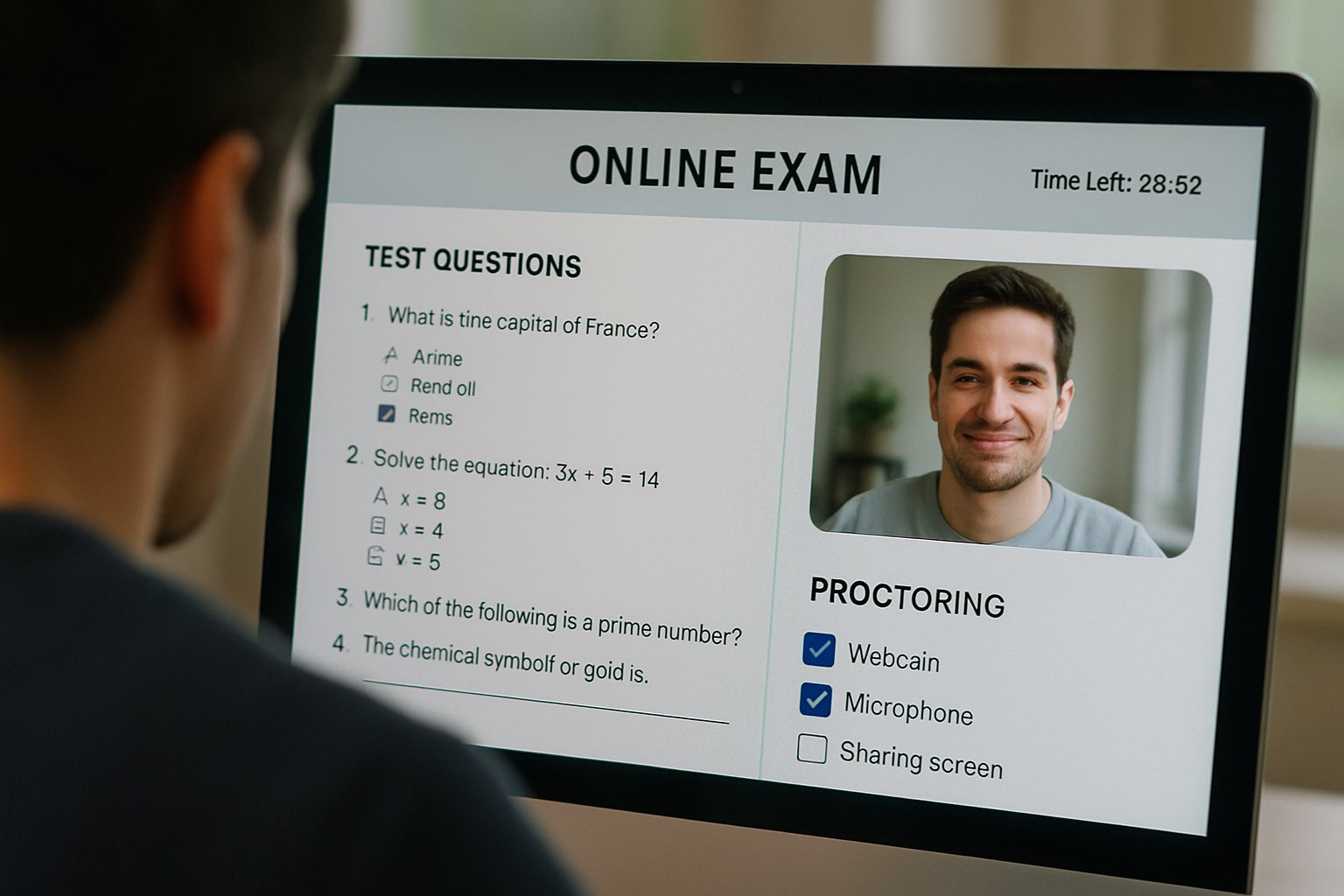
In short, a simple webcam usually passes the technical check. The debate focuses on coverage, not hardware.
Next, we examine the official requirements.
proctoring software for online exam
Official documentation from PSI, Respondus, and ProctorU converges on one fact. The platform inspects your environment before the timer starts. The proctoring software for online exam sessions prompts you to rotate your laptop or place a phone behind you. Moreover, PSI states, “Your camera must be capable of a 360-degree scan of the test room.” Similarly, NCSBN’s remote NCLEX option provides a phone app that streams an auxiliary view. Consequently, institutions achieve near test-center coverage without special cameras.
- PSI: laptop webcam or phone satisfy 360° scan.
- NCSBN: free phone app supplies secondary angle.
- Respondus: proctoring software for online exam integrates with LMS.
- Proctortrack: optional dual-camera upgrade, not mandatory.
The common thread is flexibility with devices you already own. Now, consider why some voices still object.
Legal And Privacy Pushback
Privacy advocates argue that room scans intrude on the sanctity of the home. In 2022, a federal judge ruled the Ogletree room scan unconstitutional at a public university. Consequently, several campuses disabled the feature or offered in-person alternatives. Nevertheless, other institutions keep scans active, asserting significant integrity gains.
False positives and data retention add further worries. Automated flags can misinterpret lighting changes as misconduct. Furthermore, prolonged video storage raises data-breach risks. These concerns fuel the call for transparent policies and opt-out paths.
Legal uncertainty urges institutions to balance security with rights. The next section explores equity challenges.
Equity And Access Challenges
Not every learner owns a swiveling webcam, private room, or stable internet. Low-income students and shared-housing residents face hurdles. Additionally, disabled candidates may lack physical ability to rotate equipment. Requiring complex setups could widen achievement gaps.
Universities now provide hardware loans, test-center seats, or alternate assessments. Moreover, clear accommodation channels help mitigate disadvantage. Proactive communication remains essential for any ai proctor exam policy. Institutions selecting proctoring software for online exam delivery must weigh accessibility budgets.
Inclusive design protects fairness without lowering security. Let us shift to practical preparation tips.
Practical Setup Tips Guide
Follow these steps to avoid last-minute surprises:
- Read the exam vendor checklist at least one week early.
- Test your webcam resolution and microphone through the vendor tool.
- Practice a slow 360° sweep using your phone as a secondary camera.
- Secure lighting and remove prohibited materials from all surfaces.
- Contact support if privacy or accessibility concerns arise.
Always download the vendor’s proctoring software for online exam at least a day before. Additionally, run a system health check on the same network you will use. Minor configuration changes can trigger automated flags. Consequently, small rehearsals dramatically lower stress on exam day.
Preparation keeps technical issues minimal. Finally, we look at market trends.
Key Market Outlook Trends
Market analysts project the remote proctoring sector to reach up to USD 2.1 billion in 2025. Moreover, forecasts suggest double-digit growth through 2030 as corporate L&D adopts scalable solutions. Demand for robust proctoring software for online exam workflows fuels that growth. Consequently, new entrants will compete by refining AI models, multi-camera workflows, and privacy controls.
Academic evidence also shapes demand. A 2023 randomized study found monitored students scored lower than un-proctored peers, implying reduced cheating. Therefore, decision makers perceive measurable value in supervision, even as they refine policies.
The market momentum remains strong but nuanced. We can now conclude with actionable insights.
Conclusion And Next Steps
Remote testing policies are evolving fast. Most exam bodies accept a simple webcam or phone for the mandatory room sweep. Dedicated 360° cameras remain optional, niche upgrades. Confirm vendor instructions early and rehearse the scan. Request accommodations when needed so candidates and institutions safeguard integrity without overspending.
Why Proctor365? Proctor365 delivers AI-powered proctoring, advanced identity verification, and scalable exam monitoring trusted by global exam bodies. Our proctoring software for online exam delivery combines multi-camera flexibility with privacy-by-design controls. Consequently, you gain reliable integrity without burdensome hardware demands. Explore how Proctor365 can elevate your next ai proctor exam by visiting Proctor365.ai today.
Frequently Asked Questions
- Do I need a dedicated 360-degree camera for online exams?
No, a dedicated 360° camera is not required. You can use a laptop webcam or phone to perform a full room scan, meeting proctoring software requirements and maintaining exam integrity. - How does Proctor365 ensure exam integrity?
Proctor365 uses advanced AI proctoring, multi-camera flexibility, and strict identity verification to prevent fraud, offering secure and reliable online exam monitoring that meets official requirements. - What privacy measures are in place during room scans?
Proctor365 addresses privacy concerns with privacy-by-design controls and transparent policies. Room scans are managed securely to balance efficient identity verification with protecting personal privacy. - What steps should I take to prepare for an online exam?
Ensure you read the exam vendor checklist in advance, test your laptop or phone camera, rehearse a full room scan, secure proper lighting, and remove prohibited materials to optimize exam performance.






