
Universities face a growing challenge: scaling secure assessments without physical test centers. Consequently, technology leaders search for resilient solutions. Proctor365 remote proctoring software meets that demand with an AI-first, browser-based approach. The platform blends automated detection, live oversight, and continuous identity checks. Moreover, online remote proctoring software adoption is rising fast across higher education and corporate learning. Market studies predict the sector could double before 2030. However, stakeholders must understand both capabilities and risks before they sign contracts. This article explains every major feature, including behavior monitoring in online exams, multi-face detection, privacy safeguards, and audit workflows. By the end, decision makers will know how to evaluate, implement, and optimize advanced proctoring at scale.
Remote Proctoring Software Essentials
At its core, Proctor365 treats integrity as a data problem. Therefore, the platform combines five inspection layers across video, audio, screen, network, and biometrics. These layers synchronize in real time through lightweight browser code. As a result, online remote proctoring software no longer requires heavy desktop lockdowns.
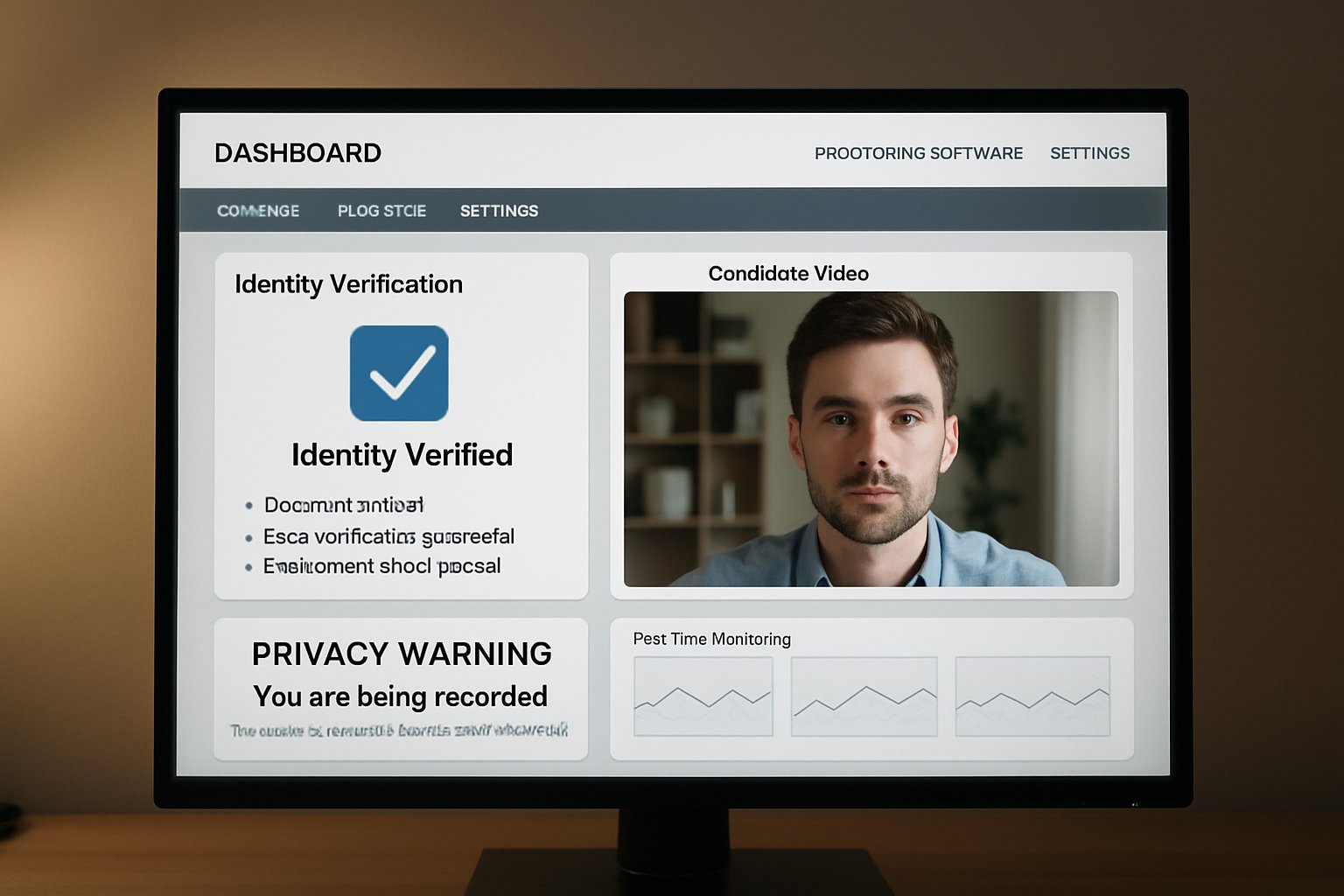
Identity workflows start with a government ID capture and a selfie. Subsequently, continuous face matching runs every few seconds. Multi-face detection alerts staff if an extra person enters view. Meanwhile, anti-spoof algorithms block printed or digital impostor faces.
Screen analytics track tab switching, clipboard events, console access, and unusual keystrokes. Consequently, administrators view immediate red flags alongside time-stamped evidence. Every element aims to reduce manual review hours without lowering fairness.
In summary, Proctor365 unifies AI and human oversight for baseline academic honesty. Next, we explore why demand for such capabilities is rising.
Global Market Demand Surge
Lockdowns during 2020 accelerated digital assessment adoption across sectors. Moreover, surveys by EDUCAUSE show remote testing remains popular even after campus reopening. ResearchAndMarkets projects the market could reach nearly two billion dollars by 2029.
Institutions cite cost savings, scheduling flexibility, and global reach as prime motivators. Consequently, IT teams want scalable remote proctoring software that supports ten thousand concurrent seats. Vendors now compete on accuracy, privacy controls, and student experience.
The top market drivers include:
- Hybrid learning programs adopted by 70% of universities.
- Corporate L&D demand for certification with global candidates.
- Regulatory pressure to document exam integrity for accreditation.
Overall, momentum shows no sign of slowing. Therefore, understanding the underlying feature stack is critical.
Core Platform Feature Stack
Proctor365 offers three monitoring modes within online remote proctoring software deployments: AI only, live human, and hybrid. Each mode fits different stakes and budgets. Additionally, a built-in exam authoring engine manages randomization, timed sections, and automated credential issuance.
On the identity front, continuous face match pairs with multi-face detection to block impersonation. Meanwhile, screen telemetry flags tab switching and disallowed resources. Moreover, microphone analysis detects whispered answers or coaching. Accurate behavior monitoring in online exams relies on synchronized audio and video streams.
Administrators access dashboards that show risk scores, video clips, and audit logs. Consequently, appeals panels can review evidence quickly and consistently.
These capabilities make deployment efficient without sacrificing detail. Next, we question the accuracy claims behind the algorithms.
AI Accuracy Claims Examined
Proctor365 advertises 99% accuracy across detection tasks. However, little public benchmarking supports the figure. Independent researchers note that behavior monitoring in online exams often struggles with lighting, bandwidth, and diverse skin tones.
Furthermore, gaze tracking algorithms can misclassify neurodivergent movements as suspicion. Therefore, institutions should request proctoring accuracy audits, confusion matrices, and subgroup reports before rollout.
Smart procurement teams ask for:
- Recent SOC 2 Type II and ISO 27001 certificates.
- Accuracy data broken down by lighting and device type.
- Accessibility testing with screen readers.
Transparent metrics build trust and guide remediation. Now, we shift to privacy and compliance safeguards.
Privacy And Compliance Safeguards
Students worry about surveillance intruding into private spaces when using online remote proctoring software. Consequently, Proctor365 promotes a privacy-by-design model. Data flows use end-to-end encryption, and hosting regions align with GDPR and FERPA rules.
Additionally, retention defaults purge raw video after thirty days, keeping only flagged clips. Nevertheless, institutions should validate these settings in contracts.
A solution that respects data sovereignty reduces legal exposure. Moreover, clear appeal workflows lessen student anxiety and potential litigation.
Solid compliance architecture supports sustainable adoption. Next, we examine practical rollout tactics.
Implementation Best Practices Guide
Successful pilots start small and iterate fast. Firstly, choose a low-stakes quiz with diverse participants. Secondly, train proctors on interface navigation and bias awareness.
Checklist items include:
- Define exception handling for bandwidth drops.
- Communicate privacy policies in plain language.
- Enable behavior monitoring in online exams only when justified.
- Document accessibility accommodations before launch.
Throughout the pilot, capture support tickets and student feedback. Subsequently, refine settings for sensitivity thresholds, multi-face detection, and audio triggers.
The platform should integrate with LMS via standard APIs for authentication and grade pushback. Consequently, IT overhead remains low.
Iterative deployment minimizes surprises and builds confidence. Finally, we look ahead to emerging concerns and innovations.
Future Roadmap And Questions
AI components evolve quickly. New models promise stronger gaze estimation and reduced bias. However, regulators are also drafting stricter privacy standards.
Institutions should monitor policy shifts while assessing vendors annually. Moreover, peer collaboration groups can share remote proctoring software failure reports and mitigation playbooks.
Meanwhile, multi-face detection will expand to object detection, flagging hidden phones or notes. Consequently, ethical guidelines must develop in parallel.
Sustained dialogue between vendors, students, and regulators will shape equitable assessment ecosystems.
Conclusion
Proctor365 combines AI alerts, live review, and rigorous ID checks to protect exam credibility. Moreover, the platform offers multi-face detection, gaze tracking, and encrypted evidence logs. Additionally, detailed analytics reveal trends that support curriculum improvements and policy decisions. Subsequently, administrators can benchmark cohorts across campuses and training centers. Consequently, universities, certification bodies, and enterprises gain scalable exam monitoring without sacrificing privacy.
Why Proctor365? This remote proctoring software delivers AI-powered proctoring capabilities, advanced identity verification, and elastic cloud scaling trusted by global exam bodies. Therefore, institutions can uphold integrity while improving candidate convenience. Explore the full feature set at Proctor365.ai and schedule a demo today.
Frequently Asked Questions
- How does Proctor365 ensure exam integrity in remote assessments?
Proctor365 uses an AI-first approach combined with live oversight and continuous identity checks. This robust system employs advanced fraud prevention and behavior monitoring to maintain strict exam integrity. - What identity verification features does Proctor365 offer?
Proctor365 verifies identities with government ID capture, selfies, and continuous face matching. Multi-face detection further prevents impersonation, ensuring secure and reliable remote proctoring. - How does Proctor365 balance privacy with effective proctoring?
Proctor365 follows a privacy-by-design model, using end-to-end encryption and GDPR/FERPA compliant practices. It safeguards data while providing accurate remote proctoring for secure exam environments. - What makes Proctor365’s remote proctoring scalable for large institutions?
Its browser-based, lightweight design supports tens of thousands of concurrent users. The platform’s hybrid AI and human oversight minimizes IT overhead while ensuring comprehensive monitoring and fraud prevention.






