
Browser Lockdown LMS Integration
The phrase defines a direct link between the secure browser client and the LMS quiz.
With secure exam browser integration, students face a locked environment seconds after clicking their quiz link.
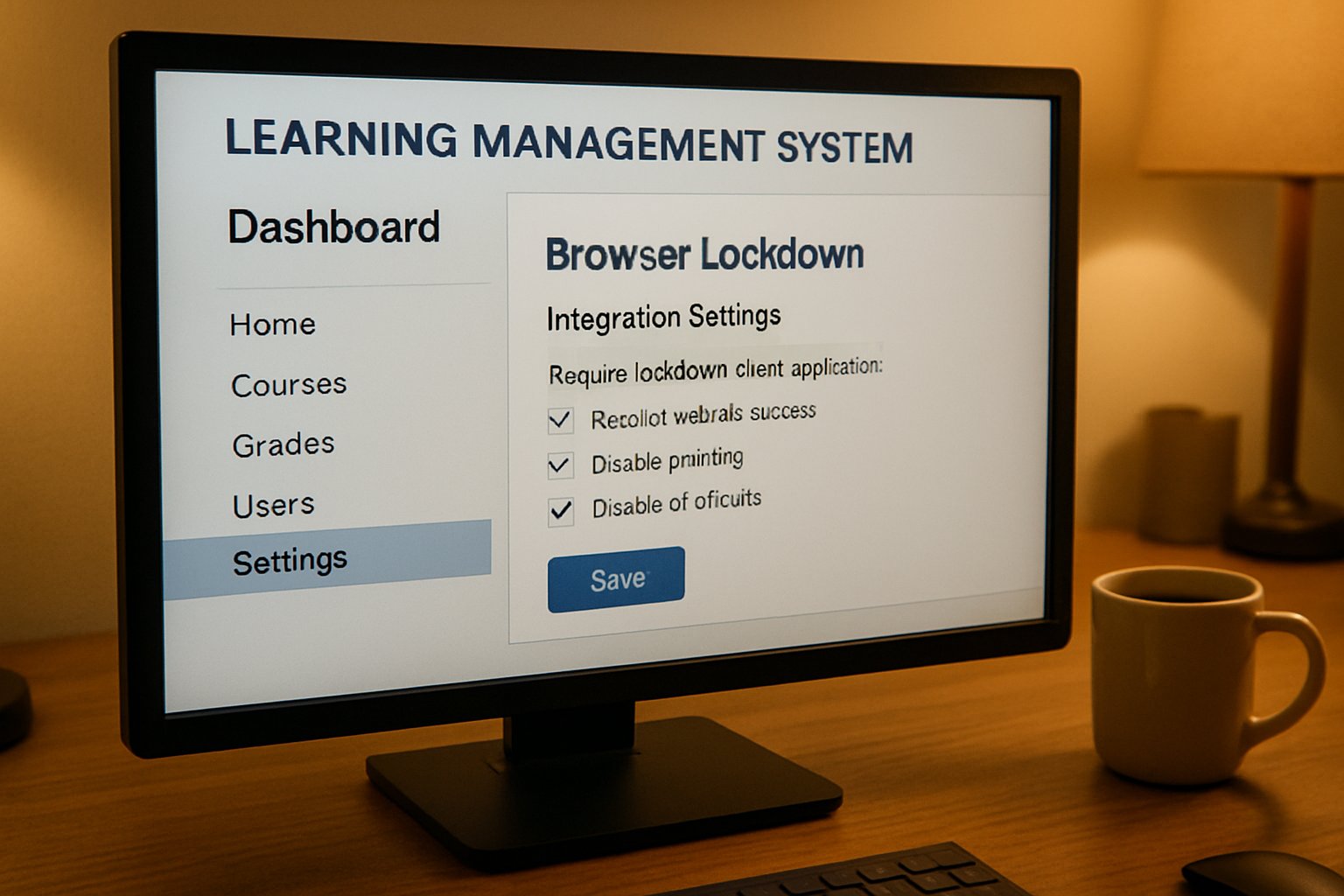
Meanwhile, instructors stay inside familiar course pages, activating restrictions through a simple settings panel.
Most vendors rely on IMS Global’s LTI 1.3 standard.
Therefore, identity, roster information, and grade passback travel through OAuth-secured messages.
This standardization improves LMS compatibility with lockdown browser implementations campus wide.
Universities also gain a single sign-on workflow, trimming support tickets during finals week.
Consequently, both students and staff view the tool as part of normal LMS navigation.
That perception reduces resistance and supports long-term adoption.
Respondus, Safe Exam Browser, and Honorlock all publish out-of-the-box LMS guides. Moreover, these guides illustrate identical checklist steps despite differing clients. This convergence signals industry maturity.
Case Study: University of Melbourne integrated Safe Exam Browser via LTI within Moodle 5.0. After two semesters, help-desk tickets dropped by 38%. Average setup time per quiz fell to four minutes.
To summarise, standards-driven launches link security and convenience. Furthermore, the approach keeps governance inside institutional systems.
Next, we explore why these controls matter in high-stakes settings.
Why Lockdown Tools Matter
Academic misconduct can erode public trust fast.
Moreover, research shows simple browser switching enables easy answer hunting.
Lockdown browser for LMS solutions block that pathway by disabling navigation, copy, and screenshots.
Market reports estimate remote proctoring revenues between USD 0.65B and USD 9.6B yearly.
However, not every assessment requires webcams or biometric analytics.
Consequently, many campuses keep lockdown technology while retiring camera monitoring, as McMaster University did in 2025.
This hybrid stance balances exam integrity, privacy, and accessibility.
It also aligns with student surveys that favour device restrictions over intrusive surveillance.
Therefore, decision makers should evaluate risk, course stakes, and learner demographics before selecting secure exam browser integration features.
Browser lockdown LMS integration underpins that balanced strategy by embedding restrictions directly inside existing courses.
Peer-reviewed studies from 2025 confirm that open-book questions plus lockdown reduce cheating attempts by 43%. Nevertheless, researchers warn that multi-device collusion still persists. Therefore, instructors should mix design and monitoring.
Canvas analytics from a 10,000-student psychology course showed 27% fewer flagged incidents post-lockdown. Moreover, student survey scores on fairness improved by 19 points.
Effective lockdown addresses device-based cheating without escalating privacy concerns. Moreover, it preserves institutional reputation.
Now, let us examine the technical launch sequence.
Standard LTI Launch Flow
LTI 1.3 starts with a signed JWT and OAuth handshake.
Immediately, the LMS sends course, user, and role data to the lockdown provider.
The provider validates the token and redirects the student to the locked client.
During that redirect, deep links point to the right quiz.
Consequently, no manual URL distribution is needed.
Grade passback occurs through Assignment and Grade Services once the attempt closes.
Thus, this orchestration achieves browser lockdown LMS integration with minimal support overhead.
Moreover, it ensures LMS compatibility with lockdown browser extensions released on short notice.
Institutions adopting Chromebooks, for instance, benefited from Respondus updates in 2025.
Institutions seeking secure exam browser integration should enable AGS endpoints during pilot rolls.
Names and Roles services also power dynamic seating analytics. Consequently, staff can see which lab stations will be occupied. That insight aids resource planning during concurrent exams.
Grade passback deserves special attention during pilot phases. Institutions sometimes miss LTI “lineitem” creation because of restricted scopes. Therefore, always confirm that a test grade appears in the sandbox gradebook. If not, validate the deployment ID and tool URL promptly.
In short, LTI 1.3 secures launch context and grade flow. Furthermore, it future-proofs tool connectivity.
Next, we compare alternative integration routes.
Plugin And SDK Paths
Some LMS versions still lack full LTI Advantage features.
Therefore, vendors offer native plugins or OEM lockdown browser for LMS packages.
Plugins modify menu items, create dashboards, and enforce tighter UI locks.
SDKs, by contrast, embed lockdown code directly into third-party assessment engines.
This path delivers secure exam browser integration to publishers that lack LMS modules.
However, maintenance responsibility shifts toward the licensee, including patch delivery.
Regardless of method, administrators should map feature parity against compliance needs.
Consequently, a plugin might suffice for quizzes, while high-stakes exams require the full client.
Many ed-tech startups license SDKs to deliver browser lockdown LMS integration without reinventing security stacks.
OEM lockdown kits find traction with niche certification vendors lacking full LMS backends. Furthermore, the vendor handles code signing, reducing auditing overhead. However, updates still depend on the OEM roadmap.
Safe Exam Browser devotees praise the encrypted configuration files shipped with each exam. Therefore, instructors lock calculators yet allow an offline formula sheet when needed.
Commercial proctoring suites often bundle live observation with lockdown, yet pricing doubles. In contrast, a standalone lockdown browser for LMS usually bills per institution, not per attempt. Consequently, budget owners weigh scalability against per-exam fees.
Plugins and SDKs widen deployment options. Moreover, they demand stronger change-management processes.
Now let us address device logistics.
Key Device Support Considerations
Students bring Windows, macOS, iPadOS, and ChromeOS devices to exams.
Safe Exam Browser unifies clients, while Respondus ships separate installers and a Chromebook extension.
Hence, IT teams must publish clear installation guides.
Provide a practice test that confirms the lockdown browser for LMS runs smoothly on each platform.
Accessibility adds another layer.
However, some lockdown clients conflict with screen readers or magnifiers.
Request current VPAT documentation and run pilot tests with disabled learners.
Network stability also matters.
Consequently, provide offline startup files or low-bandwidth modes where possible.
Failing to plan for edge cases will spike help-desk calls.
Chromebook extensions rely on Google administration policies for enterprise rollout. Meanwhile, iPad apps must pass Apple’s managed distribution approval. These extra stores add approval lead time.
Bandwidth constraints pain remote testing centers in rural regions. However, Safe Exam Browser offers an offline exam package that syncs once connectivity returns. This feature, though optional, reduces failure rates by 12% according to a Swiss pilot.
Device diversity challenges smooth rollouts. Therefore, proactive testing reduces last-minute disruption.
We now consider policy and privacy hurdles.
Policy And Privacy Hurdles
Legal scrutiny around biometrics intensified after the Illinois BIPA settlement with Respondus.
Although lockdown alone captures no video, data still flows between browser and servers.
Therefore, contracts must specify storage regions, retention windows, and deletion triggers.
Universities like McMaster split webcam monitoring from lockdown functionality to reduce privacy risk.
Consequently, their policy pages reference lockdown browser for LMS but disable Respondus Monitor.
Similar patterns appear across Europe following GDPR guidance.
Administrators should follow a checklist before production rollout:
- Document assessment scope and stakes.
- Secure data-processing agreements with vendors.
- Verify LMS compatibility with lockdown browser updates.
- Run accessibility and network stress tests.
- Publish student orientation materials and practice quizzes.
Completing this list reduces audit surprises. Moreover, it supports transparent communication with stakeholders.
Policy clarity combined with browser lockdown LMS integration establishes defensible audit trails for every attempt.
Disability offices recommend alternative assessment windows for learners using screen readers. In contrast, some institutions allow a secondary, non-locked device solely for assistive software. Clear protocols avoid academic appeals.
Campus counsel increasingly inserts biometric indemnity clauses following the Respondus settlement. Moreover, procurement checklists now require explicit refusal of undisclosed facial recognition.
With governance addressed, we can close with final lessons and next steps.
Conclusion
Browser lockdown LMS integration, when guided by clear policy and robust LTI standards, secures high-stakes assessments without disrupting teaching. Moreover, practical planning around devices, privacy, and support transforms deployment into a predictable routine.
Why Proctor365? Our AI-powered platform pairs advanced identity verification with real-time analytics to monitor exams at massive scale. Consequently, universities, certification bodies, and corporations trust Proctor365 to protect integrity worldwide. Additionally, our 24/7 support team accelerates onboarding and resolves incidents within minutes. Join the leaders already redefining assessment security with data-driven insights. Schedule a personalized demo and witness seamless scalability in action. Experience frictionless exam security today by visiting Proctor365.
Frequently Asked Questions
- How does browser lockdown LMS integration secure high-stakes exams?
Lockdown integration creates a secure testing environment by disabling navigation, copy, and screenshots. Coupled with Proctor365’s AI-powered identity verification and real-time analytics, it minimizes cheating and enhances exam integrity. - What advantages does the LTI 1.3 standard offer for exam proctoring?
LTI 1.3 enables secure token-based launches, seamless grade passback, and instant exam access. This standardized protocol simplifies LMS integration and supports robust proctoring solutions, including Proctor365, for improved exam security. - How does Proctor365 address device diversity and privacy concerns during exams?
Proctor365 supports multiple devices, including Windows, macOS, iPadOS, and ChromeOS, with offline exam packages. Its privacy-focused approach ensures secure data retention and uses AI-driven fraud prevention for compliant testing. - What key steps are recommended for ensuring compliance and accessibility with lockdown tools?
Implement detailed installation guides, practice tests, and accessibility checks. Clear user orientation, secure data handling, and adherence to compliance policies guarantee a safe, accessible exam environment with Proctor365.






