
Online assessment volumes exploded after 2020. Faculty now face hundreds of recorded sessions for every midterm. Consequently, institutions rely on proctoring software for online exam monitoring to surface behavioral flags fast. However, researchers note that untrained instructors misinterpret those alerts, triggering bias concerns and student appeals. Therefore, robust faculty training is now mission-critical.
Universities such as Stanford run live workshops that pair tool walk-throughs with equity discussions. Meanwhile, vendors publish dashboards showing risk scores, yet always remind instructors that AI merely flags. Moreover, civil-liberty groups continue pressing campuses to prove fairness. This article distills that evolving ecosystem into an actionable guide for universities, ed-tech platforms, certification bodies, and corporate L&D leaders.
We pull insights from multi-year pilots, peer-reviewed studies, and vendor playbooks. Readers will learn how to create concise workflows, reduce false positives, and protect student trust. Consequently, well-designed training saves hours and prevents costly disputes for everyone. Let us start with the biggest principle: humans, not algorithms, finalize integrity decisions.
Human Review Imperative Now
AI flagging works only when skilled reviewers interpret context. Jarrod Morgan states, “It’s not appropriate for AI to be making decisions.” Moreover, Stanford’s pilot embeds trained staff who double-check every alert before escalation. Even the best proctoring software for online exam delivery cannot replace informed judgment.
Furthermore, peer studies reveal higher flag rates for darker skin tones and low bandwidth environments. Consequently, reviewers must inspect lighting, accommodation records, and timing cues before drawing conclusions. That disciplined process halves unnecessary conduct referrals in several campus reports.
Key takeaway: consistent human review transforms raw alerts into fair outcomes. Next, we explore how the tools themselves can trip reviewers who lack preparation.
proctoring software for online exam
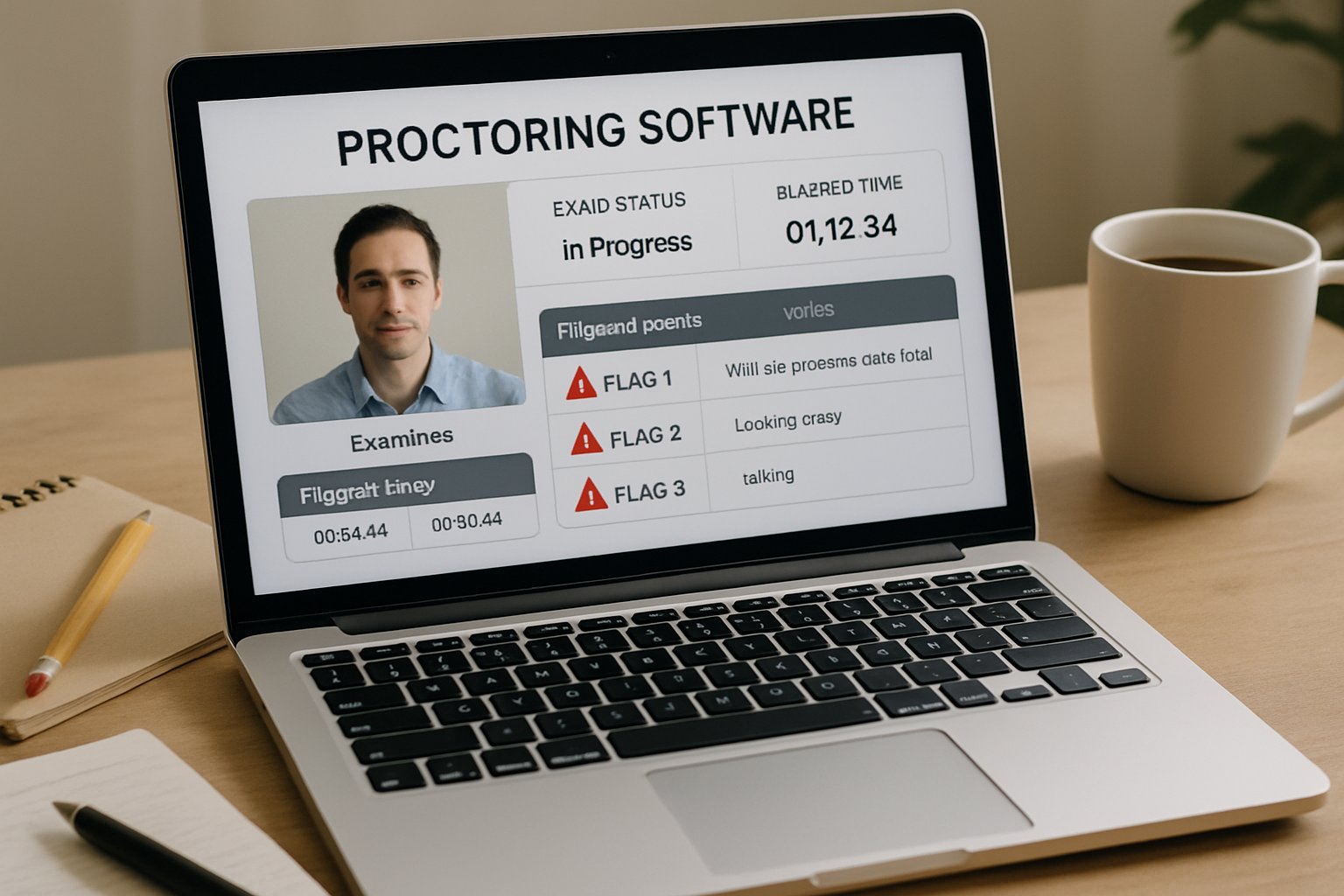
Every vendor dashboard looks different, yet core behavioral flags remain similar. Handheld-device detection, missing face, multiple voices, and gaze shifts dominate alert categories. However, settings like sensitivity sliders can flood instructors with noise if misconfigured.
When campuses first deploy proctoring software for online exam sessions, faculty often leave defaults untouched. Consequently, false positives spike, overwhelming support desks. Moreover, high alert counts erode student trust and delay grading.
Bias And Equity Risks
Research documented higher flag frequencies for students with darker skin. Additionally, low-light environments or webcams without infrared increase detection failures. Therefore, reviewers must cross-reference accommodation lists and gather second opinions before filing misconduct reports. An ai proctor exam approach still needs people who monitor fairness.
Summary: Tool mastery plus equity awareness prevents unnecessary disputes. Next, we turn to structured training that builds that mastery.
Effective Faculty Training Steps
Comprehensive workshops keep reviewers aligned and confident. Moreover, universities combine policy briefings with hands-on dashboard labs. Below is a proven sequence many pilots follow.
- Policy and ethics overview – 30 minutes.
- Vendor dashboard lab – 60 minutes with live ai proctor exam demonstrations.
- Bias case scenarios – 60 minutes using anonymized clips.
- Documentation workflow – 45 minutes with checklist practice.
- Student communication drills – 30 minutes.
Quarterly norming sessions where reviewers watch the same flagged clips and discuss differences standardize interpretations and reduce bias drift.
Trainers should repeat the schedule every term and invite disability services. Consequently, newer staff quickly learn review norms. Using proctoring software for online exam reviews during live demos cements muscle memory. Additionally, quarterly calibration meetings help teams spot drift.
Key Student Communication Essentials
Clear, empathetic messaging reduces anxiety. Therefore, instructors must share lighting tips, privacy notices, and appeal routes before testing. An ai proctor exam handbook with screenshots supports diverse learning styles.
Takeaway: Structured modules plus transparent dialogue raise acceptance. In the next section, we examine data feedback that sustains improvement.
Building Data Feedback Loops
Review analytics close the training loop. Institutions track flag counts, review times, and outcome ratios. Furthermore, they disaggregate figures by course, device, and accommodation status.
Regular dashboards show whether any group receives disproportionate scrutiny. Consequently, leaders can tweak sensitivity settings or revise lighting guidance. Partnering with a capable ai proctor exam vendor helps automate these insights.
Importantly, teams should benchmark results across semesters. Using proctoring software for online exam analytics in this manner drives evidence-based policy changes.
Track the following high-impact numbers each term.
- Flags reviewed within 24 hours.
- Referral rate below 5%.
- Median review time under 10 minutes.
- Disparity score by demographic group.
Consequently, dashboards become actionable rather than ornamental.
Summary: Continuous metrics uncover hidden bias and highlight training gaps. Finally, let’s consolidate the lessons and see how Proctor365 supports them.
Conclusion And Action Steps
Faculty who master human review, tool settings, equity checks, and data loops within proctoring software for online exam contexts cut false positives dramatically. Consequently, student trust rises, and integrity processes stay defensible.
Why Proctor365? The platform blends AI-powered monitoring, advanced identity verification, and scalable dashboards. Moreover, its human-review workflow ensures that proctoring software for online exam delivery remains fair and efficient. Trusted by global exam bodies, Proctor365 elevates integrity while reducing workload.
Explore how Proctor365 embeds best-in-class safeguards into every assessment. Book a demo today and defend academic credibility with confidence.
Frequently Asked Questions
- What is the role of human review in online exam proctoring?
Human review is vital in assessing AI-flagged alerts to avoid bias and false positives. Proctor365 integrates AI and skilled reviewers to enhance exam integrity and precise fraud prevention. - How does proctoring software reduce false positives in online exams?
Proper tool configuration and comprehensive training reduce false positives. Platforms like Proctor365 empower reviewers with clear dashboard insights and AI proctor exam features that enhance accuracy and fairness. - How does Proctor365 support exam integrity and student trust?
Proctor365 combines AI-powered monitoring with advanced identity verification and human-review workflows, ensuring fair assessments, effective fraud prevention, and maintaining student trust through transparent proctoring. - Why is faculty training important for effective online exam monitoring?
Faculty training equips reviewers to interpret AI alerts correctly, reducing bias and false positives. With regular workshops and practice, Proctor365 ensures that exam integrity is upheld and student trust strengthened.






