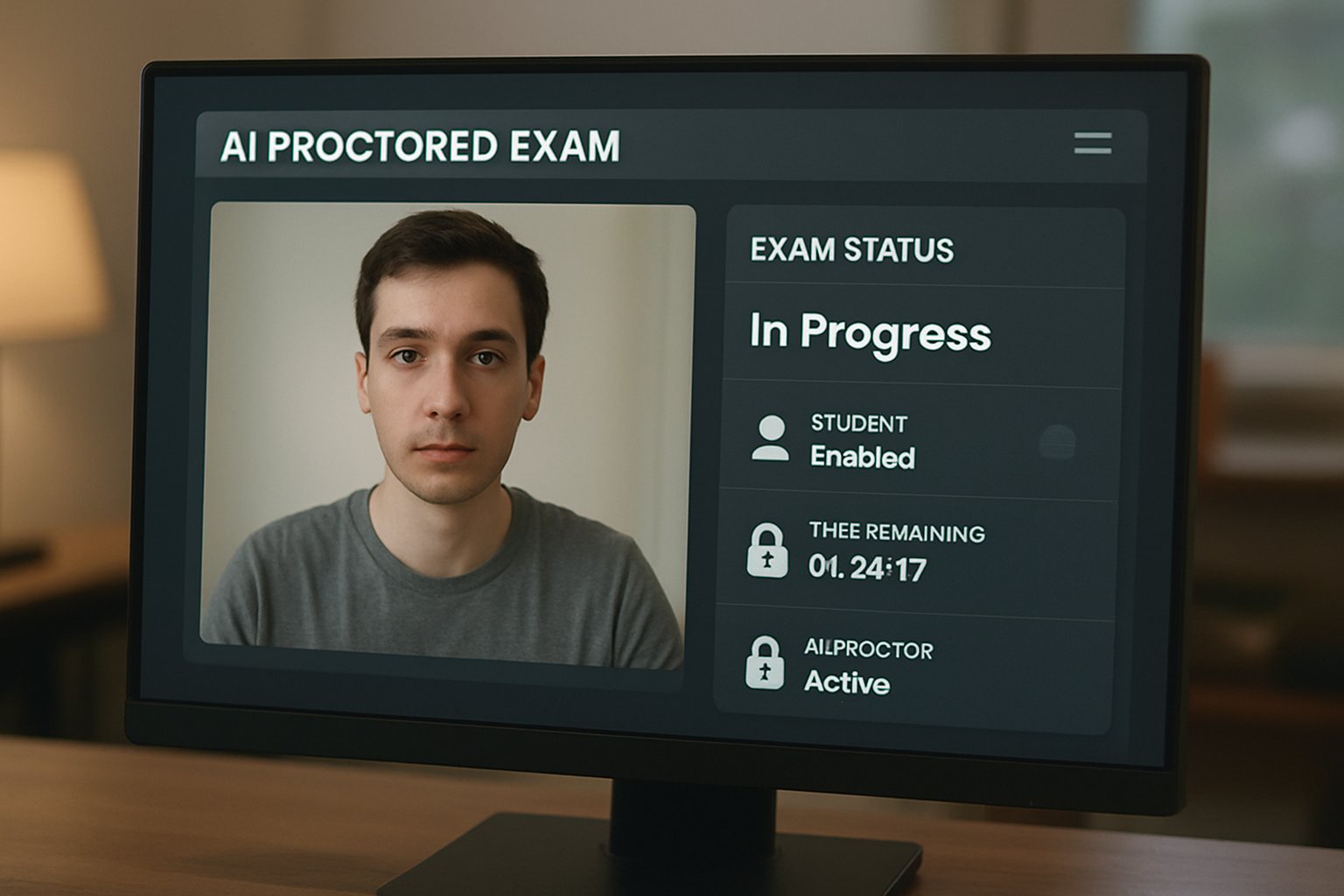
Ensuring Fairness In A Remotely Proctored Exam Era

Remote learning became the norm overnight.

Consequently, exam security shifted to webcams and algorithms.
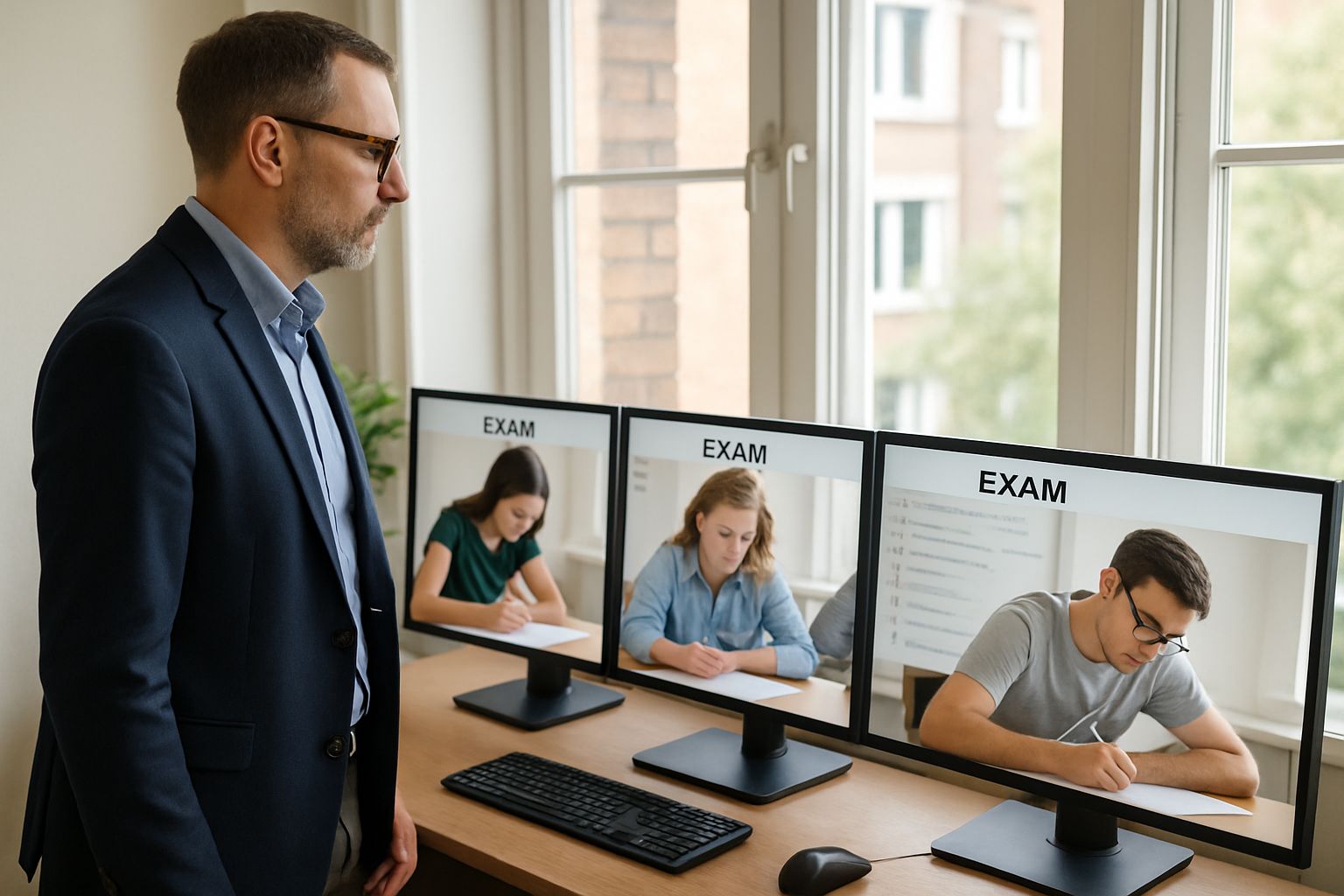
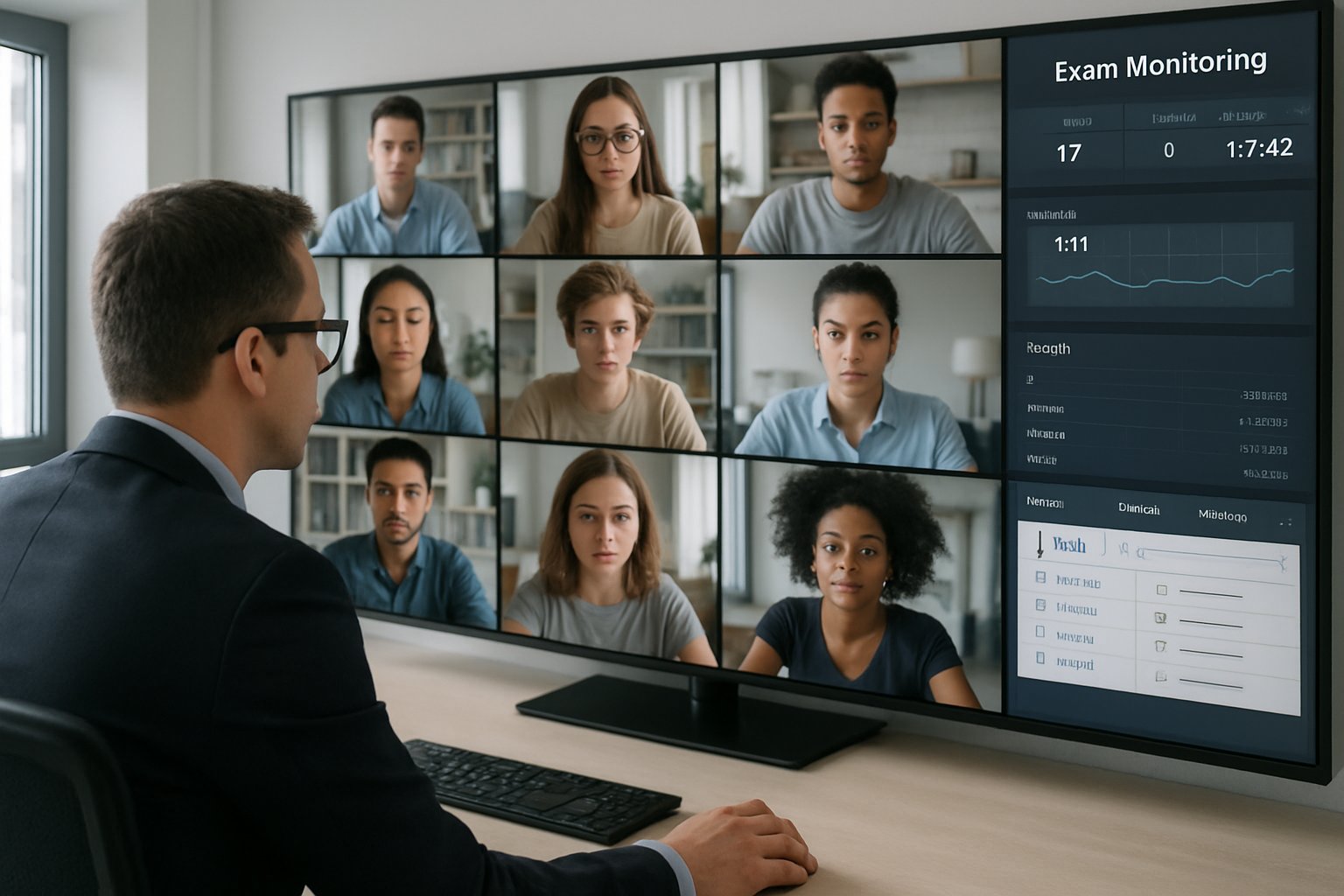
Proctor supervising remotely proctored exams using multiple computer screens
A proctor monitors examinations remotely to ensure fairness for all students.

This shift created new possibilities and new anxieties.

A remotely proctored exam promises scale, but bias fears persist.

Students report false flags, especially those with darker skin.

Meanwhile, vendors highlight rapid model improvements.

Universities, certification bodies, and corporate L&D teams need clarity.

They must balance integrity, privacy, and equity.

This article examines whether modern AI proctoring still discriminates.

Moreover, we explore how policy and technology can close gaps.

Expect concise data, practical guidance, and next-step checklists.

Let us dive in.

Current Fairness Debate Insights

Researchers, regulators, and students agree bias exists in some proctoring modules.

NIST reported higher false positives for Asian and Black faces across many algorithms.

The 2022 Frontiers study echoed those findings within a university setting.

Deborah Raji warns that high-stakes use remains risky until performance equalizes.

Evidence shows the debate is grounded in measurable disparities.

Consequently, we must ask how fairness appears inside each remotely proctored exam deployment.

Fairness In Remotely Proctored Exam

Fairness requires equal error rates across protected groups.

Face detection and recognition errors drive most complaints.

False positives harm honest students by triggering reviews.

Equalized odds metrics help teams measure improvements consistently.

  • False Positive Rate: align across skin tones.
  • False Negative Rate: avoid access blocks for any group.
  • Appeal Overturn Rate: illustrate human review effectiveness.

These metrics turn abstract fairness into trackable numbers.

Next, we review how lawmakers push vendors toward such transparency.

Latest Regulatory Moves Worldwide

The EU AI Act categorizes educational proctoring as high risk.

Therefore, vendors must document testing, oversight, and human control.

From February 2025, biometric emotion detection becomes illegal in Europe.

Meanwhile, U.S. lawsuits like the $6.25M Respondus settlement raise compliance costs.

These moves pressure every remotely proctored exam provider to tighten auditing pipelines.

North American bills may soon demand explicit consent before any ai proctored exam.

Consequently, procurement teams face stricter due-diligence checklists.

Regulators demand proof, not promises.

Accordingly, evidence of bias reductions now matters commercially and legally.

Evidence Of Algorithmic Bias

Numbers speak louder than marketing pages.

NIST tested 189 algorithms and reported up to 100-fold demographic error gaps.

In the university study, dark-skinned women were flagged 3.5 times more often.

Civil groups cite testimonials describing stressful false alarms during an ai proctored exam.

Several students describe being locked out of a remotely proctored exam when detection failed.

Such figures unsettle faculty and students alike.

Nevertheless, best-in-class models show far lower disparity numbers.

Solid data confirms bias but also highlights progress potential.

Therefore, attention shifts to concrete mitigation tactics.

Mitigation Tactics Used Today

Vendors increasingly enforce human review before any disciplinary action.

Additionally, they retrain models on diverse datasets for skin-tone balance.

Some institutions lower sensitivity thresholds to curb false positives.

Others redesign assessments, using open-book formats that reduce cheating incentives.

Moreover, data minimization policies now limit biometric retention windows.

Together, these steps cut error rates and improve perception.

Yet every remotely proctored exam still relies on diligent configuration.

Practical Procurement Checklist Steps

Decision makers need quick, concrete checks.

  1. Request independent fairness audit results for the ai proctored exam solution.
  2. Confirm human reviewers analyze all AI flags before accusations.
  3. Evaluate accommodation policies for disability and bandwidth constraints.
  4. Inspect data retention schedules and encryption controls.
  5. Review historical flag overturn rates across each demographic group.

Following this checklist narrows risk quickly.

Subsequently, teams can negotiate evidence-based service-level agreements.

Beyond Surveillance Assessment Design

Fairness also improves when assessments change.

Open-book exams, projects, and oral defenses reduce surveillance needs.

Consequently, student anxiety drops, and integrity remains intact.

Institutions combine such design tweaks with lighter ai proctored exam monitoring.

Results show fewer privacy complaints and equal performance outcomes.

Assessment redesign offers a complementary strategy to technical fixes.

Now, let us recap and introduce a trusted partner.

Bias remains a real, but manageable, threat.

Institutions should measure, audit, and redesign before each remotely proctored exam launch.

They must also demand transparent metrics from every vendor.

Why Proctor365?

Our platform delivers AI-powered proctoring, advanced identity verification, and scalable monitoring trusted by global exam bodies.

Moreover, human reviewers verify every AI flag to protect fairness.

Consequently, your next remotely proctored exam can achieve integrity without compromising equity.

Explore the full solution at Proctor365.ai.

Frequently Asked Questions

  1. How does AI proctoring help maintain exam integrity?
    AI proctoring uses advanced algorithms and real-time human reviews to quickly detect and deter cheating while ensuring data-driven integrity and fairness across all assessments.
  2. What measures reduce bias in proctoring systems?
    Vendors retrain algorithms on diverse datasets, enforce mandatory human reviews, and adhere to equalized odds metrics to reduce bias and ensure fairness in exam security.
  3. What key steps should be followed when procuring a proctoring solution?
    Procurement teams should request independent fairness audits, verify human review processes, and assess data retention and encryption protocols to ensure compliance and secure exam integrity.
  4. How does Proctor365 ensure fair AI proctoring?
    Proctor365 combines robust AI proctoring, advanced identity verification, and fraud prevention with detailed human oversight to ensure balanced error rates and transparent, fair exam monitoring.
Browser lockdown software for online exam security and integrity

Online exams exploded after 2020, yet cheating tactics evolved just as fast. Consequently, universities now demand stronger safeguards. Many rely on software for online exam integrity because physical invigilation no longer scales. However, critics warn about privacy, bias, and technical stress. Navigating these tensions requires clear knowledge about what lockdown browsers do, and what they miss. This article dissects the architecture, market momentum, and practical deployment of browser lockdown tools. We draw on recent university policy shifts, vendor updates, and peer-reviewed studies. Meanwhile, students continue exploring second-device loopholes that evade single-device controls. Therefore, administrators must weigh deterrence benefits against documented accessibility harms. Understanding the latest lockdown browser features will inform that delicate balance. Consequently, we start with the digital threats educators face today. Every insight comes from verifiable, dated sources linked throughout. Proceed to discover reliable approaches that strengthen academic honesty without sacrificing learner trust.

Threats In Digital Exams

Cheating now blends classic crib notes with sophisticated digital maneuvers. Students switch tabs, run virtual machines, or message friends mid-exam. Additionally, AI-based answer tools can overlay solutions without leaving the browser. Consequently, traditional honor codes alone cannot stop this escalating threat. This section frames the problem before outlining solutions. In short, digital exams invite multichannel cheating unless countermeasures adapt. Next, we examine choosing software for online exam protections that target those channels.

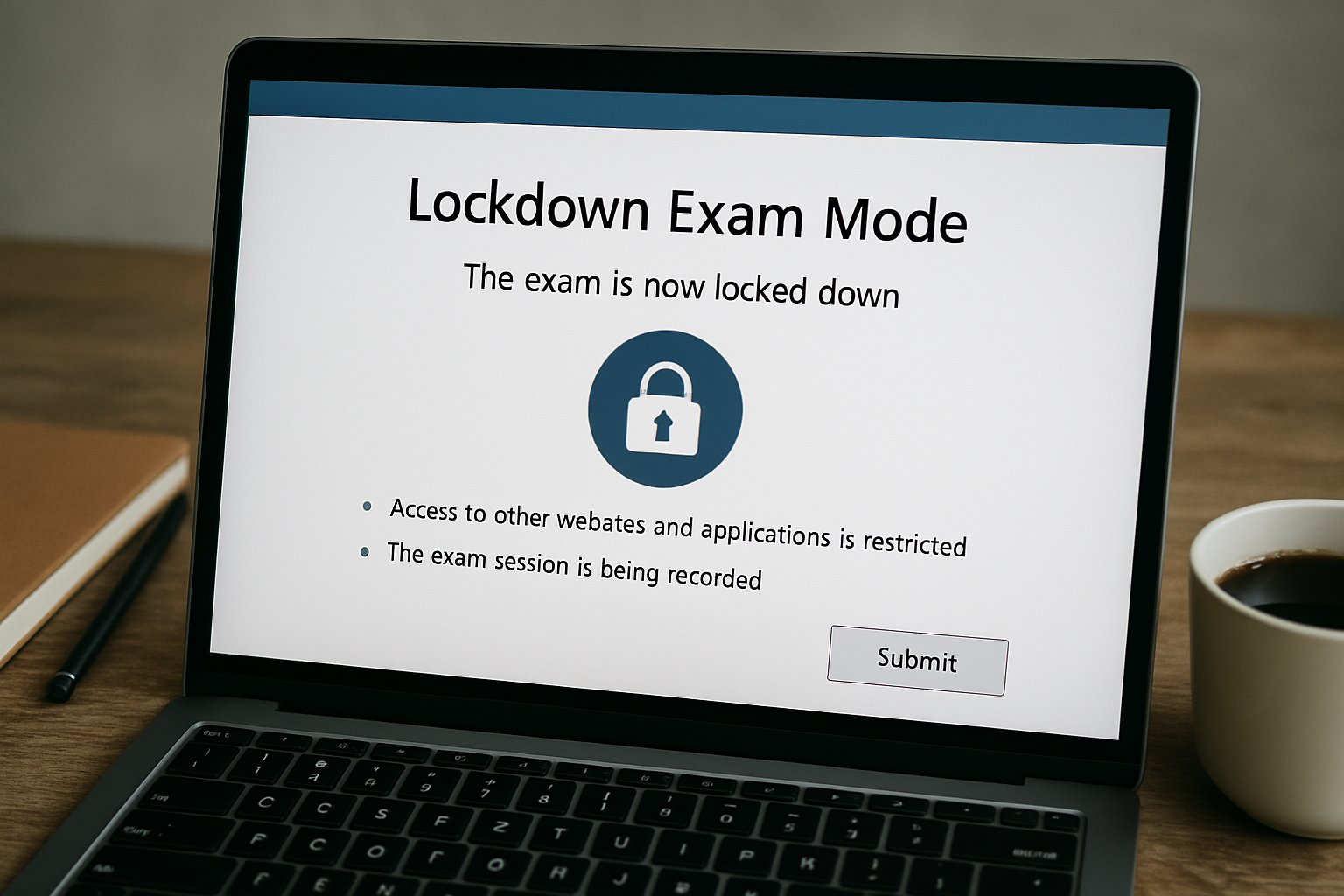
lockdown exam mode shown with software for online exam on computer screen
Lockdown features in software for online exam keep testing secure.

Choosing Software For Online Exam

Institutions now face dozens of lockdown choices. Selecting the right software for online exam scenarios begins with scope. Will the exam be high stakes, timed, or open book? Moreover, existing LMS integrations and network policies influence deployment ease. Below are four core selection criteria:

  • Device Control Depth – full kiosk mode versus browser extension.
  • Identity Assurance – built-in ID checks or external remote proctor software integration.
  • Privacy Compliance – data retention limits and transparent AI thresholds.
  • Accessibility Support – VPAT documentation and disabled student accommodations.

Evaluate each factor against institutional risk appetite and student demographics. Consequently, committees avoid over-buying features that frustrate learners. The right balance keeps integrity high while respecting rights. Ultimately, software for online exam success aligns technology capabilities with clear assessment design. Effective selection reduces administrative load and lowers student anxiety. Next, we unpack the technology enforcing those choices.

Key Technical Safeguards Explained

Lockdown browsers operate like restricted kiosks. They remove navigation bars, disable copy-paste, and block screen captures. Furthermore, they detect virtual machines and suspicious background processes. When paired with remote proctor software, webcams and microphones capture anomalies for human review. Therefore, robust software for online exam sessions must combine these safeguards seamlessly.

Advanced Device Control Methods

Vendors harden exam devices in several ways:

  • Process scanning blocks screen-sharing and messaging apps instantly.
  • Certificate pinning ensures encrypted traffic to exam servers.
  • OS shortcut interception prevents task switching or printing.

These tactics stop most on-device exploits. However, they do not address second-device collaboration. Educators must layer controls accordingly.

AI Flagging Mechanics Overview

Automated analysis reviews facial focus, gaze pattern, audio spikes, and screen context. Moreover, configurable thresholds reduce unnecessary flags. Nevertheless, human auditors verify any suspicious clip before escalation. Together, lockdown and remote proctor software create a deterrent without overwhelming instructors.

Technical safeguards reduce common cheating routes and centralize evidence trails. Next, we explore evidence on effectiveness and persisting gaps.

Effectiveness And Known Gaps

Research confirms lockdown browsers deter tab-switching and copy-paste abuse. A 2023 Caveon study measured a 60% drop in such incidents. However, second-device cheating remained unchanged. Privacy advocates, including EPIC, highlight disproportionate false flags against darker skin tones. Consequently, institutions like McMaster University kept the browser yet removed webcam monitoring. Clearly, software for online exam integrity must coexist with thoughtful policy and accessible assessment design.

Lockdown tools help but cannot guarantee full honesty. Next, we look at who is buying and why.

Market And Adoption Trends

Market analysts value the online proctoring segment between USD 648 M and 1.4 B, depending on scope. Moreover, forecasts project double-digit growth through 2030. Universities, K-12 districts, and certification boards continue signing multi-year contracts. Meanwhile, some migrate vendors to balance features, price, and privacy expectations.

  • Respondus claims hundreds of millions of annual assessments.
  • CUNY shifted to YuJa after student feedback in 2025.
  • Infinite Campus integrated lockdown support for 12,000 schools.

These signals show a maturing yet dynamic field. Consequently, procurement now mirrors any critical enterprise system. Adoption remains strong despite controversy. Subsequently, proper deployment practices decide student experience.

Best Practice Deployment Tips

Successful rollouts blend technology with human process. Start with pilot exams and gather student feedback early. Additionally, publish clear data-use notices and appeal channels. Provide practice quizzes so devices and networks get tested beforehand. Importantly, keep accessible alternatives for students needing accommodations.

Committees should document:

  1. Security audits and penetration test results.
  2. Subprocessor lists and retention timelines.
  3. Accessibility conformance reports.
  4. Policy for flagged-video reviews.

Adhering to these steps builds trust and reduces failure rates. Therefore, any software for online exam deployment becomes predictable rather than disruptive. Good governance maximizes technology benefits. Finally, we consider future innovations shaping exam security.

Future Of Exam Security

Vendors now experiment with multi-camera angles, keyboard biometrics, and local AI detection. Moreover, open-source projects like Safe Exam Browser expand transparency. Nevertheless, privacy regulations tighten, forcing accountable algorithm audits. Consequently, expect lighter client lockdowns combined with authenticated question banks and continuous identity verification.

Institutions that invest in flexible architectures will adapt fastest. In that scenario, remote proctor software evolves from intrusive surveillance to contextual risk scoring. Equally, software for online exam delivery will integrate adaptive assessment models and zero-knowledge encryption.

The next wave blends security, privacy, and pedagogy. We close with actionable recommendations and why Proctor365 leads.

Conclusion

Browser lockdown tools deter many on-device cheats, yet gaps persist around second-device collusion and algorithmic fairness. Therefore, institutions need a balanced strategy that combines clear policy, inclusive design, and trustworthy technology. Proctor365 delivers that balance through AI-powered proctoring, advanced identity verification, and scalable monitoring trusted by global exam bodies. Deploy our software for online exam integrity to gain analytics, adaptive risk scoring, and seamless LMS integration. Visit Proctor365 today to safeguard every assessment.

Frequently Asked Questions

  1. How do browser lockdown tools help prevent digital exam cheating?
    Browser lockdown tools restrict exam device functions by disabling copy-paste, task switching, and screen capture. They also detect unauthorized apps or second-device cheating, ensuring exam integrity when integrated with AI proctoring solutions like Proctor365.
  2. What role does AI proctoring play in enhancing exam security?
    AI proctoring leverages facial recognition, gaze tracking, and audio analysis to identify irregular behaviors during exams. Proctor365’s AI solutions combine automated alerts with human review to maintain academic integrity and prevent fraud.
  3. How can institutions balance fraud prevention with student privacy during online exams?
    Institutions can balance security and privacy by adopting platforms with transparent data usage, configurable AI thresholds, and accessible design. Proctor365 ensures robust fraud prevention with identity verification while safeguarding student privacy and meeting compliance requirements.
  4. What are the technical safeguards employed to secure online exams?
    Technical safeguards include process scanning, certificate pinning, and OS shortcut interception to block unauthorized activities. When paired with real-time AI proctoring and human review, these measures create a comprehensive system for exam security.

Home Success Guide for an AI Proctored Exam

High-stakes testing has moved online at lightning speed. Consequently, many institutions now rely on an ai proctored exam to guard integrity. Students, faculty, and certification managers often feel uneasy about webcams, algorithms, and privacy rules. Yet, with the right preparation, you can sail through a remotely proctored exam without stress. This guide distills recent policy updates, vendor practices, and expert checklists into practical steps. Moreover, it addresses common technical pitfalls and appeals procedures, ensuring you know what to expect before clicking “Begin”. Whether you oversee thousands of candidates or just need to pass one test, these sections will help. They guide you to protect data, avoid false flags, and show honest performance from any home office.

AI Proctored Exam Basics

At its core, an ai proctored exam pairs webcam feeds, screen data, and real-time analytics to detect anomalies. Vendors link these signals to identity checks and secure browsers, producing a digital audit trail. However, policies, features, and human oversight differ widely across providers.

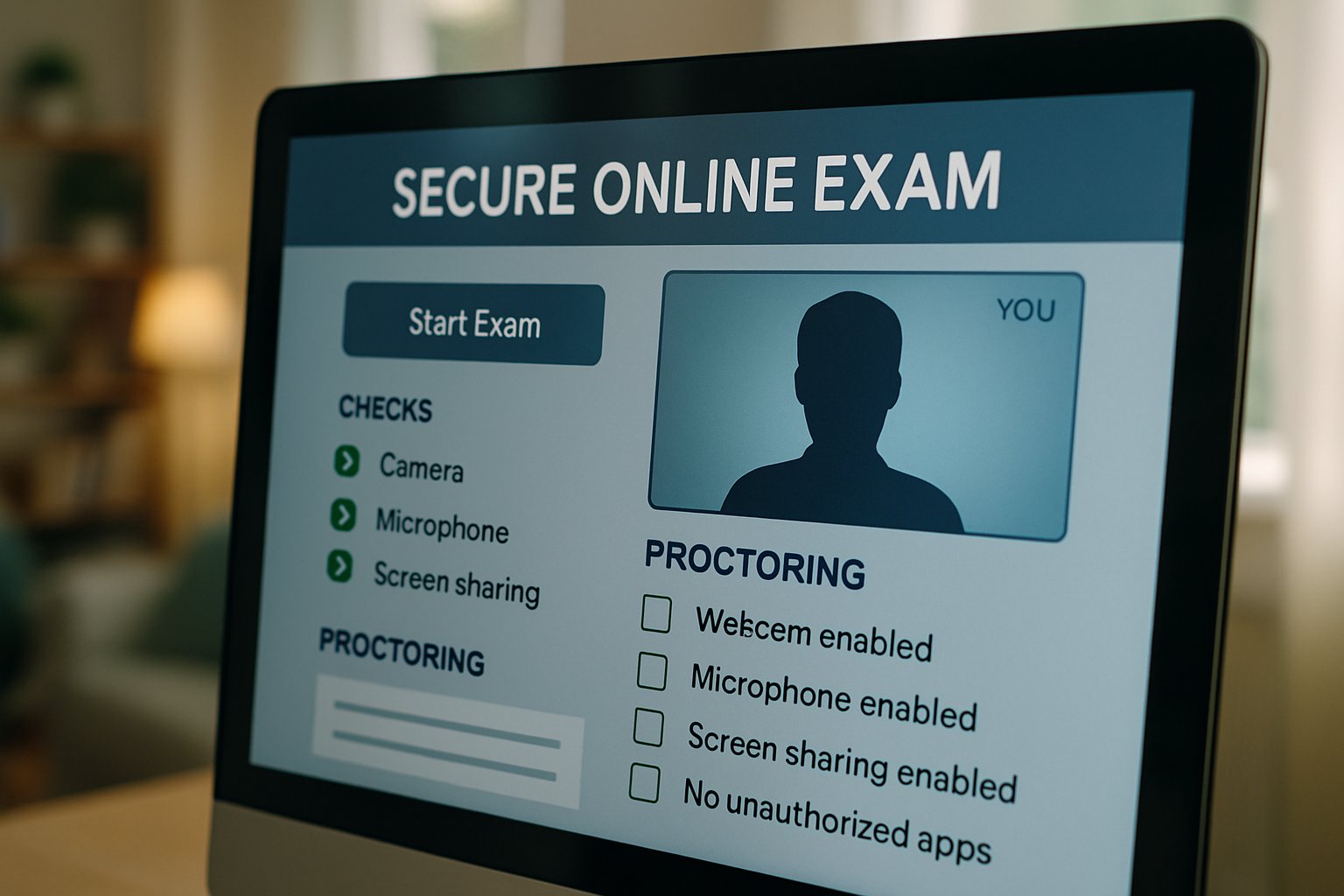
Secure online testing software for ai proctored exam display interface
Ensure your software settings match ai proctored exam requirements before you begin.

Understanding core terms helps every stakeholder. Live human proctoring, automated monitoring, and record-and-review models sit on a sliding scale of cost, privacy, and reliability. Each path demands different preparation, which we explore below.

Key takeaway: know the monitoring method and its data footprint. Clear knowledge reduces surprises later. Next, we examine how to choose the right model.

Choose Proctoring Model

Decision makers must balance risk, budget, and candidate experience. Furthermore, regulations like California SB1172 restrict unnecessary data collection, pushing institutions toward transparent options.

Below are the two dominant approaches.

Live Human Oversight

A trained proctor watches candidates via video and can intervene instantly. Consequently, false positives fall because humans judge context rather than algorithms alone. Yet, scheduling and cost rise, especially for global cohorts.

Automated AI Monitoring

This route relies on algorithms that flag gaze shifts, extra faces, or unusual audio. Additionally, many platforms later route flags to human reviewers for confirmation. When designing an ai proctored exam, combine automation with human audits to maximize fairness.

Key takeaway: select the blend that meets policy, budget, and candidate volume. Our next section covers technical readiness.

Prepare Technology Setup

Preparation starts 72 hours before the ai proctored exam. Therefore, run the vendor’s system check on the exact machine you will use. Confirm OS version, browser updates, webcam resolution, microphone input, and internet speed.

Moreover, install the secure browser early to avoid admin-rights surprises. Students taking a remotely proctored exam should capture screenshots of every successful check for later evidence.

  • Minimum upload speed: 2-3 Mbps steady.
  • Supported browsers: current Chrome, Edge, or vendor app.
  • Hardware: 4GB RAM, 1024×768 camera, working microphone.

Keep a backup hotspot or ethernet cable ready. If you oversee hundreds of test centers, publish these specs in advance to cut support calls.

Key takeaway: technical readiness prevents last-minute panic. Next, we walk through exam-day actions.

Exam Day Checklist

Arrive online 45 minutes early. Subsequently, clear the desk, silence phones, and remove unauthorized materials. Many institutions require a fresh room scan before the timer starts.

The following quick list reduces errors:

  1. Launch secure browser and retest equipment.
  2. Hold government ID steady for verification.
  3. Pan camera slowly across room edges.
  4. Review permitted scratch paper or calculators.
  5. Ask support to log any technical anomaly.

During an ai proctored exam, stay visible and avoid screen switching. If a remotely proctored exam freezes, stay calm and reconnect. However, if interruptions occur, communicate instantly through chat.

Key takeaway: structured routines prevent flags and save appeal time. The next part explains recovery when issues still arise.

Handle Issues Fast

Glitches hit any remotely proctored exam. Even with perfect prep, glitches happen. Therefore, keep vendor support chat open in another device if allowed.

Common failures include webcam errors, secure browser crashes, and dropped connections. Immediately note the timestamp and capture screenshots. Subsequently, request a ticket ID from support.

If the system flags you after submission, ask for the recording, flagged clips, and policy timeline. Meanwhile, escalate through the academic integrity office within stated deadlines.

Remember, an ai proctored exam generates logs that can validate your account of events. Preservation of evidence speeds appeals and reduces stress.

Key takeaway: fast documentation and communication turn crises into routine service calls.

In summary, mastering an ai proctored exam demands early technical checks, clear workspace habits, and quick issue escalation. Institutions, meanwhile, must choose balanced proctoring models and publish transparent policies. Proctor365 streamlines every step. Our AI-powered proctoring engine pairs advanced identity verification with human oversight, delivering scalable exam monitoring trusted by universities, certification boards, and corporate academies worldwide. Consequently, integrity improves while support tickets drop. Ready to raise confidence across your remote assessments? Discover how Proctor365 can secure your next session by visiting Proctor365.ai today.

Frequently Asked Questions

  1. What is an AI proctored exam?
    An AI proctored exam uses advanced algorithms and webcam monitoring to verify a candidate’s identity and behavior. It combines fraud prevention with human oversight to ensure secure exam integrity.
  2. How should I prepare my technology setup for remote exams?
    Before the exam, verify your device specifications, run the system check, update your secure browser, and confirm a stable internet connection. This reduces technical issues and supports reliable AI proctoring.
  3. What steps should I take if I face technical issues during the exam?
    If you experience technical issues, report them immediately through support. Capture screenshots, note timestamps, and share error details to prevent false flags and maintain exam integrity.
  4. How does Proctor365 enhance exam security?
    Proctor365 utilizes an AI-powered proctoring engine that blends automated monitoring with live human oversight. It features advanced identity verification and fraud prevention, ensuring a secure and scalable exam process.

AI Proctored Exam: The New Standard for Global Certification

Candidates now sit major certifications at home, not in distant test centers.

That dramatic shift began once the ai proctored exam proved it could scale securely.

Online testing screen with ai proctored exam webcam interface in use.
A secure online exam platform with visible AI proctoring helps maintain certification integrity.

Universities, vendors, and employers quickly noticed the cost and access gains.

Today, an ai proctored exam can launch anywhere, anytime, serving thousands in multiple time zones.

However, adoption still raises critical questions about privacy, bias, and reliability.

Consequently, decision-makers must balance integrity gains with candidate welfare.

This article reviews market data, technology features, risks, and next steps for assessment leaders.

Practical tips follow each section to support evidence-based planning.

Let us dive in.

AI Proctored Exam Shift

Pearson’s 2025 deal to deliver Salesforce certifications online signaled a definitive market turn.

Similar moves by Prometric and PSI extended reach to dozens of professional programs.

Certification teams cite three drivers.

  • Global reach without test centers.
  • Lower logistics and venue costs.
  • Unified audit trails for every session.

Together, these factors reshape expectations for each upcoming ai proctored exam.

Market momentum now favors digital delivery across certification ecosystems.

Next, we quantify that surge.

Growth Market Numbers Surge

IndustryResearch.co projects online proctoring revenue to hit USD 825.2 million in 2026.

Meanwhile, ResearchAndMarkets recorded US$836.4 million for 2023 and forecasts rapid expansion.

  • Market value of each ai proctored exam averages US$15-25, depending on scope.
  • Remote delivery reports annual growth of 14-18% worldwide.
  • Over 78% of UK universities still run online assessments after 2025.

Importantly, many forecasts exclude corporate compliance testing, so real totals could be higher.

The money involved ensures sustained vendor investment and competition.

Understanding the technology stack is the next priority.

Technology Behind Exam Surveillance

AI engines monitor webcam, screen, and audio feeds in real time.

They flag anomalies like second faces, background voices, or banned websites.

Identity verification starts with facial matching and secure ID capture.

Additionally, secure browsers lock down tabs and shortcuts.

Any ai proctored exam also records timestamped events for audit teams.

For a high-stakes remotely proctored exam, vendors add human proctors who intervene instantly.

These layered controls create an evidence trail for appeals.

Still, benefits matter only if they outweigh risks.

Key Benefits Drive Adoption

Cost remains the loudest advantage.

Vendors report savings of up to 50% compared with test-center delivery.

Moreover, candidate convenience boosts registration totals, especially in underserved regions.

  • Schedule flexibility attracts working professionals.
  • Rapid results speed hiring decisions.
  • Rolling windows reduce exam anxiety.

Consequently, every remotely proctored exam can support rolling cohorts without seat shortages.

Institutions also value the searchable session archive when investigating misconduct.

The ai proctored exam therefore protects credential reputation at scale.

Benefits appear persuasive yet cannot ignore legitimate critiques.

The next section reviews those concerns.

Privacy Concerns And Safeguards

Advocacy group EPIC warns that proctoring collects excessive biometric data from private spaces.

Accessibility researchers add that facial recognition may misread darker skin tones and disabilities.

Vendors respond with ISO 42001 audits, data-retention limits, and opt-out policies.

Furthermore, many platforms now employ human review to validate AI flags.

During any remotely proctored exam, clear policies and appeal pathways remain essential.

Without transparency, an ai proctored exam could expose institutions to legal action.

Taken together, safeguards are evolving but still require diligent oversight.

Strategic planning closes the discussion.

Preparing Your Proctoring Strategy

Start with a risk matrix that aligns proctoring intensity with exam stakes.

Next, vet vendors for ISO audits, bias testing, and LTI integration.

Pilot each remotely proctored exam with diverse candidates to surface technical barriers early.

Moreover, publish privacy notices and accommodation guides before rollout.

Finally, schedule regular audits of ai proctored exam recordings to refine policies.

Proactive governance builds candidate trust and regulatory resilience.

The conclusion below recaps core lessons and introduces a proven partner.

Hybrid Delivery Model Options

Many programs now blend test centers, live remote proctors, and AI recordings.

This hybrid approach balances security, cost, and candidate experience.

Such flexibility eases transitions during regional disruptions.

Consequently, institutions remain resilient while expanding reach.

Hybrid success depends on the same rigorous planning outlined above.

Your team can adapt the framework to evolving risks.

That adaptability pays dividends during policy reviews.

The final section explains how to move forward confidently.

AI-backed monitoring now dominates global certification delivery, driven by cost savings, reach, and audit power.

However, privacy, bias, and reliability deserve continuous oversight.

Teams that pair robust policies with transparent technology unlock the full promise of the ai proctored exam.

Proctor365 meets that promise today.

Our platform combines advanced identity verification, adaptive analytics, and scalable exam monitoring trusted by leading exam bodies.

Furthermore, our cloud architecture supports every remotely proctored exam without compromise.

Discover how Proctor365 fortifies integrity and candidate confidence by visiting Proctor365.ai now.

Frequently Asked Questions

  1. How do AI proctored exams maintain exam integrity and security?
    AI proctored exams use advanced identity verification, real-time monitoring, and fraud prevention measures. Combining secure browser lockdowns with human oversight ensures robust exam integrity and safeguards candidate data.
  2. What are the key benefits of remotely proctored exams?
    Remotely proctored exams offer cost savings, increased accessibility, and scheduling flexibility. Institutions benefit from secure audit trails and efficient fraud prevention, making digital delivery scalable and reliable.
  3. How does Proctor365 address privacy concerns in AI proctoring?
    Proctor365 implements strict privacy safeguards including data retention limits, opt-out policies, and ISO audits to minimize biometric data risks. Our human review and bias testing ensure fair, transparent, and secure AI proctoring solutions.
  4. What steps should institutions take to prepare for remote proctoring?
    Institutions should develop a risk matrix, vet vendors for robust AI proctoring and identity verification, pilot exams with diverse candidates, and enforce clear privacy policies. Regular audits and transparent procedures build trust and compliance.

Remote Proctor Software: AI vs Human Security and Scale

In 2026, academic integrity faces unprecedented threats from generative AI and contract cheating. Consequently, universities and certification bodies now debate whether remote proctor software or live human proctors offer stronger protection. However, security is only half the story; cost and scale also drive decisions. This article compares both models, cites recent evidence, and outlines a pragmatic hybrid strategy.

Market analysts value the global online proctoring sector near one billion dollars, with double-digit growth expected this decade. Meanwhile, court rulings and privacy laws challenge intrusive monitoring tactics. Institutions therefore need data-driven guidance, not vendor hype. Finally, we synthesise peer-reviewed studies, legal outcomes, and vendor contracts to reveal practical steps that safeguard learners and reputations.

Remote proctor software monitored by in-person human proctor in a test center
A hybrid setup combines remote proctor software with in-person human oversight.

Remote Proctor Software Scale

Automated systems monitor thousands of candidates simultaneously, while one human proctor typically supervises twenty. That difference drives dramatic cost savings, often slashing per-exam fees by 60–80 percent. Moreover, 24/7 availability supports global cohorts without scheduling bottlenecks. Early pandemic adoption of software for online exam monitoring proved the model’s logistical power.

Many universities deploy remote proctor software because it lowers per-exam costs and eliminates timezone barriers. In contrast, live proctors require shifts, overtime, and strict staffing ratios. Consequently, institutions seeking rapid enrollment growth lean toward automation first.

Key numbers illustrate the gap:

  • Automated concurrency: up to 50,000 sessions per cloud region.
  • Live concurrency: about 200 sessions per proctor center.
  • Average automated session cost: USD 4-10.
  • Average live session cost: USD 15-30.

Scalability clearly favors machines; yet security needs deeper review. This sets the stage for the next comparison.

Automation delivers unmatched volume and lower fees. However, security trade-offs remain critical. Next, we examine protection strengths.

Key Security Strengths Compared

When configured carefully, remote proctor software can detect browser tampering, virtual machines, and hidden applications within milliseconds. Humans cannot reliably spot these stealth exploits without technical tools. Furthermore, AI models apply rules consistently, reducing proctor variability.

Yet live proctors excel at context. They can question suspicious behavior immediately and de-escalate misunderstandings. Moreover, human intuition recognizes legitimate movements, cultural differences, and accessibility needs that confuse algorithms.

Therefore, security outcomes depend on threat type. Automated detection dominates technical cheating; human vigilance dominates behavioral anomalies. Both approaches complement each other when merged.

Machines catch digital tricks, while people interpret nuance. Consequently, fairness considerations enter the discussion.

Fairness And Bias Risks

Critics argue that remote proctor software sometimes mislabels harmless actions as misconduct, especially for darker skin tones or neurodiverse behaviors. False positives force stressful appeals and can tarnish records. University audits report many AI flags that later prove benign.

Live proctors also carry bias, yet they can ask clarifying questions before escalating. Nevertheless, fatigue and human error still generate inconsistencies. Institutions must therefore balance algorithmic and human bias through policy and training.

Reducing wrongful accusations protects students and reputations. Simultaneously, privacy regulations intensify the pressure to refine monitoring.

Evolving Legal Privacy Pressures

Room scan mandates faced judicial pushback, most notably in Ogletree v. Cleveland State University. Meanwhile, Illinois BIPA lawsuits focus on biometric collection without proper consent. Consequently, institutions deploying software for online exam supervision must conduct privacy impact assessments.

Generative AI also complicates evidence. Studies show markers missed 94% of AI-generated answers. Thus, allegations require human review plus transparent appeal pathways.

Legal scrutiny forces careful vendor selection and contract language. Privacy risk fuels interest in balanced hybrid approaches, explored next.

Hybrid Model Advantage Explained

Institutions often start with remote proctor software and add human reviewers for flagged events. This hybrid workflow harnesses machine scale yet preserves human judgment where stakes are highest. Moreover, high-stakes licensure tests still rely on live proctors or secure centers.

A risk-based framework guides deployment:

  1. Low stakes: open-book or alternate tasks.
  2. Medium stakes: AI monitoring plus rapid human audits.
  3. High stakes: live proctors or in-person sessions.

This tiered method aligns cost with risk and satisfies regulators demanding proportional surveillance.

Hybrid models share workload intelligently, improving fairness without sacrificing capacity. Implementation details matter, as the next section shows.

Implementation Best Practices Guide

Before selecting remote proctor software, teams should run a documented privacy and accessibility review. They must also benchmark software for online exam performance across diverse devices and bandwidth conditions. Furthermore, publish clear consent notices and alternative assessment options.

Experts recommend human confirmation for every serious AI flag before disciplinary action. Additionally, track false-positive rates and feed corrections back to vendors for model tuning.

Following these steps minimizes legal exposure and student harm. Attention then shifts to emerging market dynamics.

Market Trends Ahead Now

Procurements citing remote proctor software now span entire state systems, such as Utah and California community colleges. Analysts forecast the market will reach several billion dollars by 2030, fueled by corporate L&D demand and worldwide certification growth.

Simultaneously, vendors pursue ISO and SOC certifications to reassure buyers. Ed-tech platforms bundle software for online exam monitoring directly into learning ecosystems, simplifying adoption.

Growth accelerates, yet litigation and pedagogy reforms shape product roadmaps. Consequently, institutions must watch both revenue headlines and courtroom dockets.

The future promises smarter automation combined with transparent governance, leading naturally to our final considerations.

Conclusion

AI delivers unrivaled scale and technical detection; humans provide context, empathy, and fair adjudication. Consequently, a calibrated hybrid remains the most defensible choice today. By aligning surveillance intensity with assessment risk, institutions can protect integrity without overreaching.

Why Proctor365? Proctor365 merges cutting-edge remote proctor software with AI analytics, advanced identity checks, and scalable monitoring. Trusted by global exam bodies, our platform balances automation and human insight to reduce false positives and legal risk. Moreover, dedicated support teams guide deployments and ensure smooth candidate experiences worldwide. Schedule a personalized demo to see the difference in action by visiting Proctor365.ai.

Frequently Asked Questions

  1. How does Proctor365 ensure exam integrity using remote proctor software?
    Proctor365 leverages AI analytics and advanced identity verification to maintain exam integrity by detecting technical cheating while reducing false positives and legal risks. Our scalable platform supports global exam monitoring.
  2. What benefits does a hybrid proctoring model offer?
    A hybrid proctoring model combines the scale of remote AI monitoring with human judgment, ensuring cost-effective, secure, and fair exam processes. This approach minimizes false positives and upholds academic integrity.
  3. How does Proctor365 overcome biases in exam proctoring?
    By integrating AI-driven analytics and human oversight, Proctor365 minimizes bias risks during exam supervision. Our platform refines detection algorithms and employs human review, providing balanced, transparent, and fair candidate assessments.
  4. Can Proctor365 help institutions manage privacy and legal compliance?
    Yes, Proctor365 is designed to align with privacy regulations and is constantly upgraded to meet legal standards. Our system incorporates robust identity verification and clear consent protocols, ensuring secure, compliant exam environments.

5-Step Framework: Software for Online Exam Success

Hybrid learning has pushed assessments online at record speed. Yet many institutions still treat deployment as a simple plug-in. That mindset risks privacy violations, technical chaos, and academic appeals. This article offers a practical five-step framework for implementing software for online exam programs. Consequently, universities, certification bodies, and L&D teams can protect integrity while respecting candidates.

Why Framework Approach Works

First, legal scrutiny now targets invasive webcam scans. Courts ruled such scans unconstitutional in the Cleveland State decision. Meanwhile, Gartner predicts double-digit growth for proctoring markets through 2026. Therefore, institutions must align pedagogy, policy, and engineering rather than install another widget. The framework below turns best practice into repeatable action.

Proctor monitoring software for online exam sessions on a dashboard
Exam proctor oversees several online exams with monitoring software for efficiency and integrity.

Solid planning avoids lawsuits and downtime. Next, align policy before any purchase.

Step One Policy Alignment

Map every assessment by stakes: low, medium, high. Therefore, high-stakes exams demand stricter controls and verifiable identity checks. Next, write a privacy-first policy covering data retention, opt-outs, and accommodations. Additionally, legal counsel should review FERPA, GDPR, or CCPA obligations. Include success metrics early to prevent scope creep. Selecting software for online exam without policy support will backfire.

  • Uptime target: 99.5% during windows.
  • Exam start success: 98% within five minutes.
  • False-positive flags trending downward.
  • Accommodation fulfillment: 100% requests met.

Clear policies guide every later choice. Consequently, procurement becomes evidence driven.

Selecting Software For Online Exam

First, build a must-have matrix covering LMS integration, accessibility VPAT, and encryption. Then, request SOC2 or ISO27001 proof from each vendor. Next, run pilots using real students, including disability services representatives. Meanwhile, hybrid AI plus human review usually balances cost and fairness. Remember, software for online exam should minimize intrusive data capture to avoid Cleveland-style challenges. Many buyers confuse remote proctor software with full assessment platforms.

Thorough pilots reveal hidden gaps. Next, integrate and stress test.

Step Three Pilot Integration

First, connect the chosen remote proctor software to your LMS through secure LTI links. Then, enable single sign-on to streamline candidate access. Additionally, randomize questions and use item pools to lower cheating incentives. Meanwhile, conduct bandwidth and latency stress sessions across regions. Subsequently, document every technical issue and share fixes with faculty. Software for online exam must prove reliable under pressure before scaled launch.

Successful pilots build stakeholder confidence. Consequently, you can plan rollout phases.

Step Four Controlled Rollout

First, roll out by department, not institution-wide overnight. Then, offer practice exams so candidates test equipment early. Next, keep helpdesk tiers clear: campus first, vendor escalation second. Publish contingency plans for disconnections and flagged incidents.

Furthermore, provide alternative arrangements for students exempted from remote proctor software. With software for online exam live, monitor real-time dashboards for anomalies.

Controlled rollout limits disruption. Subsequently, data collection informs improvement.

Step Five Continuous Improvement

Initially, post-exam analytics reveal false positives and candidate satisfaction trends. Schedule quarterly governance meetings to review dashboards. Additionally, commission third-party audits of security and fairness every year. Remote proctor software updates fast; track release notes and adjust policies. Use insights to refine assessment design, lowering surveillance over time. Effective software for online exam evolves with pedagogy and regulation.

Continuous improvement sustains trust. Finally, measure before upgrading scope.

Overall, the five-step framework links policy, procurement, and pedagogy into one disciplined program. When executed, institutions cut risk, boost integrity, and respect candidate privacy. Remember, software for online exam works best when paired with thoughtful design and constant feedback. Why Proctor365? AI proctoring, biometric verification, and elastic monitoring support millions globally. Discover our remote proctor software at Proctor365.ai and secure every assessment now. Partnering today positions your institution ahead of evolving legal and market demands. Future-ready assessment starts with proactive investment. Make that investment before the next exam cycle.

Frequently Asked Questions

  1. What are the benefits of a framework approach for online exam proctoring?
    A framework approach combines policy, procurement, and pilot testing to ensure privacy, legal compliance, and exam integrity. This method uses AI proctoring with real-time monitoring to boost reliability and security.
  2. How does Proctor365 enhance exam integrity and fraud prevention?
    Proctor365 leverages advanced AI proctoring, biometric verification, and elastic monitoring to detect suspicious activity, reduce fraud, and maintain a secure exam environment that meets modern privacy standards.
  3. Why is policy alignment essential for successful online proctoring?
    Policy alignment is crucial as it sets clear data privacy, FERPA, GDPR, and security standards. It ensures that remote proctor software is implemented correctly, minimizing technical risks and legal challenges.
  4. How can institutions optimize candidate experience during online exams?
    Institutions can enhance the candidate experience by piloting software integration, offering practice exams, and using clear helpdesk support. Real-time dashboards and structured rollouts ensure a smooth and secure testing process.

Global university scales exams with remote proctor software

The pandemic accelerated digital testing, yet many institutions hesitated. However, one global university proved that remote proctor software can deliver high-stakes exams at scale. Their three-year journey blends AI, human oversight, and airtight logistics. Consequently, the case now guides universities, ed-techs, and certification bodies seeking reliable online assessment.

First, leaders defined success: reach every learner, protect integrity, and keep support costs predictable. They then benchmarked against Prometric’s 80% capacity boost and Waterloo’s 96% pilot success. Moreover, they compared breach data from Meazure’s 6.6% industry flag rate. Armed with goals, the team moved from concept to roll-out.

Proctor monitors live student exams using advanced remote proctor software dashboard.
Exam managers monitor global students in real-time using remote proctor software.

Pilot To Global Scale

The project launched small. Administrators ran two low-enrollment courses through remote proctor software. They tracked dropouts, connection failures, and student sentiment. Meanwhile, engineers integrated the tool via LTI so exams launched directly inside the LMS.

After three terms, pilot data showed 94% successful sessions and only 3% appeals. Therefore, leadership approved a phased scale-up to 15,000 candidates across six continents.

Key points surfaced: ship multi-camera headsets early, offer 24/7 chat, and schedule practice tests. Furthermore, they retained live proctors for doctoral defenses while hybrid AI covered large lecture finals.

Summary: Iterative pilots de-risked technology and policy choices. Next, infrastructure improvements unlocked bigger ambitions.

Robust Technical Backbone

Scaling required more than licenses. Consequently, the university mirrored Prometric’s Twilio-style rebuild. Engineers optimized video routing, session stitching, and fail-over nodes. Dropped streams fell by 48% in six weeks.

Additionally, the team enforced secure browsers to block copy-paste. They balanced that with accessibility plugins, ensuring screen readers remained functional. In contrast, earlier prototypes had broken assistive tools.

They also added “system-check” widgets so learners tested bandwidth before exam day. As a result, reschedule requests declined 32%.

Summary: A resilient stack protects integrity and experience. Now, attention turned to analytics.

Data Driven Integrity Metrics

The university connected proctoring events to its data lake. Therefore, deans viewed flag types, review times, and confirmed breaches alongside grades. Honorlock’s Analytics Hub inspired dashboards that surfaced trends by course and region.

Moreover, analysts used the secondary keyword, software for online exam, to compare tool performance across vendors. They found hybrid AI caught 87% of infractions later confirmed by humans.

A quick reference list highlights core metrics:

  • Concurrent sessions handled: 22,400 peak
  • Dropped connections: 1.8% per session
  • Average human review time: 3.6 minutes
  • False-positive rate: 0.9%

Summary: Quantitative insights drive iterative policy tweaks. Subsequently, stakeholder trust becomes paramount.

Student Trust Measures

Privacy questions emerged immediately. Nevertheless, the university published clear data-retention tables and opt-out workflows. Students choosing alternatives completed exams in local centers.

Furthermore, they audited facial recognition bias quarterly. If algorithms mis-flagged any demographic over 2%, engineers tuned thresholds and retrained models.

Support teams delivered 15-minute practice exams so anxiety dropped. Consequently, satisfaction scores climbed from 3.8 to 4.5 on a five-point scale.

Summary: Transparency and support convert skeptics. The next focus involved operational discipline.

Operational Playbook Essentials

The mature program rests on five repeatable steps:

  1. Segment risk tiers; reserve live proctors for top stakes.
  2. Automate identity checks inside the LMS flow.
  3. Ship or loan special hardware where bandwidth lags.
  4. Review flags within 24 hours, then archive footage.
  5. Report KPIs monthly to faculties and accreditation boards.

This framework keeps costs low while protecting rigor. Additionally, the same structure supports other software for online exam deployments university-wide.

Summary: A clear playbook sustains momentum. Finally, leadership planned future expansion.

Future Scaling Advice

Looking ahead, administrators target multilingual interfaces and deeper LMS analytics. Moreover, they will pilot biometric keystroke matching to deter impersonation. However, they will monitor privacy impact closely.

They also explore consortium procurement, similar to California’s community college contract, to cut licensing fees by 18%.

For peers considering software for online exam solutions, they advise starting with no-stakes quizzes. Then, advance only when data proves stability.

Summary: Strategic investments today underpin tomorrow’s global reach. The conclusion distills critical lessons and suggests the next step.

Conclusion
Remote proctoring success demands deliberate pilots, a resilient tech core, rich analytics, and relentless student support. The case confirms that remote proctor software scales certifications without sacrificing integrity. Furthermore, balanced privacy controls and transparency foster community trust.

Why Proctor365? The platform delivers AI-powered proctoring, advanced identity verification, and scalable exam monitoring. Trusted by global exam bodies, Proctor365 leverages cutting-edge remote proctor software to strengthen every credential. Therefore, institutions that partner with Proctor365 protect reputation while expanding worldwide access.

Frequently Asked Questions

  1. How does Proctor365 ensure exam integrity during remote assessments?
    Proctor365 employs AI-powered proctoring alongside automated identity verification and advanced fraud detection. This hybrid approach blends human oversight with cutting-edge software for online exam monitoring to maintain exam integrity.
  2. What measures does Proctor365 implement to protect student privacy and support test-takers?
    Proctor365 enforces strict privacy protocols, including transparent data retention policies and opt-out options. Our platform also provides 24/7 support and practice exams to ease student anxiety during online assessments.
  3. How does Proctor365 scale high-stakes remote exams effectively?
    Our system integrates with LMS platforms, utilizes multi-camera setups, and features fail-over nodes. Iterative pilots and robust analytics enable Proctor365 to scale securely for thousands of candidates worldwide.
  4. What role does data analytics play in enhancing remote exam security?
    Proctor365 integrates analytics to monitor flag types, review times, and breach events. This data-driven approach continuously refines our software for online exams and supports proactive fraud prevention and identity verification.

How an AI Proctored Exam Protects Student Privacy

Online learning exploded during the pandemic. Institutions still rely on virtual finals, certification tests, and quizzes. Each ai proctored exam raises pressing privacy questions for administrators and learners. Meanwhile, regulators intensify scrutiny of webcam monitoring and biometric tracking. Lawsuits under Illinois BIPA show the stakes for mismanaging sensitive data. More classrooms now end the semester with a remotely proctored exam rather than a crowded hall. However, vendors and universities now deploy layered safeguards that keep student information secure. Encryption, role controls, and strict data retention all play vital roles. Furthermore, transparent policies and human review build essential trust. Consequently, decision makers can balance integrity, compliance, and learner experience.

AI Proctored Exam Safeguards

Every ai proctored exam now relies on a three-layer defense model. First, technical controls lock down raw video, audio, and screen streams. Second, contractual terms define institutions as data controllers and vendors as processors.

Computer showing security features during ai proctored exam
Key security measures are visually represented during an AI proctored exam.

Third, operational policies minimise collection and force time-bound deletion. Moreover, human reviewers confirm AI flags before any disciplinary move. Consequently, students face fewer false accusations and preserved due process.

Together, these layers create a privacy posture that withstands growing legal pressure. Next, encryption techniques deserve deeper attention.

Encryption Guards Exam Videos

Encryption works at two critical stages. During transmission, TLS keeps sniffers from intercepting webcam streams. At rest, vendors use AES-256 or stronger alongside “zero-knowledge” key custody.

Under this model, universities hold decryption keys, not the cloud service. Therefore, even an internal breach cannot reveal unencrypted student footage. Proctorio markets this structure and publishes SOC 2 audit summaries.

Additionally, audit logs record every access attempt for investigations. Edge encryption begins the moment a remotely proctored exam session starts. These measures reassure procurement teams during any ai proctored exam rollout.

Robust cryptography stops leaks before they start. However, access governance decides who may see decrypted material.

Strict Access Control Layers

Role-based permissions limit recording access to authorised staff only. Two-factor authentication and IP restrictions add extra hurdles. Moreover, background-checked proctors follow documented viewing protocols.

Live sessions generate real-time alerts and immutable audit trails. Subsequently, administrators can trace every click and playback event. Such accountability discourages casual snooping or improper sharing.

Institutions should request monthly access reports from vendors. During a remotely proctored exam pilot, these reports expose unusual patterns quickly. Consequently, an ai proctored exam session stays visible only to authorised eyes.

Effective governance pairs nicely with data minimisation. Let us explore how vendors now collect less information.

Data Minimization Policies Work

Privacy laws reward organisations that take only what they need. Accordingly, modern platforms offer granular feature toggles. Universities can disable gaze tracking or room scans for low-stakes quizzes.

Common reduction choices include:

  • ID validation only
  • Screen lockdown without webcam
  • Short retention deletion
  • Pseudonymised analytics only

Moreover, default retention windows now shrink to 30 or 60 days. Institutions may demand shorter windows, especially for minors.

Limiting scope slashes breach impact and regulatory exposure. Nevertheless, biometric rules introduce extra complexity.

Biometric Laws Shape Practice

Illinois BIPA and updated COPPA define facial geometry as sensitive data. Therefore, written consent and posted retention schedules become mandatory. Recent lawsuits against Respondus illustrate the high statutory penalties.

Universities now ask vendors to disable template storage or hash deletion after grading. Meanwhile, some campuses paused gaze detection after bias incidents. These moves show policy is actively reshaping product roadmaps.

Choosing an ai proctored exam vendor without biometric clarity invites courtroom attention. Compliance pressures push vendors toward transparent algorithms and shorter storage. Building trust requires communication as well as code.

Procurement Privacy Checklist

Buyers need a structured approach when selecting surveillance tools. The following checklist reflects current best practice.

  1. Contractual controller–processor clarity
  2. Encryption specifications with key custody
  3. Retention window documented and auditable
  4. Human review and appeals pathway
  5. Accessibility and bias testing reports

Following this list keeps institutions ahead of legal trends. Consequently, each remotely proctored exam launches with reduced risk.

Student Trust Takeaways

Transparent communication remains the missing link. Students worry about cameras in bedrooms and algorithmic mistakes. Universities should publish plain-language FAQs and offer camera-free alternatives. Offering non-camera alternatives preserves choice without abandoning the ai proctored exam option.

Furthermore, sharing audit summaries and deletion logs demonstrates accountability. Proactive outreach lowers opt-out requests and complaints.

Trust grows when privacy safeguards appear visible, not hidden. The final section summarises benefits and the Proctor365 advantage.

An ai proctored exam can both secure integrity and respect privacy when designed thoughtfully. When encryption, governance, and minimisation align, privacy concerns shrink dramatically. However, vigilance is vital as laws and threats evolve.

Proctor365 delivers AI-powered proctoring, advanced identity verification, and scalable monitoring trusted by global exam bodies. Moreover, our platform embeds zero-knowledge encryption and configurable privacy settings by default. Consequently, institutions launch each remotely proctored exam with integrity and full compliance. Explore the solution at Proctor365.ai and strengthen your next assessment today.

Frequently Asked Questions

  1. How does AI proctoring ensure exam integrity while maintaining student privacy?
    AI proctoring deploys layered safeguards including encryption, strict access controls, and human review to secure exam data. Proctor365 leverages advanced identity verification and operational policies to ensure privacy compliance.
  2. What encryption measures safeguard exam videos?
    Our system employs TLS for secure transmission and AES-256 encryption at rest with zero-knowledge key custody. This ensures that even internal breaches cannot expose unencrypted data, maintaining robust exam security.
  3. How do strict access controls protect exam integrity?
    Role-based permissions, two-factor authentication, and detailed audit trails restrict data access to authorized personnel only. Proctor365’s protocols minimize fraud risks and ensure secure, compliant exam sessions.
  4. How does data minimization enhance privacy in AI proctored exams?
    Data minimization restricts collection to essential information, reducing breach impacts and regulatory exposure. Proctor365 supports configurable feature toggles and time-bound retention for transparent and secure data handling.

Framework To Shift Toward Remotely Proctored Exam

COVID-19 pushed assessments online overnight. Universities, certifiers, and employers suddenly needed reliable supervision without physical rooms. Consequently, the remotely proctored exam emerged as a primary safeguard. Adoption climbed fast, yet controversy also grew. Privacy advocates, accessibility teams, and anxious students demanded balanced solutions. Meanwhile, vendors raced to add AI identity checks and smart flagging. Forward-thinking leaders now ask a tougher question: how do we transition responsibly, at scale, and with lasting trust?

Market Momentum Snapshot Today

Market analysts value remote proctoring at roughly USD 0.8–2.4 billion today. Annual growth rates often exceed 15%. Furthermore, EDUCAUSE surveys indicate most U.S. colleges now license at least one platform. During 2025 alone, procurement teams issued over 300 competitive tenders.

Mature student at home desk completing a remotely proctored exam with realistic details.
Remote exam proctoring enables flexible, secure testing from home.
  • 50% of institutions tested multiple vendors during pilots.
  • Average flag rate: 7 per 1,000 sessions after human review.
  • Student anxiety cited by 68% of survey respondents.

These numbers confirm robust demand yet underscore user stress. Therefore, leadership must balance scale with support. In short, momentum is real; careful governance is essential.

This section shows strong growth but rising pressure. Next, we examine shifting legal terrain.

Legal And Ethical Shifts

Courts keep reshaping acceptable practices. In 2022, Judge Calabrese ruled compulsory room scans unconstitutional. Consequently, many campuses disabled the feature. Civil-liberties groups also filed complaints against biometric data grabs.

Moreover, NIST research revealed demographic error gaps within face recognition. Institutions now demand algorithmic transparency before signing contracts. Because scrutiny is intense, every remotely proctored exam policy must embed privacy-first design.

Legal winds favor proportional surveillance and strong audits. With rights clarified, we can explore practical upsides.

Remotely Proctored Exam Benefits

A properly planned remotely proctored exam deters opportunistic cheating while widening access. Candidates test anywhere, cutting travel and facility costs. Additionally, recordings produce forensic evidence for appeals.

When combined with an ai proctored exam engine, human reviewers see prioritized flags, not endless footage. Therefore, staffing needs fall and review speed rises. Importantly, hybrid setups still preserve human judgment before penalties.

Benefits appear clear: scale, evidence, and convenience. Yet advantages only materialize when risks stay controlled. Let’s outline a proven migration roadmap.

Transition Framework Overview

Proctor365 analysts recommend a phased model. Each phase delivers concrete artefacts and metrics.

  1. Decide & Align: build a cross-functional steering group and inventory assessments.
  2. Requirements & Procurement: embed data minimization, accessibility, and human-in-loop clauses.
  3. Pilot & Test: run opt-in pilots, track false positives, and stress-test networks.
  4. Policies & Roll-out: finalize retention windows, train faculty, and publish student guides.
  5. Operate & Iterate: audit quarterly, monitor KPIs, and maintain an exit plan.

This sequence compresses risk while building internal competence. Subsequently, institutions scale with confidence.

Framework steps illustrate action items. Now we address common dangers and countermeasures.

Risks And Mitigations

Every ai proctored exam carries bias and accuracy concerns. False flags hurt morale and may trigger legal action. Therefore, demand demographic performance data and mandate human review.

Privacy breaches also loom. Encrypt recordings, limit retention, and secure deletion after appeals. Accessibility gaps surface when platforms ignore assistive tech. Engage Disability Services early and offer alternative assessments.

Mitigation boils down to evidence-based vendor selection and continuous audits. After risks are controlled, daily operations matter.

This section highlighted pitfalls and guards. Next, we focus on sustaining excellence.

Operating For Success

Successful teams monitor six key indicators: flag rate, confirmed misconduct, review time, student satisfaction, accommodation fulfilment, and breach incidents. Moreover, publish anonymized dashboards to maintain transparency.

Meanwhile, establish a 24/7 helpdesk during exam windows. Quick human support prevents escalation. Integrate LMS APIs to streamline grade release and preserve immutable logs.

Institutions also upgrade connectivity for remote regions or provide on-campus pods. Pairing these logistics with an ai proctored exam workflow reduces inequity.

Operational vigilance ensures long-term credibility. With processes clear, we conclude the journey.

Summary And Transition

Continuous measurement and open reporting sustain progress. Consequently, stakeholder trust deepens across semesters.

Frequently Asked Questions

  1. How does AI proctoring enhance exam integrity in a remote setting?
    Proctor365’s AI proctoring integrates real-time fraud prevention and identity verification. This technology detects anomalies and reduces false flags, ensuring reliable remote exam supervision while maintaining exam integrity and security.
  2. What privacy measures are implemented in remotely proctored exams?
    Proctor365 employs strict data minimization, encrypted recordings, and defined retention policies to protect student privacy. These measures, combined with human review and transparent audits, uphold privacy while ensuring effective exam supervision.
  3. How can institutions implement a secure remote proctoring framework?
    Proctor365 recommends a phased rollout including planning, pilot testing, and ongoing audits. By integrating AI proctoring with fraud prevention and identity verification, institutions achieve a secure, scalable remote exam solution.
  4. How does Proctor365 help reduce student anxiety during online exams?
    Proctor365 minimizes student anxiety by offering 24/7 support, clear guidelines, and a balanced human review process. This combination of AI proctoring, fraud prevention, and identity verification creates a fair, stress-reduced exam environment.

Internet Speed Guide for a Remotely Proctored Exam

Many programs now deliver critical credentials through a remotely proctored exam. However, one overlooked factor still decides success more than webcams or AI. That factor is stable, adequate internet speed.

Universities, certification bodies, and corporate trainers all grapple with bandwidth dilemmas. Consequently, IT teams need concrete numbers, not vague advice. This guide distills vendor data, policy trends, and expert tips into clear action.

Workspace with tech setup for remotely proctored exam and visible strong internet connection.
A reliable workspace ensures a stable connection during a remotely proctored exam.

Follow along to learn how much speed you truly need. Furthermore, discover how to protect test fairness and reduce technical risk. We also spotlight what happens when connections fail mid-test, and how leaders can respond. Therefore, you will finish equipped to set evidence-based requirements for every modality.

Remotely Proctored Exam Bandwidth

Bandwidth is the total data your network can move each second. Both download and upload matter because video streams flow two ways during monitoring. Moreover, live human proctoring typically consumes more upstream than automated workflows.

Vendor minimums range from 0.75 Mbps down to 6 Mbps. Upload minimums sit between 0.4 and 3 Mbps. Consequently, institutions cannot rely on a single blanket number.

In short, bandwidth needs vary with security level and vendor architecture. Next, we compare leading suppliers head-to-head.

Quick Vendor Minimums Snapshot

Published figures change often, yet current benchmarks reveal clear tiers. Below, see the core numbers.

Top Vendors Compared Today

  • Pearson OnVUE: 6 Mbps down, 3 Mbps up; wired connection recommended.
  • ProctorU: 1–3 Mbps both directions; hotspots not supported.
  • Honorlock: 0.75 Mbps down, 1.5 Mbps up; smallest bandwidth footprint.
  • Examity: 2 Mbps minimum, 10 Mbps preferred; avoid tethering.
  • OPM guidance: stable 5 Mbps for federal hiring exams.

Notably, each vendor warns against mobile hotspots due to latency swings. Meanwhile, several providers now bundle an ai proctored exam mode that still streams video continuously.

These numbers apply to any remotely proctored exam and confirm upload speed shapes reliability. Accordingly, we shift to practical target ranges.

Reliable Practical Speed Recommendations

Experts suggest exceeding vendor minima by a healthy margin for every remotely proctored exam. Therefore, aim for at least 5–10 Mbps down and 2–5 Mbps up. Moreover, choose wired Ethernet whenever possible to remove Wi-Fi variability.

Live video for an ai proctored exam often peaks near 2 Mbps upstream. Buffering failures cause freezes that can invalidate results and trigger appeals. Consequently, schedule a mandatory system check 48 hours before each test window.

Effective planning means pairing robust bandwidth with early diagnostics. The next section tackles fairness and risk.

Equity And Risk Factors

The digital divide makes strict bandwidth rules controversial for a remotely proctored exam. Rural and low-income candidates still lack fixed broadband, exposing them to unfair failure. Additionally, privacy regulations such as California SB-1172 now influence proctoring contracts.

Philip Newton warns that universities risk unethical outcomes when connectivity hurdles block access. Nevertheless, strong security remains vital, especially when an ai proctored exam flags suspicious behavior automatically. Balancing safety with inclusion requires layered policy, not rigid thresholds.

Institutions should publish requirements and provide alternative test centers or retakes. Moving forward, preparation checklists become essential.

Actionable Preparation Checklist Guide

Both candidates and administrators can reduce surprises through disciplined routines. Follow this concise checklist.

  1. Run the system check 72 hours earlier and capture a speed screenshot.
  2. Disconnect streaming devices and pause large downloads during the slot.
  3. Use wired Ethernet or sit near the router; never rely on hotspots.
  4. Close background applications that consume bandwidth or camera resources.
  5. Keep help-desk contacts handy; document any outage immediately.

Institution Policy Essentials Key

For institutions, publish the same checklist in course syllabi. Moreover, offer on-campus labs for any ai proctored exam candidate lacking stable home access. Consequently, technical equity improves and appeal rates drop.

A proactive checklist minimizes last-minute panic during any remotely proctored exam and protects exam integrity. Finally, we summarize lessons and present a trusted partner.

Final Thoughts And Advantage

Consistent connectivity underpins every high-stakes, remotely proctored exam experience. This article showed vendor minimums, practical targets, and equity safeguards. Consequently, decision-makers can publish requirements with confidence and fairness.

Proctor365 delivers AI-powered proctoring, advanced identity verification, and scalable exam monitoring. Global exam bodies trust our platform to protect every remotely proctored exam without sacrificing privacy. Visit Proctor365 today and see how we improve integrity before your next sitting.

Frequently Asked Questions

  1. Why is stable internet speed critical for remotely proctored exams?
    Stable internet speed is crucial to ensure seamless video streaming and AI proctoring. Sufficient bandwidth reduces technical disruptions, protects exam integrity, and supports Proctor365’s fraud prevention and identity verification measures.
  2. How can I prepare my system for a remotely proctored exam?
    Run a system check 48-72 hours before the exam, disconnect bandwidth-heavy devices, and use a wired Ethernet connection. This minimizes latency issues and boosts AI proctoring performance with Proctor365.
  3. What are the risks of inadequate bandwidth during exam sessions?
    Inadequate bandwidth leads to video freezes and connectivity issues that may compromise exam integrity, trigger automated fraud alerts, and increase technical risks. Proctor365’s robust proctoring solutions help mitigate these issues effectively.
  4. How does Proctor365 ensure exam fairness and security?
    Proctor365 uses AI proctoring and advanced identity verification to secure remotely proctored exams. Our system monitors bandwidth, prevents fraud, and ensures equitable access, balancing strict security with candidate inclusion.