Cloud Proctoring Software for Online Exam: Key Advantages

Remote assessment exploded during the pandemic, and demand never slowed. Universities, certification bodies, and corporations now run high-stakes tests around the clock. Consequently, they need tools that guard integrity without crushing budgets or IT teams. Cloud-based proctoring software for online exam answers that challenge. It combines elastic cloud resources with machine-learning video analytics and human review workflows. Moreover, recent market reports forecast the sector will grow beyond USD 8 billion by 2035. Those numbers illustrate how critical secure, scalable assessment has become for digital learning. However, decision makers still weigh privacy, bias, and infrastructure questions before signing contracts. This article unpacks the concrete advantages, backed by data from 2024-2026 industry research. Readers will also learn practical steps to deploy an ai proctor exam strategy responsibly.

Cloud Scale Explained

Cloud capacity scales in seconds, not semesters. Auto-scaling pools on AWS or Azure spin up GPUs whenever candidate volume surges. Therefore, institutions avoid exam-day meltdowns that plagued early, on-prem systems. In 2025, Honorlock demonstrated 40,000 concurrent sessions during California community college finals. Similarly, Proctorio’s multi-cloud architecture rerouted traffic during a regional outage, maintaining 99.9% uptime. These wins show why many teams choose proctoring software for online exam delivery. To compare, local servers often cap at a few hundred candidates and require large capital.

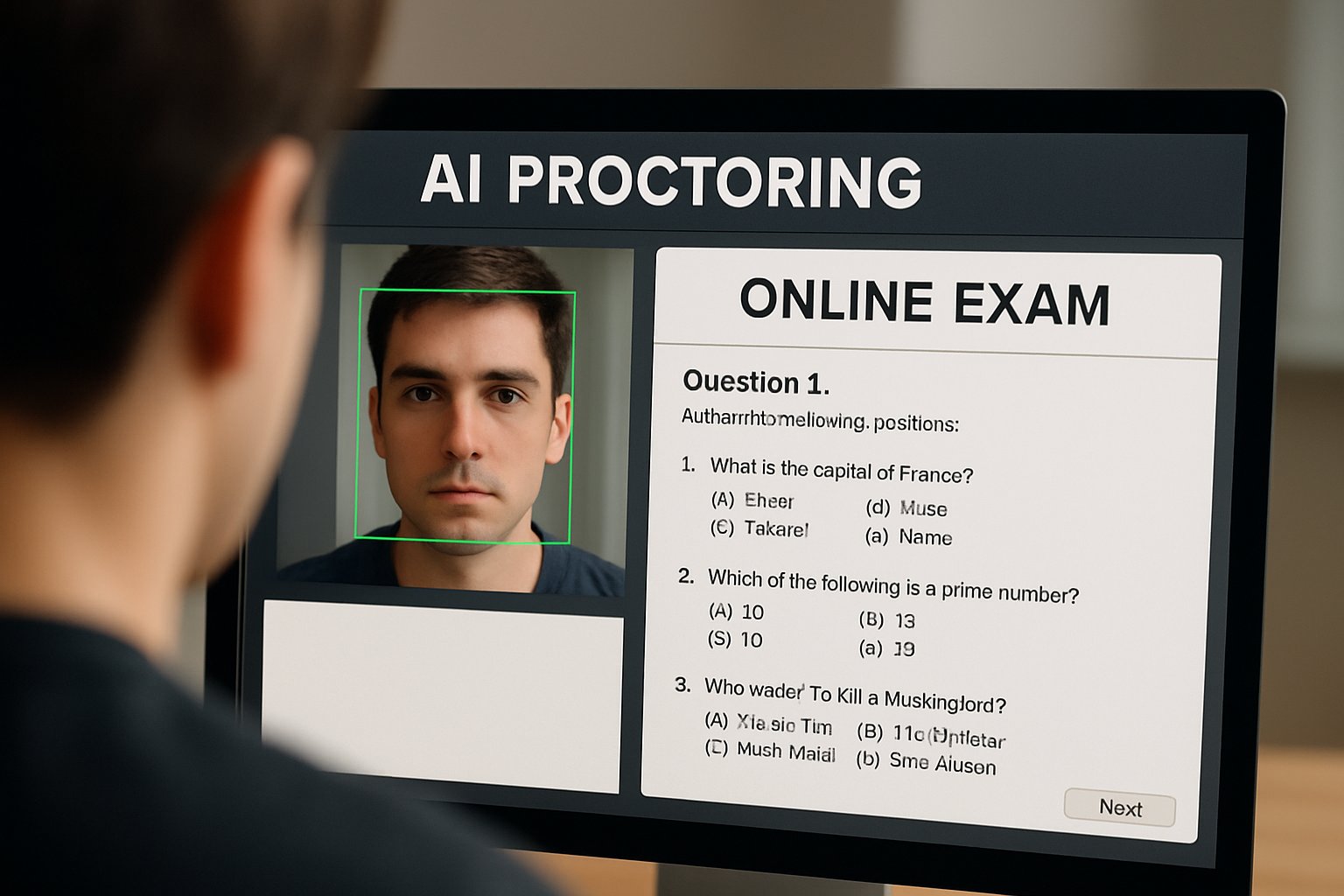
Student using proctoring software for online exam in home workspace.
A student takes a secure online exam from home using advanced proctoring software.

Cloud elasticity preserves candidate experience and institutional reputation. As we explore cost next, scale directly links to budget savings.

Let’s examine those savings now.

Cost Efficiency Wins

Budgets face pressure from expanding learner populations. Moreover, cloud economics convert hefty capital expenses into predictable operating fees. MarketResearchFuture notes average per-exam pricing dropped 25% after institutions switched to cloud AI. Pay-as-you-go also lets smaller departments pilot without multi-year commitments.

  • On-prem server setup: ≈ USD 150,000 upfront (2024 campus IT survey).
  • Cloud AI seat license: USD 3-7 per exam with hybrid review.
  • Maintenance savings: 40% reduction in IT overtime hours.

Consequently, many CFOs rank proctoring software for online exam investments among their fastest ROI projects. Additionally, ai proctor exam automation trims human invigilation shifts, freeing staff for instructional tasks.

Cloud billing aligns cost with actual usage. That alignment fuels rapid adoption across sectors.

Yet savings matter only if features update quickly.

Proctoring Software Online Exam

Cheating tactics evolve with generative AI and voice clones. Therefore, vendors push weekly model updates across global clusters. Proctorio’s 2025 release notes highlighted new browser telemetry detectors rolled out overnight. Because updates happen centrally, campuses receive protection instantly without patching laptops. Similarly, Examity added voice-print analytics and pushed them live before spring exams began. Such speed keeps proctoring software for online exam deployments ahead of emerging threats. Importantly, change logs stay transparent, allowing IT teams to audit revisions.

Continuous delivery shrinks security windows exploited by cheaters. Instant updates support institutional credibility.

Next, seamless LMS connections simplify day-to-day workflows.

Seamless LMS Integration

Integration friction can derail even strong security tools. However, modern vendors ship IMS LTI links that drop into Canvas, Moodle, or Blackboard. Single sign-on passes student identity from the LMS into the ai proctor exam dashboard. As a result, faculty schedule sessions inside familiar grade-book screens. Likewise, consolidated dashboards display flags alongside quiz results for quick review. Proctoring software for online exam plugins also export analytics to institutional data lakes.

Smooth integration reduces training time and support tickets. Faculty adoption grows when tools feel invisible.

Global programs, however, need more than convenience; they demand compliance.

Global Compliance Reach

Data residency laws vary across regions. Consequently, multi-region clouds let providers store EU learner data within Frankfurt or Paris. PSI and Talview added Indian data centers after 2024 privacy amendments. Moreover, encryption at rest and SOC 2 reports reassure procurement committees. These guarantees help proctoring software for online exam contracts clear legal review faster. Still, privacy alone does not stop sophisticated fraud schemes.

Regional hosting answers legal questions early. Secure pipelines build stakeholder trust.

Robust analytics close the final gap.

Analytics Strengthen Security

Cloud aggregation anonymously pools millions of exam events. Therefore, pattern-mining models spot new collusion behaviors within hours. Vendors feed insights back into ai proctor exam risk scores. Dashboards show heat maps of session anomalies across entire programs. Administrators act quickly, armed with evidence ranked by severity. In turn, proctoring software for online exam users report lower false positives after tuning.

Mitigating New Exam Concerns

Despite benefits, privacy and bias still require vigilance. Academic studies reveal higher flag rates for darker skin tones. Consequently, institutions now demand hybrid human review and independent audits. Furthermore, many campuses provide alternative assessment paths for students without webcams.

Data analytics must pair with ethical safeguards. Balanced programs protect integrity and student dignity.

We can now wrap up the key lessons.

Cloud delivery, rapid updates, smooth integration, global compliance, and deep analytics make these systems compelling. However, institutions must balance efficiency with transparency, human oversight, and accessibility. When implemented responsibly, proctoring software for online exam deployments can raise trust across digital classrooms.

Why Proctor365? Proctor365 combines adaptive AI, advanced identity verification, and elastic monitoring to secure assessments worldwide. Moreover, our platform scales effortlessly from small cohorts to nationwide certification drives. Global exam bodies already rely on Proctor365 for reliable, unbiased oversight. Visit https://www.proctor365.ai/ today and discover how we elevate exam integrity for your organization.

Frequently Asked Questions

  1. How does cloud-based proctoring enhance exam security?
    Cloud-based proctoring leverages elastic resources and machine-learning video analytics combined with human review. This scalable, cost-effective solution ensures exam integrity and protects against cheating during remote assessments.
  2. How does Proctor365 improve global exam integrity?
    Proctor365 uses adaptive AI, advanced identity verification, and elastic monitoring to prevent fraud. Its rapid updates and global compliance with data residency laws secure exam integrity worldwide.
  3. What are the benefits of integrating proctoring software with LMS?
    Integrating proctoring software with your LMS enables single sign-on, streamlined scheduling, and real-time analytics. This integration minimizes support tickets and enhances secure, user-friendly exam delivery.
  4. How does AI proctoring support fraud prevention in online exams?
    AI proctoring uses machine learning to detect anomalies and suspicious behaviors, pairing automated risk scoring with human oversight. This dual approach effective in preventing fraud and ensuring exam trustworthiness.

Security Audits For AI Proctor Exam Platforms

Online testing surged, yet scandals around surveillance and data breaches also grew. Therefore, every institution planning an ai proctor exam rollout must demand proof of security, privacy, and fairness. Market reports predict proctoring revenue may top US$2.3 billion by 2031, so vendors rush to compete. However, many still lack mature controls. This article offers a concise roadmap for universities, ed-tech leaders, and certification bodies that need certainty before signing contracts.

Market And Legal Shifts

California now limits proctoring data to what is “strictly necessary.” Meanwhile, the UK ICO drafts profiling guidance, and GDPR DPIAs remain mandatory. Courts also matter. A U.S. judge ruled room scans unconstitutional, signaling danger for intrusive checks. Moreover, advocates like EFF warn about biometric misuse. Institutions considering an ai proctor exam must stay ahead of these forces.

University staff discuss ai proctor exam platform privacy and security
University administrators reviewing privacy and security of an AI proctor exam system.

Key takeaway: Regulation tightens and litigation mounts. Consequently, compliance evidence is no longer optional.

Next, verify that vendors really possess the controls their marketing suggests.

Audit Evidence Essentials Now

Marketing badges mean little without artifacts. Request and review these documents:

  • SOC 2 Type II report covering the full proctoring service.
  • ISO 27001 certificate plus recent surveillance audit.
  • Pen-test executive summary with remediation proof.
  • Bug-bounty or vulnerability program logs.

EDUCAUSE recommends exactly this approach. Furthermore, insist that each report’s scope matches the ai proctor exam workflow. The secondary phrase, proctoring software for online exam, should appear in contracts to bind obligations.

Key takeaway: Trust comes from independent audits, not slogans. Moreover, gaps found now cost less than breaches later.

With documents in hand, map how the product actually handles data.

Detailed Data Flow Scrutiny

Data-flow diagrams reveal hidden risks. Ask for field-level maps showing video, audio, keystrokes, and biometrics. Additionally, confirm storage regions and retention timers. Generate a test session, then track deletion through logs. Institutions using proctoring software for online exam often discover unexpected subprocessors during this step. Therefore, verify cross-border transfers and encryption details before live deployment.

Key takeaway: Clear flows prevent surprises. Consequently, downstream audits become easier.

Data protection alone is insufficient; fairness matters equally.

Robust ML Fairness Checks

Independent researchers bypassed and biased many detectors. Hence, demand model documents, demographic performance tables, and drift detection logs. Moreover, run adversarial tests on the ai proctor exam flagging engine. Require human review policies that overturn false positives promptly. This step is crucial when deploying any proctoring software for online exam at scale.

Key takeaway: Fairness testing protects students and shields institutions. Consequently, reputational risk drops.

Security also depends on operational strength.

Key Operational Resilience Factors

Exams cannot pause for outages. Therefore, review incident-response plans, failover architecture, and disaster recovery drills. Moreover, check privileged-access controls, MFA enforcement, and deletion SLAs. Institutions planning an ai proctor exam season must ensure suppliers meet uptime guarantees during peak periods.

Key takeaway: Strong operations equal smoother exam days. Consequently, learner trust increases.

Still, some warning signs should end negotiations immediately.

Critical Procurement Red Flags

Watch for these deal-breakers:

  1. Vendor refuses full SOC 2 report.
  2. Client installer needs persistent admin rights.
  3. No proof of timely data deletion.
  4. Purely automated decisions without appeals.
  5. Undisclosed biometric subprocessors.

If any appear, pause. Moreover, reinforce contracts with purpose-limited collection clauses. Doing so protects every proctoring software for online exam deployment.

Key takeaway: Red flags predict liability. Consequently, due diligence saves budgets and reputations.

Once risks are clear, select the platform that meets your standards.

Choosing AI Proctor Exam

Score vendors across governance, technical, and ethical domains. Additionally, favor suppliers that share live dashboards and rapid remediation evidence. Market size encourages newcomers; however, maturity varies widely. Therefore, only an ai proctor exam provider that excels in audits, retention hygiene, and fairness should proceed to pilot.

Key takeaway: Structured scoring enables confident choices. Consequently, rollout timelines stay on track.

The final step involves onboarding and continuous monitoring, topics for a future guide.

Conclusion

Security, privacy, and fairness define modern assessment success. Institutions that follow this checklist can audit any ai proctor exam solution confidently. They will verify certifications, map data flows, test model bias, and secure operations.

Why Proctor365? Proctor365 delivers AI-powered proctoring, advanced identity verification, and scalable monitoring trusted by global exam bodies. Moreover, its transparent security audits and rapid support keep sessions smooth. Consequently, your organization safeguards integrity without sacrificing user experience. Explore how Proctor365 elevates every ai proctor exam at Proctor365.ai.

Frequently Asked Questions

  1. How do security audits contribute to trust in an ai proctor exam solution?
    Regular security audits like SOC 2, ISO 27001 reports and controlled pen-tests verify that proctoring software for online exam maintains data privacy, integrity, and regulatory compliance, building confidence in exam security.
  2. What key features make Proctor365 reliable for exam fraud prevention?
    Proctor365 offers AI proctoring, advanced identity verification, and continuous monitoring through live dashboards. Its transparent security audits and rapid remediation protocols minimize fraud risks and ensure exam integrity.
  3. What aspects should institutions review when choosing an AI proctor exam vendor?
    Institutions should verify full audit evidence, data flow maps, and ML fairness checks. Prioritize vendors with complete certifications, robust incident-response plans, and strict compliance to meet all security and privacy needs.
  4. How does fairness testing improve outcomes in AI proctor exams?
    Fairness testing through demographic performance analysis and adversarial tests ensures unbiased AI decisions. Coupled with human review policies, this process improves exam reliability and protects student rights during online proctoring sessions.

Pilot proctoring software for online exam programs that succeed

Remote testing expanded fast, yet trust issues linger. Universities, certification bodies, and corporate trainers now weigh digital options against academic risk. Consequently, many teams consider proctoring software for online exam delivery.

However, moving straight to full rollout can backfire. Technical glitches, privacy pushback, and false flags may erode student trust. A structured pilot mitigates those threats while proving value.

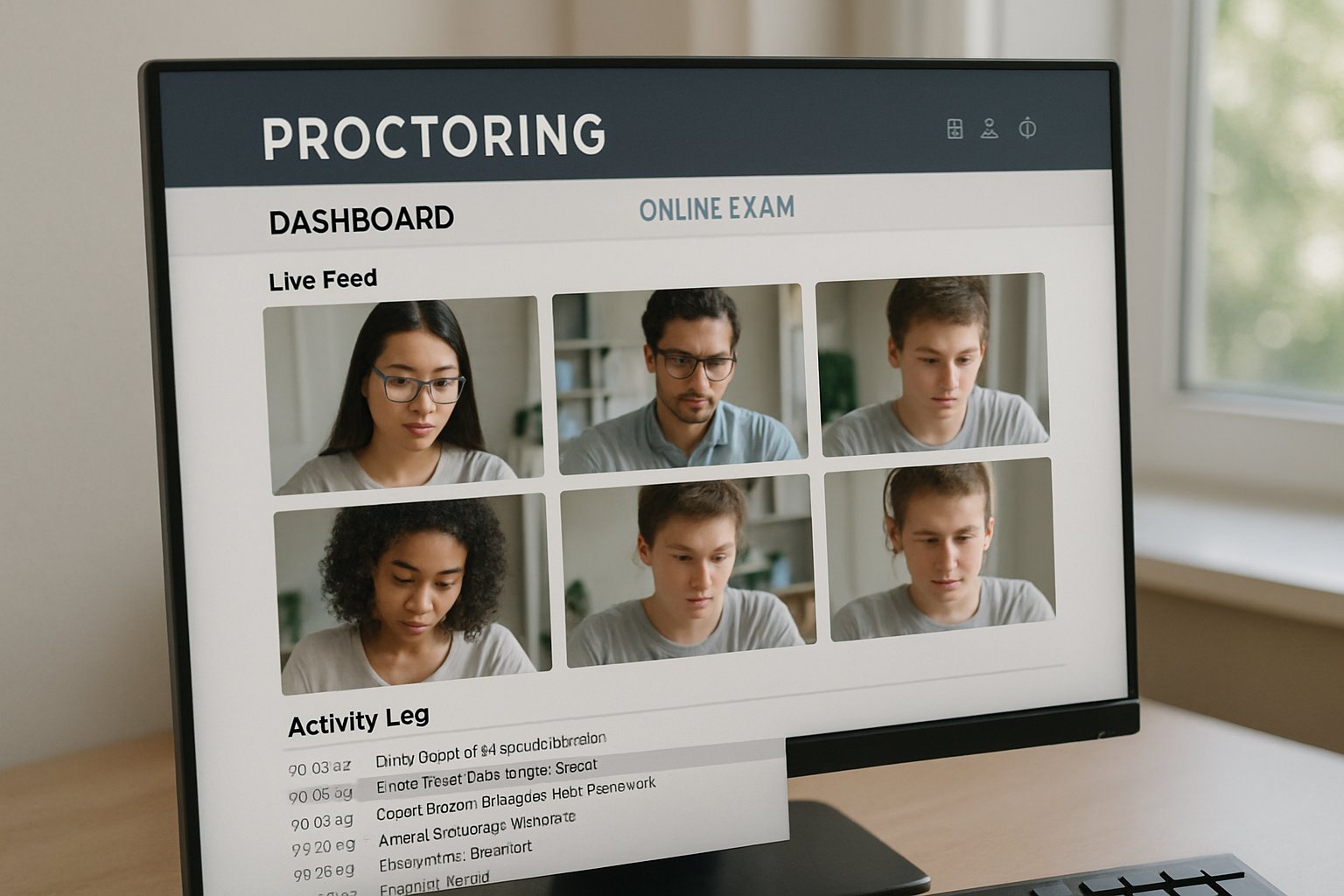
Computer screen showing proctoring software for online exam with live feeds
A proctor reviews live online exam feeds via secure proctoring software.

This guide shares an evidence-based roadmap drawn from EDUCAUSE guidance, market data, and recent HCI research. Follow these stages to launch an AI proctor exam initiative that scales responsibly. You will learn governance tactics, metric design, and vendor selection tricks. Let’s build integrity without losing learner confidence.

Define Pilot Objectives Early

Clear objectives anchor every successful pilot. Start by writing specific questions your team wants answered. Moreover, distinguish low-stakes training quizzes from professional licensure tests.

Set measurable targets like technical failure below five percent and flag precision above seventy percent. These numbers establish success criteria. Next, choose the right tools.

Administrators should also map stakeholder concerns regarding privacy, bias, and accessibility. Consequently, those concerns become formal pilot risks and mitigation tasks.

Proctoring Software For Online Exam

Tool choice shapes student experience and data quality. Compare leading vendors such as Proctorio, Examity, and Honorlock.

Furthermore, ask for ISO, SOC2, and encryption proofs during procurement. Always test the proctoring software for online exam compatibility with your LMS sandbox. Include AI proctor exam dry runs under varied bandwidth to surface hidden issues.

Selecting evidence-backed tools reduces surprises. Governance now becomes critical.

Request sandbox analytics to verify how each system flags eye movement, extra faces, and device changes. In contrast, live demos often hide real-world noise.

Build Cross-Functional Governance

A multi-disciplinary steering group keeps the pilot aligned with policy and ethics. Invite IT, Academic Affairs, Disability Services, Institutional Research, legal counsel, and a student voice.

Consequently, documentation moves faster, and blind spots shrink. Publish a plain-language notice explaining collection scope, retention windows, and appeals. The chosen proctoring software for online exam will undergo a DPIA before launch.

Moreover, publish an FAQ describing recording duration and deletion timelines in plain language. Students appreciate timely clarity before an ai proctor exam session.

Transparent governance earns consent. Testing with live learners comes next.

Run Low-Stakes Pilot Trial

Start with 200 to 1,000 volunteers in formative assessments. Meanwhile, keep a control section that uses traditional supervision. Record metrics like connection drops, flags per exam, and review minutes.

Provide opt-in alternatives for students needing assistive tech or in-person settings. Your team should monitor how the proctoring software for online exam handles diverse lighting conditions.

  • Technical failure rate ≤5%
  • Flag precision ≥70%
  • Student anxiety survey score ≤3/5
  • Review hours per 100 exams

Additionally, record qualitative notes when reviewers dismiss flags as benign behavior. Those anecdotes enrich the quantitative dashboard.

Pilot data offers an early effectiveness snapshot. Rigorous analysis follows.

Measure Success With Data

Statisticians should compare flagged incidents against the control using chi-square tests. Moreover, calculate cost per completed exam and accessibility request frequency. Use dashboards to show executives how AI proctor exam metrics trend weekly.

Track whether the proctoring software for online exam reduces confirmed misconduct compared to baseline. If false positives spike, adjust AI sensitivity and rerun part of the pilot.

Key Pilot Metrics List

  • Flags per 100 exams
  • Confirmed incident precision
  • Student anxiety index
  • Review time per flag

Subsequently, share anonymized findings with student representatives and vendors for transparency. This loop accelerates iterative improvement.

Data-driven refinements build stakeholder trust. Scaling decisions then arrive.

Scale Responsibly After Pilot

When metrics meet thresholds, plan phased expansion across more courses and departments. However, continue sampling control sections to monitor drift.

Adopt privacy-preserving techniques like face blurring researched in 2024 HCI studies. Finally, embed the proctoring software for online exam workflow into onboarding guides and faculty training.

Moreover, keep annual audits to test algorithm fairness across demographics. Independent researchers can provide external validation.

Responsible scaling safeguards both privacy and integrity. The journey ends with vendor partnership.

Conclusion

A staged pilot validates technology, policies, and learner acceptance. Clear objectives, robust governance, and empirical metrics keep the project on track.

Therefore, choose Proctor365’s proctoring software for online exam needs. The platform delivers AI-powered proctoring, advanced identity verification, and scalable monitoring trusted by global exam bodies. Consequently, institutions strengthen integrity while reducing operational load. Visit Proctor365 to schedule your pilot today.

Frequently Asked Questions

  1. What are the main benefits of using Proctor365’s proctoring software for online exams?
    Proctor365 leverages AI-powered proctoring, advanced identity verification, and fraud prevention to enhance exam integrity while ensuring data security, operational efficiency, and a seamless candidate experience.
  2. How does a pilot test improve the effectiveness of AI proctor exams?
    A structured pilot with low-stakes trials, clear objectives, and defined metrics helps identify technical issues, reduces false flags, and builds stakeholder trust, ensuring scalable and effective AI proctoring.
  3. How does Proctor365 address privacy and bias concerns during online exams?
    Proctor365 employs transparent governance, ISO/SOC2-compliant measures, and privacy-preserving techniques to safeguard data and ensure unbiased AI proctoring, with clear communication on data collection and retention.
  4. What technical metrics are used to evaluate proctoring software performance?
    Key metrics include a technical failure rate under 5%, flag precision above 70%, and monitoring student anxiety, ensuring the software accurately detects suspicious behavior and maintains exam integrity.

5 Ways to Cut ai proctor exam False Positives

Institutions depend on digital testing, yet false accusations ruin trust fast. Consequently, exam leaders now measure system accuracy as closely as grades. The phrase ai proctor exam appears in many board reports, usually beside a troubling graph of false positives. Moreover, academic studies show some detectors mislabel more than half of honest sessions, especially for non-native speakers. Therefore, leaders seek concrete steps that reduce risk while preserving deterrence.

ai proctor exam precision

False positives happen when benign actions trigger alarms. Stanford researchers found 61.2% erroneous flags on TOEFL essays, highlighting bias. Meanwhile, vendors like Respondus claim an 80% flag reduction after model tweaks, yet independent audits remain scarce. Clearly, institutions must build precision into every layer of an ai proctor exam deployment.

Closeup of a computer screen using ai proctor exam monitoring software with facial recognition.
AI proctor exam software monitors for integrity, working to cut false positives.

This section underscores the scale of harm and the urgent need for better design. Issues span legal exposure, equity, and reviewer workload. Institutions that ignore precision invite appeals and reputational loss. Precision starts with the five tactics below.

Cutting false positives protects students and staff. Careful engineering also improves public perception. Next, we examine multimodal signal strategies.

Multimodal Signals Reduce Flags

Single-sensor gaze trackers often misfire under poor lighting. Conversely, multimodal models combine webcam, audio, screen, and system telemetry to cross-validate behavior. Nature research shows higher accuracy when two independent anomalies co-occur. Additionally, limiting collection to essential data eases privacy concerns.

Institutions using proctoring software for online exam sessions reported up to 25% fewer erroneous reviews after adding system telemetry. However, extra sensors add storage costs and regulatory obligations.

Multimodal corroboration trims noise while preserving deterrence. Evidence therefore supports deploying layered signals. The next tactic refines thresholds and workflows.

Multiple data streams improve precision. Still, policy must translate scores into fair actions. Consequently, calibration becomes critical.

Threshold Calibration And Workflows

Every detector balances missed cheats and false flags. Therefore, institutions should pilot score thresholds on real cohorts. Graduated workflows map low scores to no action, medium scores to instructor review, and high scores to human escalation.

For example, a midwestern university cut false positives 43% after setting corroboration rules. Furthermore, regular recalibration guards against model drift.

Clear thresholds turn raw scores into defensible decisions. Consequently, reviewer effort focuses on genuine risk. Next, we explore why people remain vital.

Calibration aligns system behavior with policy. Regular reviews ensure continued fairness. Subsequently, human oversight adds essential context.

Human Review Still Essential

Algorithms flag, but trained staff decide. Two-reviewer confirmation reduces wrongful sanctions sharply. Moreover, reviewers need concise clips, device metadata, and accommodation notes.

Institutions using ai proctor exam systems with human triage cut appeals time in half. Nevertheless, reviewer staffing adds cost; triage should target only medium-high bands.

Human eyes catch context machines miss. Therefore, combining AI speed with expert judgment limits harm. Our fourth tactic targets dataset fairness.

Human reviewers safeguard due process. Well-defined SOPs support consistent outcomes. Consequently, data quality moves into spotlight.

Fairness Through Better Data

Bias thrives when training data lacks diversity. Thus, collect opt-in samples across languages, devices, and lighting. Adversarial testing under low bandwidth exposes hidden failure modes.

Quarterly audits should publish group-level false-positive rates. Additionally, privacy rules may require aggregated reporting. Several campuses using proctoring software for online exam found disproportionate flags on dark-skinned students until datasets improved.

Diverse data shrinks bias and builds legitimacy. As a result, institutions face fewer legal challenges. The next tactic shifts assessment design itself.

Fair datasets boost precision across groups. Regular audits maintain trust. Subsequently, educators can redesign exams to lower surveillance needs.

Rethink Assessment Design Policies

Authentic tasks reduce cheating incentives. Open-book problems, randomized pools, or short oral vivas weaken collusion value. Consequently, systems can adopt higher tolerance thresholds without spiking missed cases.

Policy should state that an ai proctor exam flag alone never triggers punishment. Furthermore, an appeals timeline must be transparent.

Better assessments lessen surveillance pressure. Therefore, technical and pedagogical reforms should advance together. Implementation details tie all tactics together next.

Assessment redesign shrinks risk. Transparency supports fairness. Consequently, teams need a practical checklist.

Implementation Checklist In Practice

Use this quick guide when rolling out ai proctor exam capability:

  • Pilot with diverse devices, measure real false-positive rates.
  • Band flags by confidence, define reviewer actions.
  • Train reviewers and require two-person confirmation.
  • Audit fairness metrics quarterly and publish results.
  • Document accommodations inside every syllabus.

Teams using proctoring software for online exam plus this checklist report smoother launches. Moreover, audits highlight improvements to share with stakeholders.

Structured rollouts transform policy into practice. Therefore, institutions can scale securely. We now summarize core insights and introduce a trusted partner.

Checklists convert strategy into action. Continued measurement fosters improvement. Consequently, a reliable platform becomes crucial.

Conclusion

False positives erode confidence faster than any cheat. The five tactics—multimodal corroboration, calibration, human review, fair data, and assessment redesign—cut errors while keeping vigilance high. Institutions following this roadmap reduce review workload, legal exposure, and student stress.

Why Proctor365? Our ai proctor exam engine delivers AI-powered monitoring, advanced identity verification, and global scale. Trusted by certification bodies worldwide, Proctor365 pairs smart automation with expert human review to protect every assessment. Experience higher integrity today with Proctor365.

Frequently Asked Questions

  1. How does Proctor365’s AI proctor exam system reduce false positives?
    Proctor365 utilizes multimodal signals, precise threshold calibration, and human review to cross-validate suspicious behavior, significantly reducing false positives and enhancing exam integrity.
  2. Why are multimodal signals important in online exam proctoring?
    Multimodal signals combine webcam, audio, screen data, and system telemetry to provide accurate behavior assessment, ensuring reliable fraud prevention and improving overall exam accuracy.
  3. How does Proctor365 ensure fairness and prevent bias during exam monitoring?
    Proctor365 gathers diverse data samples, conducts quarterly audits, and continuously refines its AI models to reduce bias, ensuring equitable monitoring and robust identity verification.
  4. What role does human review play in Proctor365’s proctoring approach?
    Human review adds essential context by confirming AI flags, using concise exam clips and metadata, thereby balancing smart automation with expert judgment for defensible exam decisions.

Assessing Risk With Proctoring Software for Online Exam Security

Evolving Cheating Threats Today

Generative AI lowered the barrier to sophisticated misconduct. For instance, students can feed entire PDFs into ChatGPT and receive step-by-step answers within seconds.

However, research is fighting back. The 2026 “Integrity Shield” watermark blocks some language models from reading protected files and embeds traceable signatures.

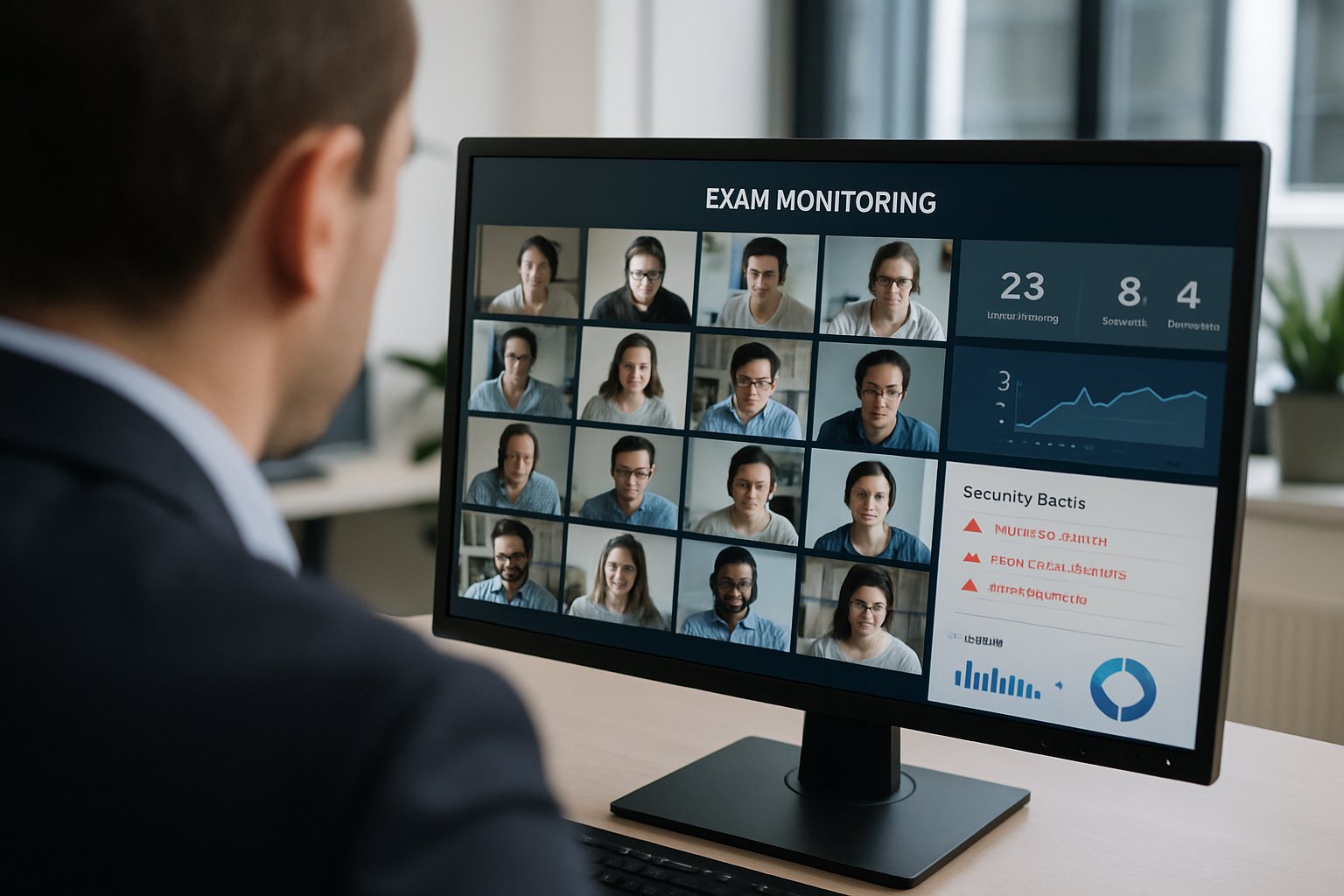
Proctor reviewing multiple feeds with proctoring software for online exam security.
A proctor oversees live online exam sessions via proctoring software and analytics.

Meanwhile, contract-cheating marketplaces integrate browser overlays that dodge lockdown browsers and ai proctor exam flags. Incidents, therefore, continue to rise.

Key takeaway: threats evolve monthly; your risk score must stay dynamic. Consequently, institutions should track both AI and human cheating vectors before moving forward.

Proctoring Software For Online Exam

Many campuses rely on proctoring software for online exam supervision to deter misconduct and collect evidence. Choices include live, recorded, and automated models.

Furthermore, vendors add dashboards, AI flags, and incident reviewers. ExamSoft reminds clients that humans must still investigate every flag because ai proctor exam systems are not perfect.

Nevertheless, the tools supply rich telemetry—video streams, keystroke logs, and response times—that feed directly into a quantitative risk framework.

Summary: treat software as a sensor, not a silver bullet. Consequently, pair it with data forensics and human judgment.

Key Data Inputs Explained

Your risk score combines measurable elements.

  • Exam vulnerability: item reuse, stakes, allowed resources.
  • Delivery context: remote share, proctoring mode, AI monitoring adoption.
  • Authentication strength: ID checks, biometrics, multifactor.
  • Historical incidents: confirmed misconduct percentage, forensic flags per 1,000 attempts.
  • Vendor posture: SOC2 status, breach history, secure roadmap.
  • AI exposure: document export controls, watermarking, question rotation.

Moreover, equity modifiers adjust the score if false positives cluster within specific demographics.

Two-line takeaway: measurable inputs create transparency and foster targeted action. Therefore, gather data before assigning weights.

Mitigation Actions That Matter

Once high-risk areas surface, prioritize quick wins. Expand item banks to cut reuse, and randomize order to disrupt collusion.

Additionally, restructure high-stakes remote tests. Some institutions shift oral defenses or project submissions, thereby reducing dependence on proctoring software for online exam sessions.

For technical protections, deploy Integrity Shield or similar PDF controls. Combine them with ai proctor exam analytics for layered defense.

Key takeaway: blend assessment design, technical controls, and human review. Consequently, risk scores drop measurably.

Balancing Privacy And Equity

However, every camera feed carries legal and ethical weight. U.S. senators and advocacy groups demand transparency and bias testing.

Therefore, vet each vendor’s false-positive metrics, accommodation workflows, and data-retention policy. Remember the 2020 ProctorU breach still colors public perception.

Moreover, communicate policy to students. Explain why proctoring software for online exam sessions are recorded and how algorithms are reviewed by trained staff.

Takeaway: ethical diligence builds trust and shields your reputation. Consequently, add privacy audits to the risk framework.

Procurement Red Flags List

Before signing a contract, scan for warning signs.

  • Vendor refuses SOC2 or ISO reports.
  • AI flags adjudicated without human review.
  • Facial recognition lacks bias testing.
  • Kernel-level software access unapproved by IT.
  • Documented breaches related to proctoring software for online exam services.

Nevertheless, solid vendors publish metrics and allow sandbox trials.

Two-line takeaway: procurement diligence prevents costly surprises. Therefore, integrate red flags into your scoring rubric.

Conclusion And Next Steps

Institutions cannot ignore exam integrity risk. A structured score illuminates where fraud may strike and where privacy may fail. By gathering data inputs, deploying layered defenses, and auditing vendors, you convert uncertainty into actionable insight.

Why Proctor365? Our AI-powered platform fuses advanced identity verification, scalable monitoring, and human-in-the-loop review. Proctor365’s proctoring software for online exam delivery supports universities, certification bodies, and corporations worldwide. Therefore, you gain trusted protection without sacrificing student experience. Schedule a demo today and elevate every ai proctor exam session.

Frequently Asked Questions

  1. How does Proctor365 ensure exam integrity during online assessments?
    Proctor365 fuses AI-powered analytics, robust identity verification, and human-in-the-loop reviews to detect and prevent cheating, ensuring secure and reliable exam environments with comprehensive fraud prevention protocols.
  2. How does AI proctoring enhance online exam security?
    AI proctoring leverages real-time video analytics, keystroke monitoring, and dynamic risk scoring to detect irregular behavior, while Proctor365’s system integrates identity verification and human review to secure exams effectively.
  3. What fraud prevention measures are integrated into Proctor365?
    Proctor365 employs layered security with AI analytics, detailed telemetry, secure authentication checks, and human oversight, all of which work together to identify and mitigate fraud risks during online exam sessions.
  4. How does Proctor365 balance privacy with robust exam monitoring?
    Proctor365 combines transparent privacy policies, bias-tested facial recognition, and regular privacy audits with AI-driven monitoring and human review, ensuring stringent exam security without compromising student privacy.

Mastering proctoring software for online exam flag reviews

Online assessment volumes exploded after 2020. Faculty now face hundreds of recorded sessions for every midterm. Consequently, institutions rely on proctoring software for online exam monitoring to surface behavioral flags fast. However, researchers note that untrained instructors misinterpret those alerts, triggering bias concerns and student appeals. Therefore, robust faculty training is now mission-critical.

Universities such as Stanford run live workshops that pair tool walk-throughs with equity discussions. Meanwhile, vendors publish dashboards showing risk scores, yet always remind instructors that AI merely flags. Moreover, civil-liberty groups continue pressing campuses to prove fairness. This article distills that evolving ecosystem into an actionable guide for universities, ed-tech platforms, certification bodies, and corporate L&D leaders.

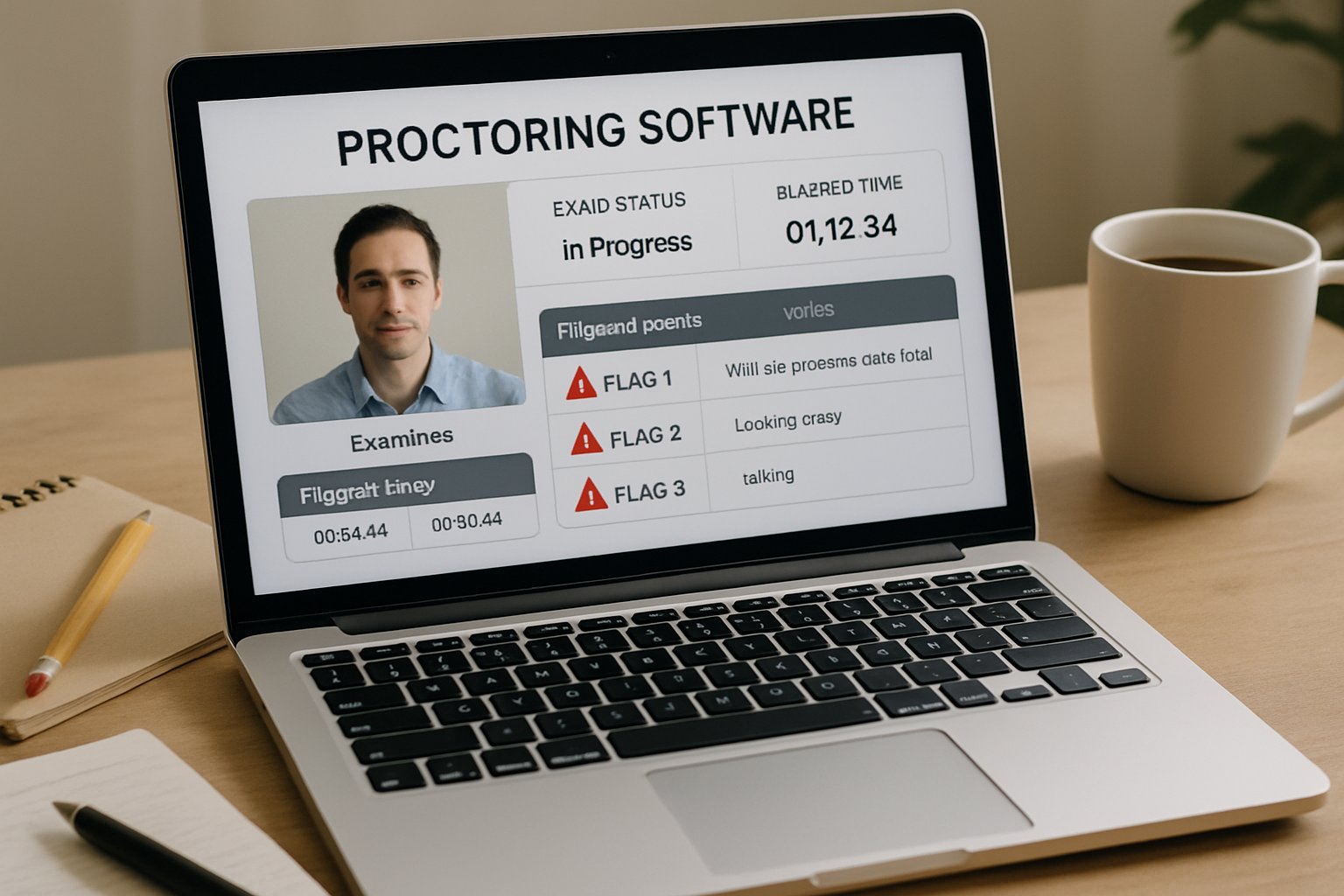
Proctoring software for online exam with flag indicators on laptop screen
The proctoring software dashboard shows flagged incidents for faculty review.

We pull insights from multi-year pilots, peer-reviewed studies, and vendor playbooks. Readers will learn how to create concise workflows, reduce false positives, and protect student trust. Consequently, well-designed training saves hours and prevents costly disputes for everyone. Let us start with the biggest principle: humans, not algorithms, finalize integrity decisions.

Human Review Imperative Now

AI flagging works only when skilled reviewers interpret context. Jarrod Morgan states, “It’s not appropriate for AI to be making decisions.” Moreover, Stanford’s pilot embeds trained staff who double-check every alert before escalation. Even the best proctoring software for online exam delivery cannot replace informed judgment.

Furthermore, peer studies reveal higher flag rates for darker skin tones and low bandwidth environments. Consequently, reviewers must inspect lighting, accommodation records, and timing cues before drawing conclusions. That disciplined process halves unnecessary conduct referrals in several campus reports.

Key takeaway: consistent human review transforms raw alerts into fair outcomes. Next, we explore how the tools themselves can trip reviewers who lack preparation.

proctoring software for online exam

Every vendor dashboard looks different, yet core behavioral flags remain similar. Handheld-device detection, missing face, multiple voices, and gaze shifts dominate alert categories. However, settings like sensitivity sliders can flood instructors with noise if misconfigured.

When campuses first deploy proctoring software for online exam sessions, faculty often leave defaults untouched. Consequently, false positives spike, overwhelming support desks. Moreover, high alert counts erode student trust and delay grading.

Bias And Equity Risks

Research documented higher flag frequencies for students with darker skin. Additionally, low-light environments or webcams without infrared increase detection failures. Therefore, reviewers must cross-reference accommodation lists and gather second opinions before filing misconduct reports. An ai proctor exam approach still needs people who monitor fairness.

Summary: Tool mastery plus equity awareness prevents unnecessary disputes. Next, we turn to structured training that builds that mastery.

Effective Faculty Training Steps

Comprehensive workshops keep reviewers aligned and confident. Moreover, universities combine policy briefings with hands-on dashboard labs. Below is a proven sequence many pilots follow.

  • Policy and ethics overview – 30 minutes.
  • Vendor dashboard lab – 60 minutes with live ai proctor exam demonstrations.
  • Bias case scenarios – 60 minutes using anonymized clips.
  • Documentation workflow – 45 minutes with checklist practice.
  • Student communication drills – 30 minutes.

Quarterly norming sessions where reviewers watch the same flagged clips and discuss differences standardize interpretations and reduce bias drift.

Trainers should repeat the schedule every term and invite disability services. Consequently, newer staff quickly learn review norms. Using proctoring software for online exam reviews during live demos cements muscle memory. Additionally, quarterly calibration meetings help teams spot drift.

Key Student Communication Essentials

Clear, empathetic messaging reduces anxiety. Therefore, instructors must share lighting tips, privacy notices, and appeal routes before testing. An ai proctor exam handbook with screenshots supports diverse learning styles.

Takeaway: Structured modules plus transparent dialogue raise acceptance. In the next section, we examine data feedback that sustains improvement.

Building Data Feedback Loops

Review analytics close the training loop. Institutions track flag counts, review times, and outcome ratios. Furthermore, they disaggregate figures by course, device, and accommodation status.

Regular dashboards show whether any group receives disproportionate scrutiny. Consequently, leaders can tweak sensitivity settings or revise lighting guidance. Partnering with a capable ai proctor exam vendor helps automate these insights.

Importantly, teams should benchmark results across semesters. Using proctoring software for online exam analytics in this manner drives evidence-based policy changes.

Track the following high-impact numbers each term.

  • Flags reviewed within 24 hours.
  • Referral rate below 5%.
  • Median review time under 10 minutes.
  • Disparity score by demographic group.

Consequently, dashboards become actionable rather than ornamental.

Summary: Continuous metrics uncover hidden bias and highlight training gaps. Finally, let’s consolidate the lessons and see how Proctor365 supports them.

Conclusion And Action Steps

Faculty who master human review, tool settings, equity checks, and data loops within proctoring software for online exam contexts cut false positives dramatically. Consequently, student trust rises, and integrity processes stay defensible.

Why Proctor365? The platform blends AI-powered monitoring, advanced identity verification, and scalable dashboards. Moreover, its human-review workflow ensures that proctoring software for online exam delivery remains fair and efficient. Trusted by global exam bodies, Proctor365 elevates integrity while reducing workload.

Explore how Proctor365 embeds best-in-class safeguards into every assessment. Book a demo today and defend academic credibility with confidence.

Frequently Asked Questions

  1. What is the role of human review in online exam proctoring?
    Human review is vital in assessing AI-flagged alerts to avoid bias and false positives. Proctor365 integrates AI and skilled reviewers to enhance exam integrity and precise fraud prevention.
  2. How does proctoring software reduce false positives in online exams?
    Proper tool configuration and comprehensive training reduce false positives. Platforms like Proctor365 empower reviewers with clear dashboard insights and AI proctor exam features that enhance accuracy and fairness.
  3. How does Proctor365 support exam integrity and student trust?
    Proctor365 combines AI-powered monitoring with advanced identity verification and human-review workflows, ensuring fair assessments, effective fraud prevention, and maintaining student trust through transparent proctoring.
  4. Why is faculty training important for effective online exam monitoring?
    Faculty training equips reviewers to interpret AI alerts correctly, reducing bias and false positives. With regular workshops and practice, Proctor365 ensures that exam integrity is upheld and student trust strengthened.

Faculty Checklist For AI Proctor Exam Success

The ai proctor exam landscape has exploded since remote learning became mainstream. Consequently, faculty now face complex choices about privacy, bias, and legal exposure. Moreover, administrators expect scalable solutions that match in-person integrity standards. Therefore, instructors need a clear, actionable roadmap before flipping the switch on camera-enabled monitoring. This article delivers that roadmap. It distills recent research, court rulings, and campus pilots into a step-by-step readiness checklist. Along the way, we show how proctoring software for online exam delivery can work responsibly when paired with sound policy, human oversight, and student support.

AI Proctor Exam Trends

Market watchers value the global sector between USD 0.8 billion and 2.1 billion in 2024. Furthermore, forecasts project compound growth above 13% through 2035. Institutions adopt hybrid models that blend algorithms with human reviewers. However, student unease remains high—surveys show roughly half dislike continuous webcam monitoring. Meanwhile, face-analytics bias persists; NIST reviews confirm higher error rates for darker skin tones. Despite concerns, many campuses still pilot an ai proctor exam solution because unproctored scores often diverge markedly from supervised ones. Consequently, demand for proctoring software for online exam sessions keeps climbing.

Faculty group discussing ai proctor exam best practices with printed checklists.
Professors collaborate on best practices for successful AI proctor exam delivery.

Key takeaways: the market is expanding rapidly, yet scrutiny over fairness and privacy grows in parallel. Therefore, institutions must proceed carefully.

Legal And Policy Shifts

Recent rulings reshape risk calculations. Notably, a federal judge deemed mandatory room scans an unconstitutional search at Cleveland State. Moreover, several states now weigh limits on biometric surveillance. Advocacy groups such as EFF and CDT urge transparent data practices and opt-out alternatives. Consequently, faculty must confirm campus counsel approval before deploying any ai proctor exam tool. They also should publish clear syllabus language detailing data collection, retention, and appeals.

Key takeaways: legal pressure intensifies while transparency demands rise. Therefore, policy alignment must precede technology rollout.

Balancing Risks And Benefits

When implemented well, proctoring software for online exam management deters impersonation and large-scale collusion. Additionally, it reduces travel burdens for remote learners. Nevertheless, automated flags can mislabel normal behavior, especially for students with disabilities. Moreover, false positives create heavy review workloads and possible grade disputes. Faculty should always keep humans in the decision loop. Importantly, an ai proctor exam system should allow non-biometric or in-person alternatives for high-stakes assessments.

  • Benefits: scalable monitoring, identity assurance, flexible scheduling.
  • Risks: privacy invasion, algorithmic bias, legal liability, student anxiety.

Key takeaways: the technology offers real value, yet misuse can erode trust. Consequently, balanced safeguards remain essential.

Readiness Checklist Highlights

A robust checklist keeps stakeholders aligned. First, verify institutional authority and legal clearance. Second, demand vendor security audits, bias testing, and clear data-flow diagrams. Third, redesign exams toward open-book or project formats where possible. Fourth, run a small pilot, collect metrics, and refine settings. Fifth, publish an FAQ that answers common privacy questions. Finally, establish an appeals workflow with firm timelines.

Key takeaways: preparation reduces surprises and false positives. Therefore, follow the checklist before every ai proctor exam deployment.

Procurement Vetting Essentials

During procurement, ask vendors for SOC 2 or ISO 27001 reports, encryption details, and subcontractor lists. Moreover, require demographic accuracy summaries to address bias concerns. Additionally, insist on contractual limits that forbid data resale. Because proctoring software for online exam delivery touches sensitive information, breach notification clauses must be explicit. Meanwhile, confirm accommodation features such as camera-off modes or extended time. An informed committee—legal, IT, disability services, and faculty—should score each bid.

Key takeaways: rigorous vetting protects students and the institution. Consequently, never rush vendor selection.

Student Support Actions

Transparent communication calms anxiety. Therefore, announce requirements at least two weeks before the exam. Provide a downloadable practice test plus live tech support. Furthermore, supply clear instructions for installing proctoring software for online exam sessions across devices. Meanwhile, coordinate with Disability Services to pre-approve accommodations. Offering an alternative testing location or method demonstrates respect for diverse needs. During each ai proctor exam, remind students that human reviewers will evaluate any automated flags.

Key takeaways: proactive support builds goodwill and reduces technical failures. Therefore, prioritize student experience.

Governance And Transparency Steps

Institutions should track aggregate metrics: total flags, confirmed violations, appeals, accommodation exemptions, and demographic patterns. Subsequently, publish an annual summary to the academic senate. Moreover, create an oversight board that reviews emerging research, updates policies, and audits vendor compliance. Continuous improvement ensures every future ai proctor exam run aligns with evolving standards and expectations.

Key takeaways: oversight sustains integrity over time. Therefore, embed governance into regular academic operations.

Conclusion

Faculty can harness remote assessment successfully when preparation, policy, and empathy guide each ai proctor exam. The checklist above streamlines that journey, aligning legal safeguards, technological rigor, and student trust.

Why Proctor365? Our platform pairs advanced identity verification with AI-driven monitoring, yet always keeps humans in control. Moreover, we scale smoothly from small cohorts to global certification campaigns and remain trusted by universities worldwide. Consequently, Proctor365’s AI-powered proctoring elevates exam integrity while honoring privacy. Contact us today and secure your next session.

Frequently Asked Questions

  1. How does AI-driven proctoring help maintain exam integrity?
    Proctor365 uses AI-driven proctoring combined with robust identity verification and human oversight to uphold exam integrity. Our system detects fraudulent behavior, minimizes bias, and supports transparent data practices.
  2. How does Proctor365 address concerns over privacy and bias?
    Proctor365 prioritizes exam security without compromising student privacy. Our platform incorporates strict data practices, regular bias testing, and offers alternative exam methods to ensure fairness and legal compliance.
  3. What steps should institutions take before deploying AI proctor exam systems?
    Institutions should confirm legal clearance and perform vendor security audits before deployment. Testing via pilot programs, establishing clear policies, and offering contingency methods ensures ethical, transparent, and effective AI proctoring.
  4. How does Proctor365 support student needs during online exams?
    Proctor365 enhances the student experience by providing practice tests, live technical support, and accessible features like camera-off modes and extended time, ensuring a secure, fair exam environment while accommodating diverse learning needs.


Browser Extension vs Native App for AI Proctor Exam

Selecting the right delivery model for an ai proctor exam now shapes academic integrity strategies worldwide. Institutions juggle privacy demands, legal exposure, and cheat-prevention effectiveness every semester. Meanwhile, technology teams face mounting support tickets when students battle surprise software requirements. Should you deploy a quick browser extension or mandate a full native lockdown app? This article dissects both options, grounding each claim in fresh market data and legal precedents. After reading, procurement leaders can match exam stakes to the optimal proctoring path with confidence. Furthermore, we highlight concrete questions every buyer should pose during vendor selection interviews. Consequently, decision makers avoid hidden costs, accessibility barriers, and compliance landmines before contracts lock in. Moreover, we will repeat the primary considerations voiced by universities, certification boards, and corporate L&D teams. Therefore, you will finish with a concise action checklist tailored to your campus or enterprise. When evaluating proctoring software for online exam, nuance matters more than vendor marketing slogans.

Online Proctoring Market Snapshot

Global demand exploded after 2020 and still grows at mid-teens annual rates, according to multiple market reports. Recent estimates size the sector between USD 0.8 and 2.1 billion, because methodologies differ widely. Surveys show 40–70 percent institutional adoption, yet student discomfort still hovers near 50 percent. Consequently, technology leaders seek balanced solutions that deter cheating without triggering privacy backlash. The rise of the ai proctor exam market mirrors growth in enterprise surveillance tools. Vendors selling proctoring software for online exam services cite these growth numbers in investor decks.

Student taking ai proctor exam using native app on tablet
A student completes an AI proctor exam on a native app in a modern study space.

In short, proctoring demand keeps rising, but scrutiny rises just as fast. Next, we examine how browser extensions answer that pressure.

Browser Extension Key Strengths

Extensions install with one click and rarely need administrator rights, which delights support desks. Moreover, Manifest V3 forces stricter review, therefore reducing some historical permission abuse. Most Chromebooks accept extensions under managed policies, so K-12 rollouts proceed smoothly.

  • Quick updates through Chrome Web Store reduce downtime.
  • Lower system access limits catastrophic bugs for any ai proctor exam session.
  • Students uninstall easily after sessions, reassuring privacy advocates.
  • Integrates with existing LMS workflows without extra launchers.

For low-stakes quizzes, proctoring software for online exam delivery often relies solely on this lightweight layer. These benefits explain why many ai proctor exam pilots start with an extension. However, convenience hides critical blind spots.

Browser Extension Weak Points

Extensions cannot view other desktop applications, so second devices or hidden windows escape detection. Additionally, researchers continue exposing malicious extensions, proving that store vetting remains imperfect. A recent study uncovered 4 million unsafe installs across dozens of unrelated plug-ins. Therefore, supply-chain attacks pose reputational risk when institutions mandate an extension. Moreover, Manifest V3 removes certain blocking APIs, reducing cheat-prevention capabilities unless vendors rewrite code.

Summing up, extensions favor access over control, which limits high-stakes enforcement. Let us compare that with native apps.

Native App Main Strengths

Native lockdown browsers control the entire desktop, blocking screen sharing and application switching. Consequently, certification boards use them for medical, finance, and aerospace exams where cheating stakes soar.

  • Process monitoring detects local AI chatbots and virtual machines.
  • Kernel-level hooks enforce kiosk mode for closed-book tests.
  • Offline caching supports low bandwidth environments.
  • Strong identity checks pair seamlessly with hardware attestation.

Many ai proctor exam vendors now offer a hybrid path, blending an extension with a native helper. The power is clear, yet cost surfaces quickly. Accordingly, we must inspect the drawbacks.

Native App Major Drawbacks

Students need to download binaries, sometimes requiring administrator rights that managed devices block. Moreover, antivirus tools occasionally flag proctor drivers, generating exam-day panic and support calls. Legal exposure also rises because deeper video, audio, and biometric collection can trigger BIPA or GDPR. Furthermore, any vulnerability in high-privilege code could compromise entire campus networks. Therefore, stakeholders often run pilots for months before full rollout. Any ai proctor exam relying on deep drivers must publish independent security audits.

To summarize, native apps raise control and risk in tandem. The following checklist streamlines that decision.

Practical Decision Framework Checklist

Use this quick filter when choosing between models.

  1. Exam stakes: low quiz or professional license?
  2. Device policy: unmanaged laptops or locked desktops?
  3. Data governance: can vendor prove SOC 2 and short retention?
  4. Accessibility: are alternates documented for screen readers?
  5. Support load: how many tickets per 1,000 sessions?
  6. Supply chain: is code independently audited each release?

Institutions buying proctoring software for online exam programs should demand written answers to each item. That discipline ensures every ai proctor exam deployment aligns with policy and learner wellbeing. Ultimately, context drives technology choice. We close with key takeaways and next steps.

Both delivery models deliver value when matched to risk profiles and resources. Browser extensions shine for convenience, while native apps dominate high-stakes scenarios demanding deep system control. However, rigorous evaluation, transparent communications, and flexible accommodations remain non-negotiable. Why Proctor365? Our ai proctor exam platform merges advanced identity verification, scalable monitoring, and adaptive AI alerts. Moreover, global universities trust our secure cloud to protect millions of assessments every year. Experience frictionless deployment and ironclad integrity today by visiting Proctor365.ai. Consequently, your next exam session will be safer, smoother, and student-friendly. Join the global movement toward responsible, data-driven proctoring. Schedule a demo and see how trusted analytics transform oversight into insight.

Frequently Asked Questions

  1. What are the benefits of using browser extensions for proctored exams?
    Browser extensions install quickly and integrate seamlessly with LMS workflows. They reduce downtime and support calls, though they may not capture all background activities, balancing convenience with limited detection depth.
  2. Why choose native lockdown browsers for high-stakes exams?
    Native lockdown browsers deliver full desktop control by restricting screen sharing and app switching, ensuring robust identity verification. They are ideal for high-stakes exams where advanced fraud prevention is essential.
  3. How does Proctor365 enhance exam integrity and fraud prevention?
    Proctor365 combines advanced AI proctoring, scalable monitoring, and strong identity verification to secure exams. Its hybrid approach ensures rigorous fraud prevention and compliance while providing a user-friendly assessment experience.
  4. What key questions should institutions ask when evaluating proctoring software?
    Institutions should ask about device policies, data governance (SOC 2, retention), support loads, accessibility, and independent security audits to ensure the solution meets both exam integrity and privacy compliance requirements.

Global Growth with Proctoring Software for Online Exam

Professional certifications now travel at internet speed. Universities and exam bodies seek reliable scale without compromising integrity. Consequently, proctoring software for online exam delivery has become a strategic necessity. Moreover, AI-enabled monitoring reduces venue costs and widens candidate access worldwide.

However, global expansion introduces fraud, privacy, and fairness challenges. This article maps fresh market data, expert insights, and practical safeguards. Readers will leave with a clear roadmap for responsible, high-stakes remote testing. Meanwhile, examples from Pearson, PSI, and Meazure show both promise and pitfalls.

Student at home using proctoring software for online exam on a laptop.
A student at home relies on proctoring software for online exam security.

Proctoring Software for Online Exam

Proctoring software for online exam platforms merges identity checks, secure browsers, and AI video analysis. Furthermore, automated flagging escalates suspicious behavior to human reviewers within seconds. Hybrid oversight keeps costs low while preserving human judgment for contentious incidents.

Market analysts estimate the remote proctoring segment will surpass two billion dollars before 2030. Consequently, certification owners now budget for cloud bandwidth, rather than for distant testing halls.

In short, modern platforms blend scale, speed, and layered security. Next, we examine why demand is exploding.

Global Certification Boom

COVID-era disruption proved remote delivery could maintain psychometric rigor when executed carefully. Since then, Pearson reports delivering 21 million annual exams across centers and online. Meanwhile, PSI claims 22 million yearly sittings after its ETS partnership. Such volumes are impossible without 24/7 cloud infrastructure and distributed candidate devices.

Moreover, ed-tech platforms embed exam APIs directly into course modules, trimming scheduling friction. Corporate L&D teams appreciate instant credential issuance after staff pass on laptops at home. Many institutions adopted proctoring software for online exam sessions during the pandemic and kept it after.

Therefore, scale has shifted from rooms to resilient networks. Yet growing scale invites sophisticated cheating rings.

Threats Fuel Innovation

Fraud services now advertise deepfake masks and remote desktop proxies for hire. Consequently, vendors counter with multi-device detection and keystroke biometrics. Rosalyn’s StableSight claims to spot generative-AI misuse during an ai proctor exam session. Similarly, PSI promotes Test Security as a Service for rapid incident response.

However, independent audits lag behind marketing claims. The ACM urges encryption, bias testing, and minimal data retention before deployment.

Innovation accelerates, but evidence must keep pace. Choosing the right proctoring model is the next hurdle.

Selecting Right Model

Certification owners typically tier exams by stakes, risk, and candidate count. Live human monitoring suits licensure boards that cannot tolerate false negatives. Automated ai proctor exam options offer lower marginal costs for formative or mid-stakes assessments.

Hybrid workflows combine AI flagging with human final review, balancing efficiency and fairness. Moreover, transparent appeal windows ease candidate anxiety when technology misfires.

  • Regulatory privacy obligations
  • Bandwidth and device diversity
  • Budget per candidate
  • Fraud threat profile

Consequently, no single mode fits every credential or region. Properly deployed proctoring software for online exam environments should integrate seamlessly with learning records.

Smart allocation optimizes resources while preserving trust. Privacy debates now dominate board meetings.

Handling Privacy Risks

Illinois BIPA lawsuits against Respondus and others highlight biometric liability. European GDPR regulators question prolonged video retention and opaque algorithms. Therefore, many programs now adopt privacy-by-design contracts with strict deletion schedules.

Deborah Raji warns that face detection still struggles on darker skin, risking bias flags. Consequently, fair ai proctor exam deployment demands audited accuracy across demographics.

Accessible design also matters; low-bandwidth clients and disability accommodations reduce exclusion.

Responsible privacy practice protects institutions and candidates alike. Operational tactics turn policy into action.

Operational Best Practices

First, run rigorous system checks weeks before go-live. Next, publish clear candidate guides detailing camera setup and appeal channels. Moreover, monitor real-time dashboards to spot regional outages early. Consistently updated proctoring software for online exam infrastructure prevents attackers from exploiting new exploits.

Human reviewers should receive bias training and calibration sessions monthly. Independent penetration tests must verify lockdown browsers and network safeguards.

Finally, schedule annual third-party audits covering accuracy, bias, and security controls. These steps convert strategy into repeatable, compliant operations.

The market outlook underscores why diligence matters.

Future Market Outlook

Analysts project mid-teen CAGR for remote proctoring through the early 2030s. Consolidation will likely continue after Meazure’s Examity acquisition and PSI’s ETS integration. However, policy backlash could slow adoption if bias or privacy scandals persist.

Consequently, vendors that invest in transparent, fair ai proctor exam tooling will win trust. Vendors that fail to mature their proctoring software for online exam offerings will lose share.

Certification bodies must demand evidence, not slogans, before renewing multi-year contracts.

Trust, proof, and agility will decide tomorrow’s winners. We close with key takeaways and a proven partner.

Conclusion

Scaling credentials demands technology, governance, and empathy in equal measure. This article showed market growth, emerging threats, and concrete mitigation tactics. Leaders who apply hybrid oversight, privacy-by-design, and continuous audits can preserve exam credibility. Still, tool choice matters; proctoring software for online exam programs must prove fairness, security, and accessibility.

Why choose Proctor365? Our AI-powered platform delivers advanced identity verification, scalable monitoring, and real-time analytics. Consequently, global exam bodies trust Proctor365 to protect millions of credentials. Visit Proctor365 to safeguard your next testing cycle today.

Frequently Asked Questions

  1. How does AI proctoring enhance exam integrity?
    AI proctoring leverages advanced video analysis and identity verification to detect suspicious behavior in real time. Proctor365 combines automated flagging with human oversight for robust exam integrity.
  2. What security measures does Proctor365 offer for online exams?
    Proctor365 integrates secure browsers, real-time analytics, and identity verification with AI-driven monitoring. These features work together to prevent fraud and ensure a secure and fair testing environment.
  3. How does Proctor365 address privacy concerns in remote testing?
    Proctor365 adopts a privacy-by-design approach with strict data deletion schedules and bias audits. This ensures compliance with GDPR and BIPA while maintaining secure, fair, and transparent exam monitoring.
  4. What are the best practices for deploying online proctoring solutions?
    Implementing best practices includes rigorous system checks, clear candidate guidelines, continuous human oversight with bias training, and regular independent audits, ensuring secure, fair, and compliant exam operations.

Ultimate Checklist: Choosing the Right Proctor For Test Success

Remote exams now sit at the heart of modern education and certification. Therefore, picking the correct proctor for test sessions is critical. Effective selection, plus solid test preparation, lowers stress and prevents costly retakes. Moreover, institutions benefit when students arrive calm, compliant, and technically ready.

This guide distills vendor rules, legal trends, and expert advice into one clear checklist. Consequently, students, instructors, and platform managers can align expectations and protect exam integrity without confusion.

Online proctor for test overseeing exam session in home office.
A certified online proctor ready to supervise a student’s exam experience.

Choosing Proctor For Test

First, confirm whether your course uses live, record-and-review, or automated AI monitoring. Each model changes the student workflow. Additionally, review privacy policies and data retention periods before registering. Several universities now compare vendors on support speed and accessibility features. However, price alone should not drive the decision; reliability matters more.

Industry reports estimate hundreds of millions of proctored sessions yearly. Vendors like Honorlock, ProctorU, and Respondus dominate, yet new entrants appear quarterly. Therefore, match feature sets to course risk level. Two-sentence wrap-up: Pick a transparent service with clear appeal processes. Next, verify technology compatibility.

Pre-Exam Critical Tech Checks

Strong test preparation starts 48 hours early. Run the vendor system check on the same machine and in the planned room. Furthermore, install the secure browser, then reboot to lock updates. Save screenshots of every success message.

  • Wired internet reduces mid-exam drops by 63% (Microsoft Skills Hub).
  • Screenshots speed support chats by 40% (ProctorU data).

Keep backups: charged phone, alternate hotspot, and power cord. Moreover, store vendor support numbers on paper. Two-sentence summary: Early tech validation prevents panic on exam day. The right proctor for test environments reward proactive students.

Workspace And ID Readiness

Next, clear the desk of notes, phones, and extra monitors. Face a light source so gaze tracking works accurately. Additionally, place your photo ID within reach and practice a quick room scan. Some platforms now request a second camera, so secure a tripod for your phone.

If you need accommodations, submit documentation well ahead and receive written approval. Consequently, the proctor will already know your allowed breaks. Two-line recap: A tidy space reduces false flags. Any proctor for test sessions rely on visible compliance.

Calming Exam Day Routine

Arrive 30-60 minutes early, log in, and complete identity checks before the timer starts. Moreover, silence notifications and close all background apps. Keep permitted scratch paper visible, and sip only from a clear water bottle.

Research shows structured rituals cut anxiety by 25%. Therefore, breathe deeply, review rules once, and begin confidently. Two-sentence conclusion: Rituals anchor focus and reduce mistakes. Smart test preparation always includes mental rehearsal.

Handling Flags And Issues

Despite planning, glitches happen. If the screen freezes, immediately notify the chat proctor and capture screenshots. Furthermore, request clarification if flagged for suspicious motion. Save all chat logs and ask about appeal steps.

Experts advise following instructions exactly, then escalating through your instructor if needed. Consequently, honest students clear records quickly. Two-sentence wrap-up: Fast, documented responses protect grades. Every proctor for test vendor supports written appeals.

Market Trends And Context

Market value may exceed US$2 billion by 2031, with CAGR near 15%. Additionally, privacy litigation is shaping vendor roadmaps; Respondus recently settled a biometric case. Universities now demand clearer AI explanations, while advocacy groups push for shorter data retention.

Nevertheless, proctoring remains vital for scalable, high-stakes testing. Therefore, solutions that balance security and fairness will win contracts. Two-line summary: Regulation will tighten oversight. Selecting a compliant proctor for test reduces institutional risk.

Key Takeaways For Institutions

Provide students the checklist early and embed a practice quiz. Moreover, require documented system checks as part of test preparation. Train faculty on flag review processes to avoid unfair penalties.

Finally, monitor vendor transparency statements annually and renegotiate clauses on data use. Two-sentence recap: Clear guidance boosts student confidence and compliance. A vetted proctor for test partner completes the integrity framework.

Conclusion

Effective online exams demand equal parts technology, environment, and mindset. Apply the checklist, finish test preparation early, and engage with support at the first sign of trouble.

Why Proctor365? Our AI-powered proctor for test solution delivers real-time identity verification, adaptive monitoring, and instant analytics. Additionally, the platform scales effortlessly from small classes to global certification programs and is trusted by universities, ed-tech leaders, and corporate L&D teams. Experience seamless security and unmatched user support with Proctor365 today. Learn more.

Frequently Asked Questions

  1. What steps should I take for effective remote exam preparation?
    Begin by running a system check 48 hours before the exam, install a secure browser, and ensure your ID is ready. This proactive approach supports smooth AI proctoring and minimizes technical issues.
  2. How does Proctor365 ensure exam integrity?
    Proctor365 employs AI-powered monitoring, real-time identity verification, and advanced fraud prevention analytics, ensuring a secure exam environment that upholds strict exam integrity and compliance standards.
  3. What should I do if technical issues occur during the exam?
    Immediately notify the proctor and document the issue with screenshots. This prompt action facilitates quick resolution and minimizes potential flags during AI-driven proctoring sessions.
  4. Why is maintaining a clear workspace essential during remote exams?
    A tidy workspace prevents distractions and false flags, aiding accurate identity verification and AI monitoring. Following a proper setup ensures compliance and supports efficient fraud prevention measures.