
Remote assessments reshape academic and professional landscapes. Universities, ed-tech firms, and employers now test skills entirely online. Consequently, online test monitoring protects credential value and deters misconduct. Yet many candidates feel anxious when asked to perform a camera room scan. This article clarifies the process without revealing improper shortcuts. Moreover, you will discover practical preparation steps that boost confidence and privacy. We explain why scans exist, what proctors search for, and how to respond calmly. The guidance aligns with global academic integrity policies and data regulations. Therefore, administrators can share these recommendations with every remotely proctored exam cohort. Let us begin with core monitoring principles. Robust preparation reduces technical hiccups and unnecessary flagging. Meanwhile, institutions gain smoother sessions and fewer appeals.
Online Test Monitoring Basics
Proctoring platforms blend AI analytics with live reviewers. They track video, audio, screen activity, and browser events in real time. Therefore, any suspicious anomaly triggers immediate human review and potential intervention.
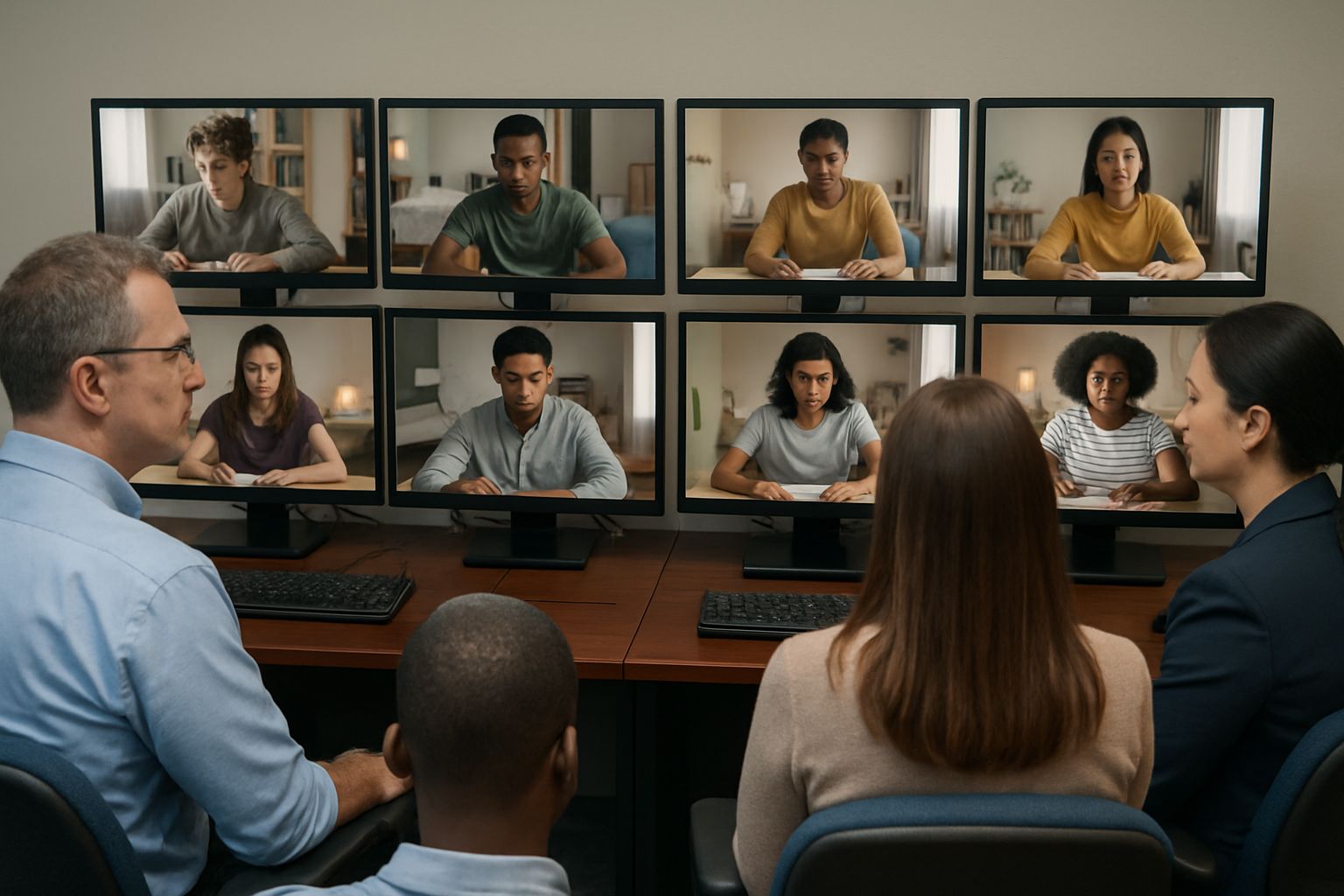
During a remotely proctored exam, the first safeguard is the environment scan. Candidates must rotate cameras slowly, revealing walls, desk, and floor. Accuracy here decreases false flags later.
Scans establish baseline trust before questions appear. Next, examine the underlying purpose for stakeholders.
Room Scan Purpose Explained
Examiners aim to verify nobody else is present and no notes sit nearby. Moreover, clear desks remove temptation and technical distractions. Global studies report cheating drops 54% when scans precede testing.
Institutions also collect scan footage for auditing disputed outcomes later. Consequently, transparent policies reassure honest candidates about fairness. Regulators increasingly request documented proof of proctoring diligence.
Purpose centres on deterring misconduct, not invading personal life. With that understood, prepare your workspace effectively.
Workspace Setup Checklist Guide
Effective preparation starts days before test time. Follow the checklist below to streamline scans and performance.
- Read official instructions and platform requirements thoroughly.
- Remove books, phones, and additional monitors from view.
- Place permitted materials, ID, and water visibly on the desk.
- Position webcam at eye level with balanced front lighting.
- Test microphone clarity and disable pop-up notifications.
- Ensure reliable wired internet or strong Wi-Fi backup.
Completing each task prevents frantic adjustments minutes before launch. Meanwhile, your scan will satisfy online test monitoring criteria on the first attempt.
Pre-Exam Equipment Prep
Additionally, update browsers and install the required lockdown client early. Early installation reduces last-minute bandwidth spikes during the remotely proctored exam.
Ensuring Reliable Network Stability
Plug laptops into power and ethernet whenever possible. Consequently, unexpected disconnects will not invalidate progress or trigger proctor alerts.
Understanding checklists builds confidence for the next phase. Accordingly, privacy rights deserve equal focus.
Privacy And Data Rights
Privacy remains a common concern among test takers. Nonetheless, reputable providers disclose data collection, storage duration, and access roles. Review those policies before granting camera or microphone permissions.
For European candidates, GDPR grants rights to request deletion after assessment closure. Meanwhile, U.S. students can invoke FERPA protections through institution channels. Proactively documenting questions shows diligence and supports future appeals.
Understanding policies empowers informed consent within online test monitoring ecosystems. Accordingly, we now address disruption management.
Handling Scan Disruptions Correctly
Even perfect preparation cannot guarantee flawless technology. However, stay calm if audio drops or lighting shifts during the remotely proctored exam. Follow proctor prompts and repeat the scan when requested.
Additionally, document timestamps, screenshots, and chat transcripts. Provide these artifacts to instructors and support teams immediately. Therefore, human reviewers can quickly dismiss automated false flags.
Fast, transparent communication often resolves issues without penalties. Finally, remember online test monitoring detects most evasion attempts swiftly.
Key Takeaways And Proctor365
Authentic preparation remains the strongest defense against stress and suspicion. You learned why scans exist, how to ready your room, and how to protect privacy. Moreover, you discovered strategies to manage disruptions during any remotely proctored exam. Online test monitoring supports exam integrity when combined with clear policy and respectful communication. Why Proctor365? Its AI-powered online test monitoring engine pairs advanced identity checks with scalable oversight. Trusted by global universities and certification bodies, the platform delivers secure proctoring across thousands of exams. Consequently, institutions can uphold standards without burdening staff or legitimate learners. Robust online test monitoring begins here—schedule a demo now. Visit https://www.proctor365.ai/ to secure your next assessment cycle.
Frequently Asked Questions
- Why are room scans essential for remotely proctored exams?
Room scans deter cheating by ensuring a clear workspace and verifying no unauthorized materials or individuals are present. Proctor365’s AI-powered proctoring uses these scans for robust fraud prevention and identity verification. - How can I prepare my workspace for an online proctored exam?
Prepare by clearing your desk of notes, gadgets, and distractions. Follow the checklist by testing equipment and ensuring proper lighting to minimize technical issues and false flags, all supported by Proctor365’s secure proctoring features. - What should I do if a scan disruption occurs during the exam?
If a scan disruption happens, remain calm and follow the proctor’s instructions to repeat the scan. Document issues like lighting or audio changes, so Proctor365’s human reviewers can quickly verify and resolve any false flags. - How does Proctor365 balance exam security and candidate privacy?
Proctor365 adheres to strict data regulations like GDPR and FERPA while using AI proctoring to monitor exams. The platform discloses data policies and ensures identity verification without compromising candidates’ privacy rights.






