
Remote testing expanded fast, yet trust issues linger. Universities, certification bodies, and corporate trainers now weigh digital options against academic risk. Consequently, many teams consider proctoring software for online exam delivery.
However, moving straight to full rollout can backfire. Technical glitches, privacy pushback, and false flags may erode student trust. A structured pilot mitigates those threats while proving value.
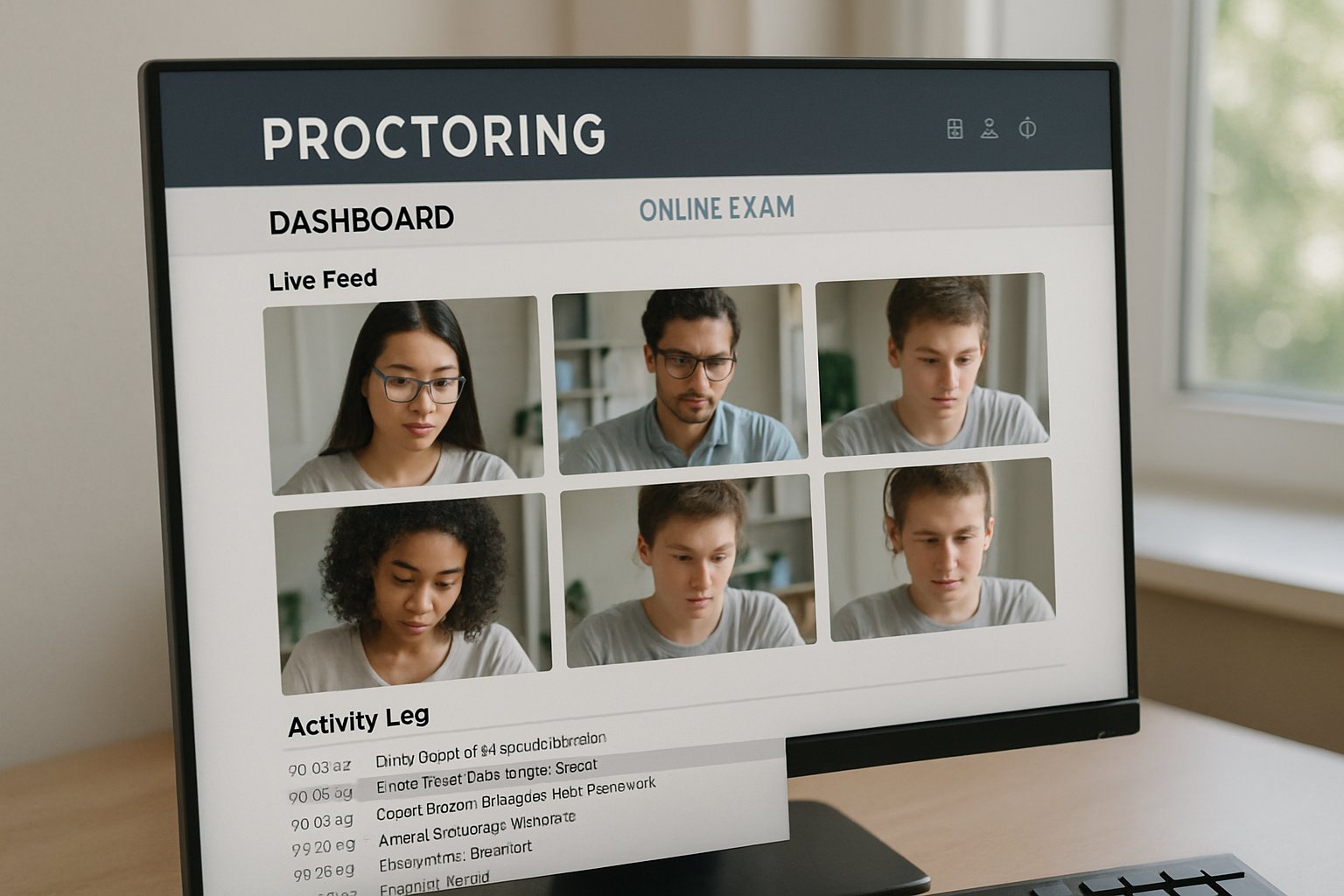
This guide shares an evidence-based roadmap drawn from EDUCAUSE guidance, market data, and recent HCI research. Follow these stages to launch an AI proctor exam initiative that scales responsibly. You will learn governance tactics, metric design, and vendor selection tricks. Let’s build integrity without losing learner confidence.
Define Pilot Objectives Early
Clear objectives anchor every successful pilot. Start by writing specific questions your team wants answered. Moreover, distinguish low-stakes training quizzes from professional licensure tests.
Set measurable targets like technical failure below five percent and flag precision above seventy percent. These numbers establish success criteria. Next, choose the right tools.
Administrators should also map stakeholder concerns regarding privacy, bias, and accessibility. Consequently, those concerns become formal pilot risks and mitigation tasks.
Proctoring Software For Online Exam
Tool choice shapes student experience and data quality. Compare leading vendors such as Proctorio, Examity, and Honorlock.
Furthermore, ask for ISO, SOC2, and encryption proofs during procurement. Always test the proctoring software for online exam compatibility with your LMS sandbox. Include AI proctor exam dry runs under varied bandwidth to surface hidden issues.
Selecting evidence-backed tools reduces surprises. Governance now becomes critical.
Request sandbox analytics to verify how each system flags eye movement, extra faces, and device changes. In contrast, live demos often hide real-world noise.
Build Cross-Functional Governance
A multi-disciplinary steering group keeps the pilot aligned with policy and ethics. Invite IT, Academic Affairs, Disability Services, Institutional Research, legal counsel, and a student voice.
Consequently, documentation moves faster, and blind spots shrink. Publish a plain-language notice explaining collection scope, retention windows, and appeals. The chosen proctoring software for online exam will undergo a DPIA before launch.
Moreover, publish an FAQ describing recording duration and deletion timelines in plain language. Students appreciate timely clarity before an ai proctor exam session.
Transparent governance earns consent. Testing with live learners comes next.
Run Low-Stakes Pilot Trial
Start with 200 to 1,000 volunteers in formative assessments. Meanwhile, keep a control section that uses traditional supervision. Record metrics like connection drops, flags per exam, and review minutes.
Provide opt-in alternatives for students needing assistive tech or in-person settings. Your team should monitor how the proctoring software for online exam handles diverse lighting conditions.
- Technical failure rate ≤5%
- Flag precision ≥70%
- Student anxiety survey score ≤3/5
- Review hours per 100 exams
Additionally, record qualitative notes when reviewers dismiss flags as benign behavior. Those anecdotes enrich the quantitative dashboard.
Pilot data offers an early effectiveness snapshot. Rigorous analysis follows.
Measure Success With Data
Statisticians should compare flagged incidents against the control using chi-square tests. Moreover, calculate cost per completed exam and accessibility request frequency. Use dashboards to show executives how AI proctor exam metrics trend weekly.
Track whether the proctoring software for online exam reduces confirmed misconduct compared to baseline. If false positives spike, adjust AI sensitivity and rerun part of the pilot.
Key Pilot Metrics List
- Flags per 100 exams
- Confirmed incident precision
- Student anxiety index
- Review time per flag
Subsequently, share anonymized findings with student representatives and vendors for transparency. This loop accelerates iterative improvement.
Data-driven refinements build stakeholder trust. Scaling decisions then arrive.
Scale Responsibly After Pilot
When metrics meet thresholds, plan phased expansion across more courses and departments. However, continue sampling control sections to monitor drift.
Adopt privacy-preserving techniques like face blurring researched in 2024 HCI studies. Finally, embed the proctoring software for online exam workflow into onboarding guides and faculty training.
Moreover, keep annual audits to test algorithm fairness across demographics. Independent researchers can provide external validation.
Responsible scaling safeguards both privacy and integrity. The journey ends with vendor partnership.
Conclusion
A staged pilot validates technology, policies, and learner acceptance. Clear objectives, robust governance, and empirical metrics keep the project on track.
Therefore, choose Proctor365’s proctoring software for online exam needs. The platform delivers AI-powered proctoring, advanced identity verification, and scalable monitoring trusted by global exam bodies. Consequently, institutions strengthen integrity while reducing operational load. Visit Proctor365 to schedule your pilot today.
Frequently Asked Questions
- What are the main benefits of using Proctor365’s proctoring software for online exams?
Proctor365 leverages AI-powered proctoring, advanced identity verification, and fraud prevention to enhance exam integrity while ensuring data security, operational efficiency, and a seamless candidate experience. - How does a pilot test improve the effectiveness of AI proctor exams?
A structured pilot with low-stakes trials, clear objectives, and defined metrics helps identify technical issues, reduces false flags, and builds stakeholder trust, ensuring scalable and effective AI proctoring. - How does Proctor365 address privacy and bias concerns during online exams?
Proctor365 employs transparent governance, ISO/SOC2-compliant measures, and privacy-preserving techniques to safeguard data and ensure unbiased AI proctoring, with clear communication on data collection and retention. - What technical metrics are used to evaluate proctoring software performance?
Key metrics include a technical failure rate under 5%, flag precision above 70%, and monitoring student anxiety, ensuring the software accurately detects suspicious behavior and maintains exam integrity.






