
Universities, certifiers, and corporations now deliver high-stakes tests to global candidates. They rely on remote proctoring software to watch every pixel and movement in real time. However, few stakeholders understand the intricate live pipeline that flags cheating within seconds.
This article demystifies that pipeline with practical examples drawn from February’s California bar disruption. We also spotlight privacy, bias, and governance lessons echoed by courts and computer scientists. Finally, we share actionable controls for teams deploying large-scale digital assessments.
Along the way, you will meet core terms like Automated Online Proctoring and AI online proctoring. Understanding their differences helps procurement managers compare offerings objectively. Let us dive in.
Remote Proctoring Software Flow
Every timed session begins with candidate authentication. A webcam captures face images while the system runs liveness checks. Consequently, identity spoofing attempts fail before the first question appears.
Next, a lockdown browser blocks new tabs, screenshots, and external applications. Simultaneously, screen and audio recording start and encrypted streams head to the cloud. That continuous feed powers Automated online proctoring software able to react within milliseconds.
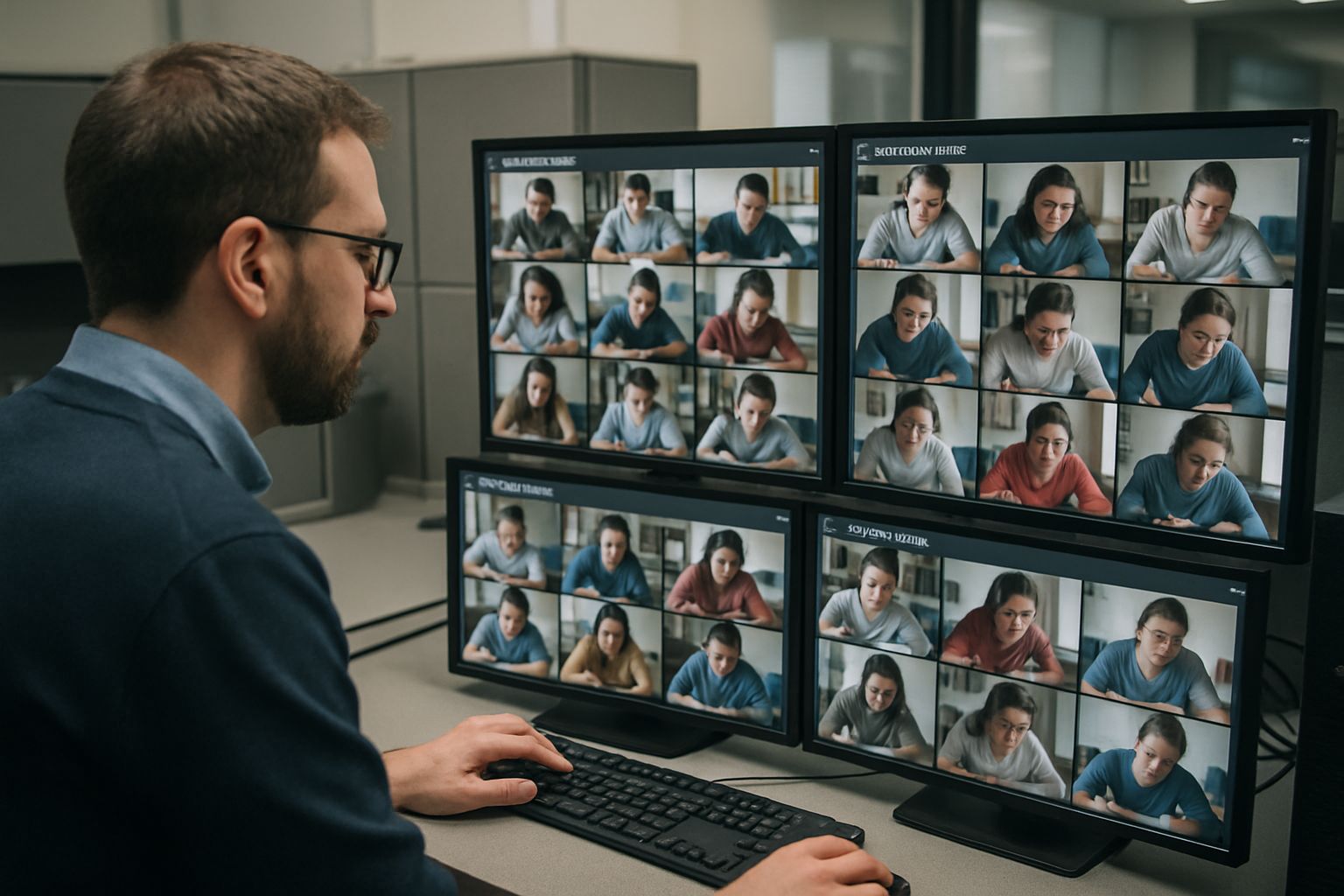
During the test, detectors parse camera frames, screen pixels, and microphone input concurrently. When anomalies surface, the platform labels them with severity values. Meanwhile, a live proctor may watch multiple streams through a single dashboard.
Institutions can choose three service mixes. Live only, pure AI online proctoring, or blended hybrid 24/7 coverage are common. Choice depends on stakes, scale, and budget.
In short, every layer communicates instantly, giving admins second-by-second visibility. Successful Online exam proctoring automation demands crystal-clear escalation logic. Next, we explore the sensors that fuel that visibility.
Key Monitoring Sensors Used
Hardware and software sensors collect the evidence stream. Moreover, they enable Online exam proctoring automation at global scale. Below are four critical examples.
- Webcam video: detects face presence, extra faces, and suspicious head movement.
- Microphone audio: flags background voices, phone vibrations, or whispered prompts.
- Screen capture: records window focus, copy attempts, and forbidden applications.
- System telemetry: tracks device changes, multiple monitors, and network tampering.
Consequently, Automated Online Proctoring systems fuse those inputs for richer context. AI proctoring software then converts sensor data into machine-readable vectors. Reliable remote proctoring software depends on this multidimensional data foundation. That conversion feeds the next analytic stage.
The sensor package matters because better signals yield fewer false alerts. Now, let us inspect how algorithms treat those signals.
AI Event Flagging Pipeline
Machine-learning models run locally or in the cloud. They compute gaze direction, face ratio, background motion, and audio fingerprints every half-second. Furthermore, thresholds adjust dynamically based on exam policy.
Scores accumulate until they cross green, yellow, or red boundaries. Automated online proctoring software displays those scores to reviewers in sortable tables. Consequently, reviewers prioritize the highest-risk sessions first.
False positives remain a challenge. One independent study found AI flagged innocent behavior in 15% of cases. Therefore, many vendors keep humans in the loop.
AI online proctoring improves throughput yet still needs policy tuning. Institutions can lower sensitivity for open-book exams or raise it for licensure tests. Such control reduces unnecessary student stress. Effective remote proctoring software also logs reviewer actions for audit trails.
To conclude, algorithms rank risk quickly but not infallibly. Human judgment remains essential, as the next section shows. Leading AI proctoring software balances speed with fairness.
Human Review And Escalation
Trained reviewers analyze the harshest flags first. They watch synchronized video, audio, and screen feeds while consulting time-stamped logs. Moreover, they add explanatory notes for faculty.
Escalation paths depend on incident severity. Live proctors can pause an exam, chat, or end the session outright. Subsequently, the institution’s academic panel decides disciplinary action.
The February 2025 California bar crash illustrated reviewer overload risks. Thousands of candidates faced login failures and proctor disconnects, prompting lawsuits. Therefore, redundancy planning and stress tests are vital.
Human oversight resolves ambiguity and protects students from faulty automation. Automated online proctoring software alerts supervisors when escalating actions occur. Next, we address the broader risk landscape and mitigation tactics.
Risks And Mitigation Strategies
Remote assessment carries technical, legal, and ethical hazards. Privacy advocates challenge intrusive room scans as unconstitutional. Bias critics highlight darker-skin detection errors within AI proctoring software.
Security researchers exposed credential leaks at one vendor, calling them “keys to the kingdom”. Consequently, procurement teams must demand penetration reports and encryption details. Market outages also harm credibility, as seen in the California incident. Robust remote proctoring software mitigates such breaches through hardened DevSecOps pipelines.
The following checklist summarizes top mitigations.
- Publish transparent data retention and fairness policies.
- Offer in-person alternatives for students with privacy or accessibility concerns.
- Run quarterly load tests simulating peak candidate volumes.
- Tune model sensitivity jointly with academic integrity committees.
- Store recordings using zero-knowledge encryption and rotate keys regularly.
Automated Online Proctoring vendors often support these controls but require client enforcement. Online exam proctoring automation works best when institutions own the governance process.
Robust policy and infrastructure curb the biggest threats. Finally, we translate guidance into a concrete implementation plan.
Implementation Best Practice Checklist
Launching a scalable program requires coordination across technology, pedagogy, and legal teams. Moreover, Automated online proctoring software must integrate smoothly with LMS and identity systems. The following playbook hardens remote proctoring software deployments step by step.
Robust Procurement Due Diligence
Issue an RFP outlining security, accessibility, and demographic fairness requirements upfront. Request third-party audits, SOC 2 reports, and algorithmic bias evaluations. Score vendors using a weighted rubric linked to institutional risk appetites.
After selection, negotiate data ownership and retention clauses tightly. Consequently, you avoid surprises during audits or litigation.
Critical Data Security Controls
Mandate end-to-end encryption for video, audio, and metadata. Rotate keys yearly and restrict decryption to accredited staff. Furthermore, enable regional data centers to comply with residency laws.
AI online proctoring platforms often expose API endpoints; secure them with least privilege tokens. Regular penetration testing closes configuration gaps before attackers exploit them.
When executed well, Online exam proctoring automation scales to tens of thousands of candidates. Automated Online Proctoring then protects credential value without ballooning costs.
These practical controls turn theory into reliable daily operations. We can now summarize and show why Proctor365 leads the field.
Real-time analytics, rich sensors, and vigilant reviewers form the backbone of modern remote proctoring software. Automated Online Proctoring and AI online proctoring boost scale, while human judgment safeguards fairness. Mitigation checklists, security audits, and clear escalation rules reduce legal and technical exposure. Institutions that follow those practices deliver smoother candidate experiences and stronger credential value.
Why Proctor365? Our AI-powered platform pairs advanced identity verification with scalable exam monitoring across continents. Trusted by global exam bodies, Proctor365 remote proctoring software keeps results secure without added friction. Explore a live demo and elevate integrity today at Proctor365.ai.
Frequently Asked Questions
- How does remote proctoring maintain exam integrity in high-stakes testing?
Remote proctoring uses real-time AI proctoring combined with biometric face recognition, liveness checks, and continuous sensor monitoring to detect anomalies and minimize cheating for secure, fraud-free assessments. - What sensors are used in modern online proctoring systems?
Modern online proctoring employs sensors like webcam video, microphone audio, screen capture, and system telemetry. These inputs feed AI algorithms that flag suspicious behavior, reinforcing robust fraud prevention. - How does AI event flagging enhance proctoring accuracy?
AI event flagging analyzes candidate actions via real-time visual, audio, and telemetry data. Coupled with human review, this system minimizes false positives while ensuring thorough fraud prevention and accurate identity verification. - What makes Proctor365 stand out in remote proctoring?
Proctor365 delivers an AI-powered platform offering advanced identity verification, real-time monitoring, and secure automated proctoring. Its reliable blend of technology and human oversight ensures high-stakes exam integrity and fraud prevention.






